LinkCollector is a portable bookmarks manager that can be installed on a workstation or a USB Drive. The program will help you import bookmarks from supported browsers and store them in a standalone database. You can use your bookmarks on any computer, at home or at work. LinkCollector can also work with portable browsers and with browsers installed in the system. FEATURES: Beautiful bookmark manager Easy-to-use, gorgeous user interface and useful features Encrypt your bookmarks collection Just enter a password and LinkCollector will encrypt the bookmarks file Fast search function Use instant search to view a list of matching entries Backup and auto-save LinkCollector will automatically create a backup of all bookmarks at startup. Auto-save program bookmarks before closing Most popular browsers This bookmarks manager supports such popular browsers as Internet Explorer, Mozilla Firefox, Opera and Google Chrome Import bookmarks Import bookmarks from such popular file formats as URL (Favorites), HTML, ADR (Opera), JSON (Chrome) and SQLite (Firefox 3) Synchronize bookmarks Choose bookmarks and copy them to the any browser – it’s a very fast method of bookmark synchronization Webpage info Save screenshots of bookmarked pages along with their titles and favicons, check page statuses when necessary Favorites bookmarks Create your list of favorites, use it anytime and anywhere, open all favorites with a single click
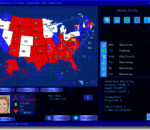
President Forever 2008 + Primaries, the definitive 2008 election game. Includes Primaries, General Election, 2008, historical scenarios, a Candidate Editor, and much, much more.
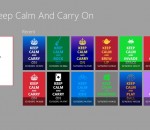
Keep Calm and customise the poster from top to bottom. Come up with your own slogan, completely redesign with exclusive icons and colour effects. Once you have chosen your own fantastic design, you can save it, set it as wallpaper and share it with your friends.
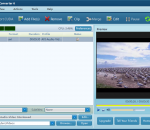
Free CUDA Video Converter has the capabilities to convert all popular video formats from HD to HD, HD to SD and SD to SD, transform between audio formats, extract audios or pictures from videos, and create video from photos. New features: 1.New interface 2.Add Flip Fuctions, Add Blind Functions 3.Video Converter is now powered with NVIDIA® CUDA™ 5X faster in conversion time 4.Added video profiles supported by the newest iPhone 4. Key features: 1.Supported High-Definition videos: H.264/MPEG-4 AVC, AVCHD Video (*.m2ts, *.mts), Apple TV h.264 720P, MKV, HD WMV, MPEG2/MPEG-4 TS HD Video, etc. 2.Supported general video formats: AVI, MPEG, WMV, DivX, MP4, H.264/AVC, MKV, RM, MOV, XviD, 3GP, FLV, etc. 3.Transform between MP3, WMA, WAV, RA, M4A, AAC, AC3, MP2, OGG and such audio formats; extract audio file from HD/SD video. 4.Capture pictures in batches from video; create a video from pictures. 5.Support multi-core CPU, multi-threading and batch process, and provide the highest speed possible to convert video files. 6.Compatible with iPod, iPhone, Apple TV, PSP, PS3, Xbox, Zune, Wii, NDS, PMP, mobile phone, MP4 players, and other multimedia devices. 7.Allows transfer the converted files to iPod, iPhone and PSP directly. 8.Merge multiple files/clips into one and further add fun transitions between every two videos/pictures. 9.Clip off any favored segments and optionally merge them into a new one. 10.Split a single file into several files by preset time or size. 11.Crop frame size; adjust brightness/saturation/contrast and add artistic effect; add watermarks. 12.Add multiple subtitle files and soundtracks of different languages in your video. 13.Lots of video, audio, picture, tag and expert parameters are adjustable. 14.Select multiple output formats for one source file at one time and get them converted within one click. 15.Run the software in the background.
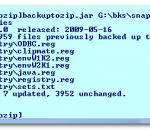
BackupToZip is a simple backup program. It maintains a compressed mirror of a set of files in a single large ZIP file. You can then copy this ZIP file to DVD, flash drive, hard disk or CD for backup. Unlike a compression utility, such as WinZIP, if you delete files, the next time you run BackupToZip it will automatically delete those deleted files from the backup archive.
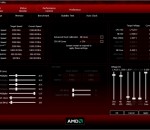
The AMD OverDrive application was designed to be a utility the provides the ability to maximize the capability, flexibility, and adjustability of the AMD chipset products.
Turn Off the Lights is a free extension for your browser. It provides focus to a video you are watching and makes everything around the video go dark. It works for all video sites such as YouTube, Vimeo,... and also on the social networking sites. When the installation is complete, you will see the light gray lamp listed in the toolbar (or Omnibar). And with one click of the button the page is darkened, providing better focus to the video.
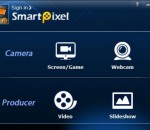
SmartPixel video editor is a screen capture and video editing 2 in 1 software for windows, it consists of two modules, SmartPixel Camera and SmartPixel Producer. The SmartPixel Camera has seamless interated D3D recording mode inside which compatible with all the PC games video recording as well as webcam and microphone audio recording. With new patented technology the video editor could easily record and edit videos with 1080P HD high quality. It brings user extreme easy and fun screen capture video recording experience but cost less CPU consumption and lower disk usage. Thus it is being seen as an ideal webcam recording tool and game recording tool. Smartpixel video editor has a PIP mode allows user live comment via webcam and microphone during screen capturing. Besides, it also capture screen and webcam image such as game screenshots, desktop screenshots etc. SmartPixel Producer might be the easiest video editing software you ever use, it's both the video editing tool and photo slideshow maker. The video editor could cut, trim, merge video clips and photo slideshow by add fast/slow playback section; insert subtitles; dubbing, text effect, background music, scribble painting etc.. With its fast cutting and editing feature, you can be a video editor in a few minutes. Almost any ideas you can think of, you can realize in your videos! Furthermore, SmartPixel Producer has a rich online resources library including effects, filters, sound clips for the video editors to add more flavor to their video clips. Once the video editing is done, the video clips can be exported with FLV, AVI, MP4, WMV and other general formats which can be easily upload to youtube and share with friends. In short, Smartpixel video editor is a video capture tool, webcam recording tool, video editing tool as well as photo slideshow making tool all in one program. It is one of the best free easy to use Windows screen capturing software and video editing software for YouTube videos.
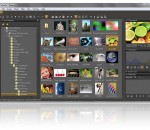
StylePix Pro is an photo editor that has all the features of raster graphics editor and adhered to lightweight design and effective UI. In addition, it has a built-in image viewer and batch processor. Convenient working environment - Supports png, jpg, bmp, tif, gif, tga file formats and tsp(StylePix own file forma). - Multi-level undo/redo support, and action list. - Zoom in/out and the full-screen view and guides, rulers, grid support - Thumbnail, histogram and waveform view for current editing image. - Built-in image viewer and slide show. Layer with styles - Rasterize, Duplicate, merge, flatten, arrange layers. - Supports four object type(image, shape text and path) and group object. - 20 kinds of blending modes support. - Layer mask. - To decorate the appearance of layer, provides 13 kinds of layer styles. - Alignment and placement tool support. Variety selection tools - Auto range, color range, and rectangular, circular, lasso and polygonal lasso with softness. - Selection transform tool - Load selection from layer. - Quick mask mode. - Modify selection: expand, contract, border, soften. - Stroke and fill selection. Variety of drawing tools - Dynamic image brush: You can create your own brushes by letters, photos and anything you want. - Eraser, spray, clone brush, line, curve, rectangles, circles, polygon, start and arrow. - Multi-line text editing. - Flood fill and gradient fill tool. - 20 kinds of blending modes. - Color picker with HSV and web safe color model. Enhance and restore tools - Burn, dodge, Blur, sharpen, desaturate, saturate and smudge tool. - Remove scratch and red-eye tool. Batch processing: Solve tedious repetitive tasks by batch processing. Practical filters with live preview - Color filters: curve, level, auto level, auto contrast, auto color etc. - Blur, Sharpen, Pixelate, Rendering, Noise, Distort, Sketch, Convolve, Style and Photo enhancement filters.
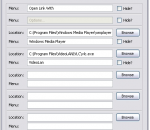
Use Browser View Plus for just IE (using IE single-line menus and standalone toolbar button) or for multiple browsers (using multiple-browsers drop-down menus and drop-down toolbar button). Change any menu or sub-menu, toolbar button, program location, or selected media players, download managers, and browsers, at any time, without restarting Firefox. Browser View Plus file size is only 26.6 KB. Right-click Firefox bookmarks to open directly in IE, Chrome, or any other browser-- without the need to first open, and then close, the bookmarked web page in Firefox. Browser and other program locations, and menu text, are determined automatically, based on a search of the Windows Registry. Or add to or modify these detected program locations (or menu text) manually.
Comprehensive protection Clearsight Antivirus’ resident protection realtime protection provides a comprehensive protection against malware Outstanding performance and effectiveness Clearsight Antivirus’ scanning engine has outstanding performance. The engine uses behavioural (heuristic) analysis to detect harmful programs. Thanks to its platform and operating system independent scanning methods it effectively scans for all known viruses, worms, trojans, backdoors, scripts, macro viruses and other harmful code on any system. Small memory footprint A new patent pending design for memory usage, has made Clearsight Antivirus’ memory footprint incredibly small. This means it can run just as well on netbooks as on normal PCs. Need a better protection? Clearsight Antivirus Lite offers basic malware protection with some limitations compaired to our Pro and Premium versions. This software will provide you with a good protection against viruses. If you want a more comprehensive protecion we recommend that you upgrade to Clearsight Pro or Clearsight Premium for maximum protection.
GOM Media Player The only media player you need - for FREE! Not only is GOM Media Player a completely FREE video player, with its built-in support for all the most popular video and Media Player formats, tons of advanced features, extreme customizability, and the Codec Finder service, GOM Media Player is sure to fulfill all of your playback needs. With millions of users in hundreds of countries, GOM Media Player is one of the world`s most popular video players. Whats New : Added "Touch Setting" feature for touch screen devices. Added "Search box" feature on playlist. (Ctrl+F) Supported "HTTPS URL" for youtube or net radio playback. (Ctrl+U) Added "Music Tap" on preferences related to play music files. Improved performance related to "speed of add & delete" of files on playlist. Other miscellaneous corrections, fixes, and changes
Iperius Backup is one of the best free backup software, also released in commercial editions for those who need advanced backup features for their companies. The freeware version of Iperius Backup allows you to backup to any mass storage device, such as NAS, external USB hard drives, RDX drives, and networked computers. It has comprehensive scheduling and e-mail sending functions. It supports zip compression with no size limit, incremental backup, network authentication and the execution of external scripts and programs.
Maryfi is a free and easy to use software router for Windows 7, 8 , and 8.1 computers. With Maryfi, users can wirelessly share any Internet connection such as: a cable modem, a cellular card, or even another Wi-Fi network. Other Wi-Fi enabled devices including laptops, smart phones, music players, and gaming systems can see and join your Maryfi hotspot just like any other Wi-Fi access point and are kept safe and secure by password-protected WPA2 Encryption.