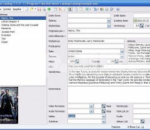
Ant Movie Catalog is a free (really free, i.e. the source code is available) program made to manage your collection of movies on DVD, CD (VideoCD, DivX, ...) and tapes. The project was started by Antoine Potten in 2000, and improved by Mickaël Vanneufville since 2011. Browse the links above this text to get more information and download the program. If you use GNU/Linux rather than Windows, you can try to use WinE to get this program running; some people notified me that this was working. You can also check Moviefly, which is a complete rewrite of Ant Movie Catalog made with Python. If you search for a program to catalog other things such as books, audio CDs or games, I recommend to check the "Mods" section of the forum where you'll find modified versions of Ant Movie Catalog. Features: * User interface translated in about thirty languages: English (default), Bielorussian, Bulgarian, Catalan, Croatian, Czech, Danish, Dutch, Estonian, Finnish, French, Galician, German, Greek, Hebrew, Hungarian, Italian, Korean, Latvian, Lithuanian, Macedonian, Norwegian, Polish, Portuguese, Romanian, Russian, Serbian (latin and cyrillic), Slovak, Slovenian, Spanish, Swedish, Turkish, Ukrainian * Can store catalog in two file format: its own binary format or XML * Import information from Internet (using scripts); by default it includes scripts for IMDB (US), DVDFR (FR), Allociné (FR), Culturalia (ES), and lots of others * User-customizable links to do a search on movie websites * Information importation from various media files (audio & video codec, bitrates, resolution, framerate, size) * Scripting technology, using Object Pascal language, allowing to modify catalog: Find & replace, moving field values, ... * Printing, using customizable templates * Export to other formats: HTML (based on a template that you can modify or create yourself), SQL commands (to re-import data in a DBMS such as MySQL), CSV (text files, can be used as tables with Microsft Excel for example), Origons.com * Import from other formats: CSV (Microsoft Excel can create such files, but a plain text file can be used too), Divx Manager, BaseDVDivx, Origons.com, DVD Profiler (catalogs exported to XML) * Can store pictures inside catalog or link to external files (recommended for large pictures) * Supports PNG, JPEG and GIF * Loans management * Statistics with chart and pies * Can display the list as a tree, where movies are grouped by a specified field * This program is free software; you can redistribute it and/or modify it under the terms of the GNU General Public License as published by the Free Software Foundation; either version 2 of the License, or (at your option) any later version. * Works on Windows 2000 and higher (XP, Vista, 7).
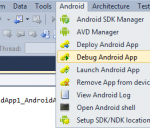
It supports both local debugging (e.g. using an embedded simulator) and remote debugging (running GDB on a Linux machine over network). Furthermore, include directories from Linux machines can be seamlessly imported to Visual Studio and used with IntelliSense.
Solitaire is a classic card game that is both fun and educational. Solitaire keeps your mind sharp, and your day fun! Solitaire is played with 52 cards. Stack cards in descending order, alternating color. Start at the King, and build down to the Ace. The goal of the game is to get all cards into the foundations in the top-right corner. Beat Solitaire when all cards are in the foundations.
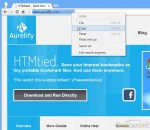
HTMtied instantly converts any Internet address (link, URL, bookmark, favorite) to a very small HTML file that when opened in any browser, it will automatically load that address. Use it when you want to save an Internet address for future use on your computer, tablet, smartphone, web storage, Windows, Mac, Android, iOS, etc. Using HTMtied is easy as 1, 2, 3. Step 1: Copy the Internet address from your browser's address bar or from any link to the Clipboard. Step 2: Run HTMtied (from the Desktop, Start Menu, or better yet, from a shortcut key you define). HTMtied will automatically convert that address to a linking HTML file and copy the file to the Clipboard. Step 3: Simply paste the file anywhere you want. Starting with Version 2.0, HTMtied supports conversion of links en masse: copy any number of Internet addresses on separate lines to the Clipboard or drag and drop any number of URL files over HTMtied, and linking HTML files will be created for each address. There is also the new Direct Mode, a special HTMtied shortcut that, when clicked, it will automatically save all the link HTML files to a directory of your choosing (Documents, Dropbox, etc.). HTMtied is so easy to use that it doesn't even need a user interface: if everything goes well, the famous "Tada" sound is played. On failure, an error sound is played. HTMtied can also be downloaded and run directly, without installation. Windows and Internet Explorer can save Internet addresses to URL files. However, URL files are not a standard and cannot be used across different platforms. Linking HTML files created by HTMtied work anywhere. And yes, HTMtied can convert URL files to linking HTML files: simply copy the URL files on the Clipboard and run HTMtied. Or drag and drop the URL files over the HTMtied icon.
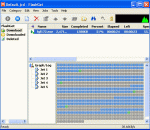
FlashGet is a leading download manager and has the highest amount of users on the internet. It uses MHT(Multi-server Hyper-threading Transportation) technique, supports various protocols and has excellent document management features. FlashGet is a freeware without any adware or spyware. FlashGet is specifically created to address two of the biggest problems when downloading files: speed and management of downloaded files.
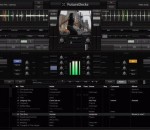
Looking for a smart and very powerful DJ software? Look no more! Meet FutureDecks PRO - the professional DJ mixing software With FutureDecks PRO you can mix songs and videos like a pro DJ. Beat-matching, seamless beat-aware loops, external controllers and MIDI support, VST effects, precise automatic BPM counter, sampler, karaoke support and many more You have a classic DJ setup with 2 or 4 decks, pro mixer and playlist. Some of the features: - automatic/manual mixing - one-click beat-matching - seamless intelligent looping and "skipbeat" - video mixing (including pitch, break, reverse, scratch on video) - very accurate automatic/manual BPM counter - KeyLock (MasterTempo) with on/off selector - video mixing (pitch, scratch, loops included) - Karaoke CDG support - automatic key detection (perfect for harmonic mixing) - ASIO/CoreAudio low-latency support - VST/AU plugin effects on each deck/mic/master - classic eqs, filters, advanced sample player - vinyl simulation: scratch, pitch, reverse play, brake - timecoded vinyls/CD support (relative + absolute) - separate headphones output, song pre-listening - external hardware controllers and MIDI support with Learn feature - browsing system with unlimited lists, disk explorer and database - iTunes browser integration - record your mixes - many more ... FutureDecks PRO is a cross-platform DJ software and it runs on both Windows and MacOSX. Try the demo version now and you will be pleased
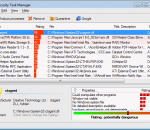
Security Task Manager is an enhanced process viewer, that provides detailed information about programs and processes running on the computer. It displays all the standard information, including file name, directory path, description, CPU usage etc. as well as a unique security risk rating. The security risk rating is based on an analysis that takes different aspects of the process into consideration, and indicates the likelihood of the process being potential spyware, malware or a Trojan or keylogger. This indicator is purely based on generic analysis, and does not use any signature files, so it is open to interpretation by the (advanced) user. Security Task Manager also displays the start time, the icon of the process, hidden functions and more. That process viewer recognizes virtual driver software, services, BHOs and stealth processes hidden from the Windows Task Manager. You can choose to terminate any process, delete it, or alternately quarantine it, which will disable it from running again without actually deleting it. Additional information is provided via context sensitive Google results, and you can customize risk ratings by adding your own comments. If you buy Security Task Manager you get the software SpyProtector for free. SpyProtector contains tools to protect your computer from keylogger, spyware and trojans. SpyProtector deletes traces of your Internet and computer activity and prevents keyboard input monitoring. Furthermore SpyProtector warns you when the registry is changed. Snapfiles.com wrote: "Overall, a very useful TaskManager for novice and advanced users alike, that provides many unique features."
Get 62 wild motion-graphics HD video clips to add excitement to your video projects! Great for title backgrounds, or eye-candy fun! Export clips to Movie Maker, or other video editing apps. Boost your editing with this awesome clip library, and blow your friends away with killer videos!
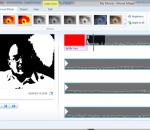
With Windows Live Movie Maker, you can quickly turn your photos and videos into polished movies. Add special effects, transitions, sound, and captions to help tell your story. And sharing with friends and family is easy—whether on the web, a computer, TV, mobile device, or a DVD. Try an AutoMovie theme Just pick the photos and videos you want to use, and Movie Maker does the rest. Share with friends Once your movie's done, it's easy to post it on popular social networking and video sharing sites. Add your photos and videos Import photos and videos from your PC or camera into Movie Maker to start making movies. Edit the video Make your movie look like you want it to, with editing tools that let you easily trim, split, and speed up or slow down your movie. Edit the audio Add and edit your movie's soundrack. Adjust the volume, fade music in or out, and more.
Want protection for yourself and your family on the Internet? Panda Internet Security 2013 provides you with the most advanced protection against Internet threats. Lets you use the Internet for everything, like shopping and banking online, with total peace of mind. Keeps your inbox spam-free, and allows you to surf the Web privately and securely. Your children will navigate safely on the Internet with the Parental control. Remote access so you can use your PC when away from home Forget about identity theft and protect your personal data. Main features: Antivirus and Firewall Panda USB vaccine Antispam and parental control Plus! Safe browser (sandboxing) Virtual keyboard Identity protection Backup Multimedia/gaming mode Home network manager Remote PC access Benefits Easy - Panda Internet Security 2013 is truly Iinstall and forget. Light - All processes take place in Panda's cloud. Secure - Includes everything you need: antivirus, firewall, identity protection... Complete - Includes free first-class technical support. Panda Internet Security 2013 - That's why this antivirus is not for your computer, it's for you
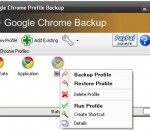
Google Chrome (web browser) has just hit the world. Google Chrome backup is a small tool to backup and restore Google Chrome profile. The profile holds personal data like history, bookmarks, etc. For easier usage, there is also a Wizard, for advanced users Google Chrome Backup has password protection for backup files and compression ratio. Everything is done with one click. Latest feature includes synchronization with Google Bookmarks service and bookmarks export. 1. You need Google Chrome installed in order for this tool to work. It supports 0.2.149.27 version of Google Chrome or newer. 2. Select a profile from drop down list and manipulate profile by selecting options on "Profile Tools" menu. 3. To backup current profile click "Backup" menu from "Profile Tools" and select a backup path. A new file which holds your profile is created. 4. To restore the old profile, click on "Restore" menu from "Profile Tools" and navigate to *.gcb file you want to restore. Selected profile will be deleted and restored from the backup file. 5. Create new Google Chrome profiles and create shortcut on desktop. 6. Delete Google Chrome profiles. 7. Add Google Chrome profiles to Google Chrome backup tool.
GOM Media Player The only media player you need - for FREE! Not only is GOM Media Player a completely FREE video player, with its built-in support for all the most popular video and Media Player formats, tons of advanced features, extreme customizability, and the Codec Finder service, GOM Media Player is sure to fulfill all of your playback needs. With millions of users in hundreds of countries, GOM Media Player is one of the world`s most popular video players. Whats New : Added "Touch Setting" feature for touch screen devices. Added "Search box" feature on playlist. (Ctrl+F) Supported "HTTPS URL" for youtube or net radio playback. (Ctrl+U) Added "Music Tap" on preferences related to play music files. Improved performance related to "speed of add & delete" of files on playlist. Other miscellaneous corrections, fixes, and changes
Iperius Backup is one of the best free backup software, also released in commercial editions for those who need advanced backup features for their companies. The freeware version of Iperius Backup allows you to backup to any mass storage device, such as NAS, external USB hard drives, RDX drives, and networked computers. It has comprehensive scheduling and e-mail sending functions. It supports zip compression with no size limit, incremental backup, network authentication and the execution of external scripts and programs.
Maryfi is a free and easy to use software router for Windows 7, 8 , and 8.1 computers. With Maryfi, users can wirelessly share any Internet connection such as: a cable modem, a cellular card, or even another Wi-Fi network. Other Wi-Fi enabled devices including laptops, smart phones, music players, and gaming systems can see and join your Maryfi hotspot just like any other Wi-Fi access point and are kept safe and secure by password-protected WPA2 Encryption.