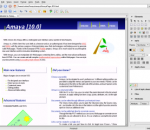
W3C's Editor/Browser Amaya is a Web editor, i.e. a tool used to create and update documents directly on the Web. Browsing features are seamlessly integrated with the editing and remote access features in a uniform environment. This follows the original vision of the Web as a space for collaboration and not just a one-way publishing medium. Work on Amaya started at W3C in 1996 to showcase Web technologies in a fully-featured Web client. The main motivation for developing Amaya was to provide a framework that can integrate as many W3C technologies as possible. It is used to demonstrate these technologies in action while taking advantage of their combination in a single, consistent environment. Amaya started as an HTML + CSS style sheets editor. Since that time it was extended to support XML and an increasing number of XML applications such as the XHTML family, MathML, and SVG. It allows all those vocabularies to be edited simultaneously in compound documents. Amaya includes a collaborative annotation application based on Resource Description Framework (RDF), XLink, and XPointer. Visit the Annotea project home page. Amaya - Open Source Amaya is an open source software project hosted by W3C. You are invited to contribute in many forms (documentation, translation, writing code, fixing bugs, porting to other platforms...). The Amaya software is written in C and is available for Windows, Unix platforms and MacOS X. New Features: · CSS: Support of z-index, opacity, SVG fill-rule, stop-opacity and stop-color properties · SVG: Implentation of linear gradients · When the remote Save of a web page fails, Amaya proposes to keep a local copy of the edited page · Publishing: Local resources attached to a remote document are now saved with the document · A new button at the bottom allows one to lock/unlock WebDAV resources Current Release Amaya 11.4.4: It supports HTML 4.01, XHTML 1.0, XHTML Basic, XHTML 1.1, HTTP 1.1, MathML 2.0, many CSS 2 features, and SVG. It now includes a SVG editor (for a subset of the language). You can display and partially edit XML documents. It's an internationalized application. It provides an advanced user interface with contextual menus, a customizable set of menus and tools, predefined themes. Distributions are available for Linux, Windows and now MacOS X PowerPC and Intel. This version provides a template support partly funded by the 6th Framework Programme of the European Commission as part of the Palette project. Highlights: * Free to use * WYSIWYG interface * Not as limiting as many WYSIWYG apps * Supports XML and all W3 standards
Death Note is a 37-episode anime series based on the manga series written by Tsugumi Ohba and illustrated by Takeshi Obata. The plot of the series primarily revolves around college student Light Yagami, who decides to rid the world of evil with the help of a supernatural notebook titled Death Note.
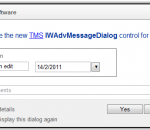
TMS Components for IntraWeb allows rich design-time editing of webpages from the Delphi IDE directly on IntraWeb forms. IntraWeb and the TMS Components for IntraWeb allow an unprecedented RAD way of web application development with Delphi, making web development as easy as dropping components on a form.
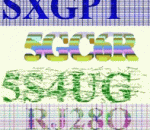
BotDetect 3 PHP CAPTCHA component is designed to protect your registration, comment, and other online forms from automated spam submissions. It generates CAPTCHA images that easily tell bots and humans apart. 60 different CAPTCHA image algorithms, custom size and image format, sound support that allows access even to visually impaired! XHTML 1.1 Strict compliant. 'Developer Edition' includes FULL SOURCE CODE and ROYALTY FREE distribution rights!
AV Manager is a Digital Signage, Multimedia display, Digital Video Management software which can operate multiple display units ( plasma, LED, LCD displays, VGA projectors and video walls) AV Manager supports various types of contents, such as F4V, M2TS,MPEG-1, MPEG-2, MKV, .DIVX, AVI, WMV, ASF, QuickTime, TV channel, cable TV, web cam, text, BMP, GIF, JPEG image, live events from Microsoft Expression Encoder and RSS Feeder, RSS Scrolling Text. AV Manager supports all these contents running on plasma TVs, LCD displays, LED signs. Display units must be connected to one or more PC workstations that have individual fixed IP address. Therefore contents can be sent to selective display units. Various types of contents are supported, such as MPEG 1 and MPEG 2 video, picture, website, text, digital clock, ad-hoc text message, PowerPoint, Flash File, TV channel or cable TV programs. Sequence feature is to group a number of contents into groups or categories each with a sequence of play-list order, so that users can easily schedule multiple events. Schedule feature is to preset one or more events on specific date and time range. One event may contain one or more contents with a play-list sequence. One or more events can be easily uploaded to selective target clients through Upload function. Multi-Zone - Normally, one display unit has only one single screen to display video or TV program or image at any single point of time. AV Manager allows us to split one single screen into two or more zones ( partitions). Each zone can has its own schedule of events, and display different types of contents simultaneously. added allow manually enter the pixel size and location of each zone in layout form. added allow display Power Point (PPTX) File without installed MS Power Point or Power Point viewer. added allow create Power Point (PPTX) File without installed MS Power Point or Power Point viewer. add more instruction when connected to av scheduler failed.
RadioSure gives you the smoothest radio listening experience. The main rule is - it should be simple, reliable and should just work. Main features are: * More than 12000 of stations in the package * Supports most of the internet radio formats - mp3, wma, ogg vorbis, aac+ and so on * Quick and reliable search for your favorite radio stations * Smooth switching between stations including crossfade effect * Recording what you are listening to and packaging it into separate song files * Simultanious recording of multiple stations * Automatic checking for software and radio stations updates * Command line parametes for automatization * Runs on Windows XP and Vista 32 and 64 bit * UNICODE support - all domestic stations are perfectly visible and searchable * and much much more…
PhotoMarks from Bits&Coffee; is a fully-featured solution for visually watermarking your copyrighted images in batch mode. Why use a complicated, general-use photo editor when you can use a lightweight specially-build tool to perform the same task? With PhotoMarks you can completely customize the appearance of your text and logo marks, as well as perform additional edits like Resize, Rename, Auto Rotate, or add Graphical Frames to your photos in the same session. It works by editing photos in batch mode and takes advantage of multi-core processors for speeding up the process. You can also save your settings as profiles to easily reuse them later. PhotoMarks is an elegant solution with a greatly designed user interface, where previews are available for every step of the process. Here is what PhotoMarks can do for you: • Batch Photo Processing with Support for Multi-Core Processors; • Completely Customizable Text Watermarks with Pixel-Perfect Positioning, Tile Mode, Rotation, Multiline Text, Custom & Textured Fonts, Shadow, Stroke, Bounding-Box, and more; • Completely Customizable Logo Watermarks with Pixel-Perfect Positioning, Tile Mode, Rotation, Scaling, Stroke, Shadow, and more; • Smart Resize Filter that Makes the Difference between Landscape and Portrait Photos, for Automatically Reducing Image Size in Pixels; • Auto Rotate Filter for Automatically Rotating Photos to the Right Orientation or Just Use a Predefined Rotation; • Graphically Decorate Photos with Beautifully Designed Grunge, Vintage, Picture, and Shape Frames, add a Shadow Effect, or a Simple Border; • Completely Customizable Rename Filter with Keywords and Search & Replace in Filenames; • Upload Directly to FTP or Send via Email; • Upload your Watermarked Photos Directly to Flickr; • Easy to Use User Interface with Previews for Every Step of the Process; • Support for 50 Image Formats, Including RAW Formats from DSLR Digital Cameras; • Save Settings as Profiles and Easy Reuse Them
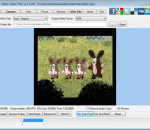
Cute Video Cutter Free Version a free easy-to-use video utility to help you to cut and split your video files into small size.It can cut large video file and remove unwanted parts. Cute Video Cutter works well with many file formats like AVI, MPEG-1/2, DVD/SVCD/VCD, VOB, DAT, ASF, WMV, Divx, xVid, MOV, MP4, iPod, PSP, iPhone, Zune, BlackBerry, Apple TV, M4V, MPA, 3GP, MKV, RM, RMVB, SWF, FLV video formats, as AVI cutter, 3GP video cutter, etc. The easiest video cutting software can freely select regions by using the slider. All clips will be shown in the interface for you to browse . No need any professional IT stills, No need any knowledge about all kinds of video formats. Go ahead to download Cute Video Cutter Free Version ! It's 100% FREE!
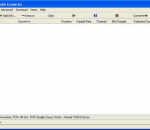
River Past Audio Converter is an easy-to-use, fast, and powerful batch audio conversion and extractor software. It outputs AIF, AVI, MKA (Matroska Audio), MP3, OGG Vorbis, WAV or WMA. With River Past MPEG-4 Booster Pack installed, you can output to M4A (MPEG-4 AAC audio), the format used by iTune and iPod. With MPEG-2 Booster Pack, you can convert to MPEG Audio layer-2. It can convert from Dolby Digital AC-3, Apple AIF (AIFF/AIFC), Monkey audio APE, Unix AU, FLAC (Free Lossless Audio Codec), MP3 (MPEG Layer-3), M4A (MPEG-4 Audio), MKA (Matroska Audio), MPA (MPEG-1 Audio), MPC (MusePack/MPEG Plus), OFR (OptimFROG), OGG Vorbis, RealAudio RA/RAM, SD2 (Sound Designer 2), SND, TTA (The True Audio encoder), WAV and WMA (Windows Media Audio). It can also extract audio from mobile phone 3G video (3GPP/3GPP2), ASF (Advanced Streaming Format), AVI, VCD DAT, DivX, DV, IVF, MKV (Matroska Video), QuickTime MOV, MP4 (MPEG-4 video), MPG (MPEG-1 and MPEG-2 Video), RealMedia RM, OGM (OGG Media), DVD VOB, WMV (Windows Media Video) and XviD. It can rip audio from DVD-Video chapters. You have the full control over the codec, sample rate, channel, bits per sample, and bitrate settings. For WMA output, you can also choose from a list of Windows Media profiles. Tags are supported for MOV, WMA and MP3 formats. Now, you have the ability to add a DirectShow decoding method (file reader, splitter, decoder) to expand the input file format support. No Adware or spyware. DX8 and Windows Media Format 9 runtime required. (download link available on web site). Compatible with Windows Vista. 30 day MONEY BACK GUARANTEE
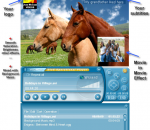
Vidmex is a multimedia player that allows you to extract fragments from video and audio files, merge or mix media files, play music and video with customizable subtitles, adjust brightness, contrast, saturation, invert, color balance, zooming and other video effects in real time. Vidmex supports many media formats: ASF, AVI, MKV, MOV, MP4, MPG, MPE, MPEG, OGM, RV, RM, CDA, RMVB, VCD, AAC, VOB, WMV, AC3, AIFF, APE, FLAC, MIDI, MKA, MPA, MP3, MP2, OGG, RA, WMA, WAV, BMP, GIF, JPG, TGA etc. Vidmex has a very easy-to-use interface -- just click Begin/End buttons to mark positions of the fragment and choose multimedia operation from the Wizard - Image, Fragment, Merge, Mix etc. Vidmex Playlist allows to organize your media files (save playlists, sort, find/filter, set playback range for each file) and to perform audio/video editing operations. You can quickly select fragments directly in Playlist by clicking on areas of counters. Vidmex supports global hot keys to control player from any Windows application, drag'n'drop functionality to load or add media files. You can adjust window size, choose and preserve aspect ratio, watch minimized video on top of all other windows and change skins. FEATURES: · Save video fragments from movies with the simplicity of pressing Begin/End. · Convert video, images and audio from many file formats. · Insert subtitles into movies. Extract video with subtitles. · Enhance the extracted video with smooth, sharpen, blur, saturation effects. · Zoom/flip video areas, apply cool changes like emboss, invert, hue, color balance. · Combine several videos - movie-in-movie effect. Insert video window inside a film. · Re-compress your audio files using different quality and compression settings. · Extract single images from video clips with high timing precision, video effects. · Extract fragments from music files, save soundtracks from films, from CD. · Create a simple slideshow from your digital images. · Create video clip by joining several video fragments from many movies. · Use your logo on top of video. · Prepare custom audio tracks by joining audio fragments from music files, movies. · Mix several audio fragments (for example speech and music).
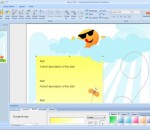
SmartsysSoft Business Publisher helps you design address labels, flyers, brochures, business cards, advertisement, newsletters, name badges, letterheads, postcards, invitation cards and envelopes etc...It provides a lot of design templates and hundreds of backgrounds, pictures and symbols. You can choose them for a vast library and then custom with your own texts and logos to create a stunning publication. That’s so easy and quick! SmartsysSoft Business Publisher is also a great vector graphics program. Some drawing elements such as texts, logos, shapes, symbols, images can be added to your design as you needs. Each one is painted very smoothly. So that, you can get professional-looking publications with very high quality when designs are translated to printing. All vector objects can be filled or stroked with solid color, gradient colors, images or patterns. More than hundreds of dash styles are supported to be used for stroking shapes. Besides that, SmartsysSoft Business Publisher provides very powerful shapes tools to edit path of vector objects. With which, you can create the most unique shapes, symbols or texts if you desires. SmartsysSoft Business publisher is also professional quality printing software. It supports to print your publications on any Windows compatible printer with most standard papers directly. Also it is allowed to save your design as a high quality image with PDF, BMP, JPEG, GIF, PNG, TIFF format for outside quality printing.
GOM Media Player The only media player you need - for FREE! Not only is GOM Media Player a completely FREE video player, with its built-in support for all the most popular video and Media Player formats, tons of advanced features, extreme customizability, and the Codec Finder service, GOM Media Player is sure to fulfill all of your playback needs. With millions of users in hundreds of countries, GOM Media Player is one of the world`s most popular video players. Whats New : Added "Touch Setting" feature for touch screen devices. Added "Search box" feature on playlist. (Ctrl+F) Supported "HTTPS URL" for youtube or net radio playback. (Ctrl+U) Added "Music Tap" on preferences related to play music files. Improved performance related to "speed of add & delete" of files on playlist. Other miscellaneous corrections, fixes, and changes
Iperius Backup is one of the best free backup software, also released in commercial editions for those who need advanced backup features for their companies. The freeware version of Iperius Backup allows you to backup to any mass storage device, such as NAS, external USB hard drives, RDX drives, and networked computers. It has comprehensive scheduling and e-mail sending functions. It supports zip compression with no size limit, incremental backup, network authentication and the execution of external scripts and programs.
Maryfi is a free and easy to use software router for Windows 7, 8 , and 8.1 computers. With Maryfi, users can wirelessly share any Internet connection such as: a cable modem, a cellular card, or even another Wi-Fi network. Other Wi-Fi enabled devices including laptops, smart phones, music players, and gaming systems can see and join your Maryfi hotspot just like any other Wi-Fi access point and are kept safe and secure by password-protected WPA2 Encryption.