You can easily share an external USB drive or a printer over a network. But why can't you share all the rest of your USB devices just as easily? Lab instruments, scanners, cameras, card readers, bar code scanners, PDAs, USB keys and others are usually considered to be non-shareable. Thus, normally you need to move your USB devices from one computer to another. Sometimes, though, this is not an easy task, especially when you need to use a device that is physically located in another building or even another city. USB is the standard interface used by most modern computer devices today. But, USB was designed to connect electronic peripherals only to a single computer. Previously, the only way to share a non-shareable device was to buy an expensive hardware USB switch. A hardware switch takes up space, consumes power and is often quite expensive. USB Over Network is a revolutionary software solution from FabulaTech. No need to move devices from one computer to another, and no need to buy expensive hardware switches. You can access a USB device connected to a remote computer from your computer via a LAN or the Internet as if it were physically plugged into your own PC. The program consists of a "Server" and a "Client". You should install the Server on the computer to which the device you want to share is physically connected. You can install the Client on all PCs from which you need to access the shared device. USB Over Network is easy to install and use. It supports a wide range of USB devices. The program does not require any special knowledge and installs easily right out of the box. Share your USB device without risk of losing it! Access remote instruments without leaving your chair!
LightningChart Basic is a fast chart control. It provides very good real-time monitoring power while keeping the CPU load extremely low. This is a free, lite version of LightningChart Pro.
Autodesk® SketchBook® Express for Metro is a fun and intuitive drawing application. Get a taste of the professional-grade painting and drawing tools available in the award-winning SketchBook Pro.
Active Directory change auditing is an important procedure for limiting unauthorized changes and errors to AD configuration. One single change can put your organization at risk, introducing security breaches and compliance issues. Built-in Active Directory auditing lacks many important features and doesn't have reporting capabilities. Careful analysis of multi-megabyte Security logs can take enormous resources and still never paint the whole picture. Netwrix Active Directory Change Reporter is a free tool that reports the changes made to Active Directory and delivers a summary and detailed information on a daily basis. The report includes the 4 "W"s - Who, What, When, and Where - of all changes and includes "before" and "after" values for each setting. This report lists changes made to AD and Exchange configurations, mailboxes, AD schema, and many more. Generated data can be used to: * Monitor day-to-day administrative activities. * Prepare compliance reports for your SOX, GLBA and HIPAA auditors. Netwrix Active Directory Change Reporter records all modifications, including both user and administrative activity, and e-mails daily reports to AD administrators detailing every Active Directory change. Collected audit data is archived and can be stored for years, so you can build a summary of changes made to Active Directory during any period and drill down to detailed information as necessary. This archiving function allows organizations to analyze any policy violations, adhere to security best practices and maintain established internal policies. The tool is provided free of charge for use by organizations and individuals.
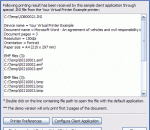
The Virtual Printer driver can receive a print job from any application. It supports many output raster formats, text, PDF (and PDF/A). Print jobs can be redirected to a physical printer. FTP upload, watermarks and many other features. You can configure any aspect of the driver using the detailed documentation. The driver is royalty free and modular so you can add features on the go. Want more? Use our excellent development service!
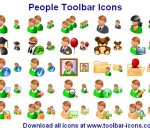
A collection of icons depicting people in a characteristic avatar-like style, People Toolbar Icons will enhance any chat or instant messenger, or will make a perfect skin to a blog or forum. People Toolbar Icons depict people of different backgrounds, social and racial origins. Software developers, bloggers, and owners of chats and forums will benefit from using People Toolbar Icons by offering their users a slick communication environment.
WikFonts is a simple application that simplify the tasks of installation and removal of system fonts. By using WikFonts you can avoid the bloat your system with rarely use fonts. The application allow to use fonts that are not installed on your system. WikFonts provide informations about fonts and their characters map.
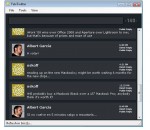
For a way to access all your Twitter feeds and messages without opening the Twitter main interface, TeleTwitter is the application to have. Installation of the software is a breeze and it is quite non-intrusive as you will notice. Indeed, TeleTwitter works as a desktop Twitter client that you can load anytime you want. Its interface is very neat and accompanied by graphics that you will love. Posting and reading messages are two more features that can be accessed from your desktop. Once TeleTwitter has been loaded, it can be minimized to the system tray. The desktop application can also be configured to send you notifications regarding your postings. The size of this application is another asset you will enjoy. This is without a doubt a better alternative to opening a Twitter page.
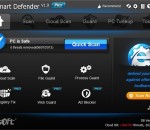
Anvi Smart defender delivers smart and powerful protection against malicious software, such as virus, Trojans, adware, spyware, bots and other threats. With the Swordfish Engine, it scans and detects these threats fast and lightly. It adds system optimization function to speed up your PC and provides cloud scan feature to protect your PC more effectively. Anvi Smart Defender has five function modules. They are Scan, Cloud Scan, Guard, System Optimization and Update. The Scan function is based on known threats, with the database update daily, it can detect the latest threats in order to protect users' PC from malware threats. Cloud Scan is a featured function of Anvi Smart Defender, which help users verify unknown or suspicious files on computers. With a simple "Cloud Scan" button, it will scan the most commonly infected areas of computer, and users could select to upload them to Anvi Online Cloud Server for verification. Guard is the most need function of an anti-malware program. It provides real-time protection when users surf on the Internet, such as chat online, online transaction, bank check, browser website, etc. System Optimization is an assisting function of Anvi Smart Defender. Its goal is to help users speed up PC and gain new PC feeling. In Anvi Smart Defender, the Update Center is easy-to-use, users can check for the latest malware database and latest program version by one-click, and users also can set automated update in Settings.
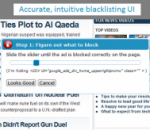
Adblock does exactly what its name implies: it blocks ads. Pretty much all of them. Banner ads? Yes. Those crazy annoying Flash ads that seem to be popping up everywhere? You bet. Facebook ads, Google ads, pop-up ads? Check, check, and check. Using the Internet with Adblock is oddly peaceful; all you see is the content you're looking for, and not all the distracting clutter that we've grown accustomed to. A small notification in the bottom right corner of the screen lets you know when a pop-up has been blocked, and you can choose to have Adblock stop blocking pop-ups from individual sites if desired. Using Adblock also results in the practical advantage of faster page loads, which is always a plus. This extension offers plenty of options for customization, allowing users to specify domains for which they don't want ads blocked, select specific filters, and submit ads that Adblock missed. Like most browser add-ons, Adblock doesn't have a Help file, but it's pretty straightforward. We found Adblock to be very effective and easy to use, and we highly recommend it to anyone seeking a smoother, less cluttered Web-browsing experience. Adblock for Chrome is free. It installs and uninstalls without issues. We recommend this add-on to all users.
Metal Slug is a series of run and gun video games first released on Neo-Geo arcade machines and game consoles created by SNK. It was also ported to other consoles, such as the Sega Saturn, the PlayStation, the Neo-Geo Pocket Color and more. Now You can play on your PC for free on Softendo Mario Games. Collect many interesting weapons and bonuses, fight againts many giant bosses and use many interesting vechicles like tanks or aircrafts.
GOM Media Player The only media player you need - for FREE! Not only is GOM Media Player a completely FREE video player, with its built-in support for all the most popular video and Media Player formats, tons of advanced features, extreme customizability, and the Codec Finder service, GOM Media Player is sure to fulfill all of your playback needs. With millions of users in hundreds of countries, GOM Media Player is one of the world`s most popular video players. Whats New : Added "Touch Setting" feature for touch screen devices. Added "Search box" feature on playlist. (Ctrl+F) Supported "HTTPS URL" for youtube or net radio playback. (Ctrl+U) Added "Music Tap" on preferences related to play music files. Improved performance related to "speed of add & delete" of files on playlist. Other miscellaneous corrections, fixes, and changes
Iperius Backup is one of the best free backup software, also released in commercial editions for those who need advanced backup features for their companies. The freeware version of Iperius Backup allows you to backup to any mass storage device, such as NAS, external USB hard drives, RDX drives, and networked computers. It has comprehensive scheduling and e-mail sending functions. It supports zip compression with no size limit, incremental backup, network authentication and the execution of external scripts and programs.
Maryfi is a free and easy to use software router for Windows 7, 8 , and 8.1 computers. With Maryfi, users can wirelessly share any Internet connection such as: a cable modem, a cellular card, or even another Wi-Fi network. Other Wi-Fi enabled devices including laptops, smart phones, music players, and gaming systems can see and join your Maryfi hotspot just like any other Wi-Fi access point and are kept safe and secure by password-protected WPA2 Encryption.