If you use email or the Internet, you need extended protection. Avira Antivirus Premium 2012 not only combats viruses, worms, Trojans, rootkits, phishing, adware, and spyware, but also protects you while surfing and emailing thanks to WebGuard, AntiDrive-by, and MailGuard. Functions - AntiVir stops all kinds of viruses - AntiAd/Spyware protects against adware and spyware - AntiPhishing protects your data from phishing attacks - AntiRootkit detects hidden rootkits - AntiDrive-by prevents downloading viruses while surfing the Net - EmailScanner examines incoming and outgoing emails (POP3/SMTP/IMAP) - WebGuard checks downloads and websites for viruses - RescueSystem creates a bootable rescue CD - QuickRemoval removes viruses at the push of a button - NetbookSupport support for computers with low resolution - AHeADTechnology detects even unknown viruses by their profiles - AntiVirProActiv detects unknown viruses by their behavior patterns - GenericRepair automatic repair of your PC - ExpressInstallation install Avira in just 5 clicks Giving something back - up to five euros or 25% of every online sale goes to the Auerbach foundation that supports various social, scientific, cultural and charitable projects.
AVZ AntiViral Toolkit is a Portable AntiMalware and Portable AntiSpyware Solution that was created by a Russian named Oleg Zaytsev to remove adware and spyware, network worms, trojan horses (Trojan, TrojanDownloader, TrojanSpy) and Dialers. The utility implements specialized algorithms for detecting keyloggers, finding and blocking rootkits etc. AVZ was developed as a stand alone antiviral toolkit but Oleg recently went to work for Kaspersky. As a result, the product is said to now be a part of the Kaspersky 2009.
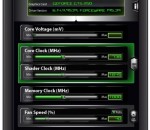
This is an incredible handy overclock utility for MSI graphics cards. Afterburner is powered by our own Rivatuner engine, but this software comes with a few extra's. AfterBurner will support both ATI and NVIDIA graphics cards, Voltage regulation on the GPU, overclocking on core, shader and memory domains, GPU load levels (ATI), fan speed adjustment, device information .. and a really wicked graphical (configurable) monitor.
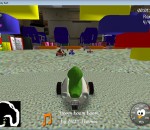
Jersey Kart is a kart-style racing video game featuring many different exciting races, impressive speeds, amazing tricks and power-ups to use against opponents. It also has the multiplayer option and lots of other options to customize the game according to your preferences including various skins for the user interface. This car racing game offers one of the best ways to relax, have tons of fun and practice your racing skills when you have a spare moment. Whether you want a quick race while on a break, to engage in a tournament and speed your way through multiple challenging landscapes or set up a multiplayer game, Jersey Kart guarantees an awesome car gaming experience. Jersey Kart offers exciting scenery, captivating background music, and you can choose between different game modes including Normal Race (all blows allowed so get as many weapons as you can and use them smartly), Time Trial (no powerups in this mode, it's all about driving skills) and Follow the Leader (where you have to keep up with the leader without overtaking it). Jersey Kart delivers the feeling of arcade racing thrill in a very fun and challenging way. You even have the option to play it both full screen or in a minimized window if you just want to have quick races between other tasks. All-in-all, Jersey Kart is a most fun and entertaining time killer.
iTVmediaPlayer is a premium TV software/app for multiple devices that offers over 200,000 live and on-demand TV channels and over one million high-quality/HD movies and shows, legally, on virtually any device. It is compatible for use on computers, TVs, gaming consoles, smart phones, tablets and/or any other video-capable devices. iTVmediaPlayer stands for complete TV freedom and user empowerment. Unlike Cable or Satellite, iTVmediaPlayer uses your Internet connection to connect your already-owned devices to a virtually endless universe of live and on-demand TV content. Therefore, regardless of the brand of the device/s you own or where you live on the planet, it can serve as your main TV service. For non-smart TVs, simply run iTVmediaPlayer from a connected device (any one of the above). To connect any device to your TV, refer to your TV and/or device's owner's manual, if needed. Once you get iTVmediaPlayer, just open your iTVmediaPlayer software/app from a chosen device, or visit iTVmediaPlayer.com/devices from any of your smart devices. Thanks to its aggregative nature, iTVmediaPlayer actually offers you much more content than most satellite/cable TV service providers individually. In addition to free on-demand and live TV, iTVmediaPlayer offers free music on-demand, live radio, games, weather, news, built-in Internet browser, Web apps, video chatting, a personal assistant (to help you choose from the channel guide, depending on your mood) and even optional access to paid providers; such as Netflix, VuDu, HBO, Cinemax, Showtime, Starz, etc. - all in one single place. Additionally, most of the on-demand and live TV content is 100% free. If you already use any of the above-mentioned devices, all you need is the iTVmediaPlayer software/app.
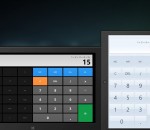
The most beautiful and feature rich calculator available for Windows 8. Switch between 3 different themes and use the calculator in scientific or normal mode. Open Themes in the app bar or the Charms bar to change the theme of the app. Rotate the app or snap it to switch between scientific and basic calculator and switch between radian and degree calculations using the Rad / Deg button.
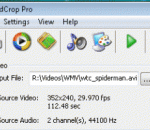
VidCrop PRO is a complete video cropper for various digital video formats. User can remove useless frames and also parts of the frames by cropping it, which gives a zoomed in, cramped image with much important video information. By using VidCrop PRO you can simply edit your video files by zooming it as far as your resolution will let you and use edited and more informative video file for yourself on your website, blog or just play it on your computer. VidCrop PRO is very handy because it has a video preview for rangebar and a frame preview for cropping. Rangebar will let you to choose the video from the first frame to the final. So you can cut off any frames you want from the begining and from the final part. So you will be sure how the video will look like after cutting. Also there is a preview for cropping. You will see Crop frame in preview box and you will see which parts from each side you want to crop. VidCrop PRO supports most popular video formats *.AVI, *.WMV, *.MPEG, *.MOV, *.3GP, *.MP4. Result movie file would be AVI, WMV, MPEG1, MPEG2, 3GP, MP4 and it will be controlled with width, height, frames per second and other codec properties. So you choose a video file, such as your favourite movie, music video, cartoon or any video you have, choose a part for cropping in the video preview and manage range bar for time limits and click Start. After converting you will got an AVI or WMV video with pixelsize that is set.
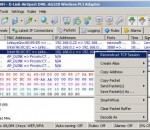
CommView is a program for monitoring Internet and Local Area Network (LAN) activity capable of capturing and analyzing network packets. It gathers information about data passing through your dial-up connection or Ethernet card and decodes the analyzed data. With CommView you can see the list of network connections and vital IP statistics and examine individual packets. Packets are decoded down to the lowest layer with full analysis of the most widespread protocols. Full access to raw data is also provided. Captured packets can be saved to log files for future analysis. A flexible system of filters makes it possible to drop packets you don't need or capture only those packets that you wish to capture. Configurable alarms can notify you about important events, such as suspicious packets, high bandwidth utilization, or unknown addresses. CommView includes a VoIP module for in-depth analysis, recording, and playback of SIP and H.323 voice communications. CommView is a helpful tool for LAN administrators, security professionals, network programmers, or anyone who wants to have a full picture of the traffic going through one's PC or LAN segment. This application requires an Ethernet, Wireless Ethernet, or Token Ring network card supporting the NDIS 3.0 driver standard, or a standard dial-up adapter. CommView features full decoding of the following protocols: ARP, BCAST, BGP, BMP, CDP, DAYTIME, DDNS, DHCP, DIAG, DNS, EIGRP, FTP, G.723, GRE, H.225, H.261, H.263, H.323, HTTP, HTTPS, ICMP, ICQ, IGMP, IGRP, IMAP, IPsec, IPv4, IPv6, IPX, HSRP, LDAP, MS SQL, NCP, NDS, NetBIOS, NFS, NLSP, NNTP, NTP, OSPF, POP3, PPP, PPPoE, RARP, RADIUS, RDP, RIP, RIPX, RMCP, RPC, RSVP, RTP, RTCP, RTSP, SAP, SER, SIP, SMB, SMTP, SNA, SNMP, SNTP, SOCKS, SPX, SSH, TCP, TELNET, TFTP, TIME, TLS, UDP, VTP, WAP, WDOG, YMSG, 802.1Q, 802.1X.
ReminderFox allows you to easily add all your important dates such as birthdays and anniversaries and important todos right in your browser. Let ReminderFox alert you with alert sliders and alarms. Never forget an important date again! Easily add online calendars to ReminderFox, from your personal calendars to sports events and public holidays.
Want protection for yourself and your family on the Internet? Panda Internet Security 2013 provides you with the most advanced protection against Internet threats. Lets you use the Internet for everything, like shopping and banking online, with total peace of mind. Keeps your inbox spam-free, and allows you to surf the Web privately and securely. Your children will navigate safely on the Internet with the Parental control. Remote access so you can use your PC when away from home Forget about identity theft and protect your personal data. Main features: Antivirus and Firewall Panda USB vaccine Antispam and parental control Plus! Safe browser (sandboxing) Virtual keyboard Identity protection Backup Multimedia/gaming mode Home network manager Remote PC access Benefits Easy - Panda Internet Security 2013 is truly Iinstall and forget. Light - All processes take place in Panda's cloud. Secure - Includes everything you need: antivirus, firewall, identity protection... Complete - Includes free first-class technical support. Panda Internet Security 2013 - That's why this antivirus is not for your computer, it's for you
The best DVD player software for high-quality video playback, WinDVD delivers a more lifelike and exhilarating entertainment experience. Enjoy home movies or the latest Hollywood blockbusters with superior picture quality and razor-sharp audio performance. Take your flicks on the go with laptop features that make sure your batteries don’t run out before the movie. Plus, watch videos right from your camera, camcorder or DVD—no downloading required! * Watch home movies or the latest Hollywood blockbuster DVDs * Enjoy crystal-clear video * Experience the crisp sound quality of Dolby® Digital Sound * Watch movies wherever you are with battery optimization for your laptop * Play movies in popular audio and video formats * Get hands-on with Windows® 7 touch-screen features Kick it up a notch with HD! WinDVD Pro is a Blu-ray player that supports AVCHD and even upscales standard DVDs to near-HD quality for more intense movies and music. Includes everything in the Standard version, plus: * GPU-accelerated upscaling for smoother playback of your DVD-Video on high-definition display. Upscale DVD-video to fit your HD display, regardless of the platform! * Support for HD video formats like AVCHD, AVCREC, BD-R/BD-RE and BD-ROM * Dolby TrueHD and DTS-HD * Dolby Headphone/Dolby Virtual Speaker/Dolby Pro Logic IIx™ * Trimension All2HD
GOM Media Player The only media player you need - for FREE! Not only is GOM Media Player a completely FREE video player, with its built-in support for all the most popular video and Media Player formats, tons of advanced features, extreme customizability, and the Codec Finder service, GOM Media Player is sure to fulfill all of your playback needs. With millions of users in hundreds of countries, GOM Media Player is one of the world`s most popular video players. Whats New : Added "Touch Setting" feature for touch screen devices. Added "Search box" feature on playlist. (Ctrl+F) Supported "HTTPS URL" for youtube or net radio playback. (Ctrl+U) Added "Music Tap" on preferences related to play music files. Improved performance related to "speed of add & delete" of files on playlist. Other miscellaneous corrections, fixes, and changes
Iperius Backup is one of the best free backup software, also released in commercial editions for those who need advanced backup features for their companies. The freeware version of Iperius Backup allows you to backup to any mass storage device, such as NAS, external USB hard drives, RDX drives, and networked computers. It has comprehensive scheduling and e-mail sending functions. It supports zip compression with no size limit, incremental backup, network authentication and the execution of external scripts and programs.
Maryfi is a free and easy to use software router for Windows 7, 8 , and 8.1 computers. With Maryfi, users can wirelessly share any Internet connection such as: a cable modem, a cellular card, or even another Wi-Fi network. Other Wi-Fi enabled devices including laptops, smart phones, music players, and gaming systems can see and join your Maryfi hotspot just like any other Wi-Fi access point and are kept safe and secure by password-protected WPA2 Encryption.