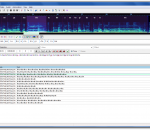
Aegisub is a general-purpose, open-source SubStation Alpha subtitle editor that was created to help in many aspects of subtitle typesetting, timing and editing by correcting flawed features found in the Medusa Subtitling Station and adding many that it lacked. With many specialized tools to complement the generic, easy to use interface, Aegisub is now the most advanced SSA/ASS subtitle editor in the world. A comprehensive manual (including step by step tutorials) ensures that anyone can be working with Aegisub in a very short time. Features: · Unicode in UTF-7, UTF-8, UTF-16LE and UTF-16BE encodings · Importing non-Unicode subtitles from over 30 different character encodings, including Shift_JIS, allowing you to resume work on any subtitles regardless of your system locale settings · Loading advanced Substation Alpha (.ass), Substation Alpha (.ssa), Subrip (.srt) and Plain-Text (.txt) (with actor data) subtitle formats · Full tag conversion from SRT to ASS · Multiple Undo levels · Powerful Automation module using the Lua scripting language to create advanced karaoke effects (including per-syllable effects, similar to AssCalc) - or any other kind of subtitles manipulation · Syntax highlighting · Fonts collector to collect all fonts used in a script into a folder · Opening of videos via Avisynth for true preview of subtitles using VSFilter, in any format supported by DirectShow · Aspect ratio overriding for anamorphic videos · Variable Frame Rate videos via timecodes file (v1 and v2), including exporting processed times for hardsubbing · Display of video coordinates under mouse and simple auto positioning support · Audio mode which allows you to open files in any format that your DirectShow can decode, including Wave, mp3, Ogg Vorbis, AAC, AC3 and others
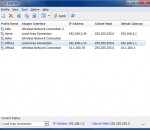
IP Shifter is a smart software tool that helps you to change your TCP/IP related settings easily and quickly. If you work dynamically at several locations in the network (due to business), you need to be connected in different offices, or you need to use your computer in more than one network, in these cases, you have to change your IP address parameters (e.g. IP address, Subnet mask, Gateway, DNS, Proxy) frequently, so IP Shifter is a product for you! It can help you to finish this activity. It can handle multiple network adapters! That means that each configuration could be defined for the specific adapter and you
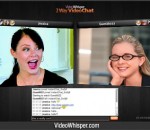
VideoWhisper 2 Way Video Chat is a P2P high definition web video communication software designed for instant 1 on 1 online video conferencing. It's a solution for conducting easy to setup face to face meetings without leaving your office or home. It's the easiest and most cost-effective way to meet somebody and discuss one on one. Free version downloads available by registering a free account on the developer website. For all editions graphics and sounds are loaded from external image files. Source code for all PHP files is included and also for the FMIS .asc file, Red5 .java source. Emoticons are listed in a XML file and loaded from external images. his is a great tool for your business or even to start a new business or service. * have meetings on short notice with individuals in faraway places * conduct sales presentations without traveling * manage employees remotely when you are not in the office * bring any partner or specialist employee virtually to any meeting you physically attend to * demonstrate products and software without traveling * train customers, partners and employees on remote locations * have employees work from home even if they are on another continent * communicate from many business airlines that provide internet while mobiles are not functional * talk face to face to new employees or business partners from far away locations before doing any traveling * communicate face to face from anywhere you find an internet connection for your laptop * remote professional consultations and advice * avoid dangerous or just boring locations and persons
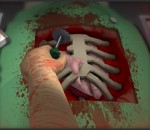
I played Life & Death when I was but a child and its depiction of medical procedures frightened me far more than Alone in the Dark ever did. The fluids that spilled out of patients’ pixel-parts were far more real than the things that went bump in the night. The Trauma Center series has a more madcap take on surgical procedures than Life & Death ever did (it was the Police Quest of surgery sims) but it can’t match up to Surgeon Simulator 2013. Nothing can. Handsome Mike Bithell of Thomas Was Alone fame brought this to my attention. It was made for a Gamejam by folks from Bossa Studios. Imagine Octodad performing a heart transplant, then watch.
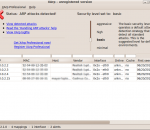
XArp is a security application that uses advanced techniques to detect ARP based attacks. ARP attacks allow an attacker to silently eavesdrop or manipulate all your data that is sent over the network. This include documents, emails and VoiceIP conversations. ARP spoofing attacks are undetected by firewalls and operating system security features: firewalls don't protect you against ARP based attack! XArp has been developed to target this problem: it uses advanced techniques to detect ARP attacks and thus helps you to keep your data private.
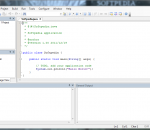
JCreator is a powerful IDE for Java JCreator is the development tool for every programmer that likes to do what he does best: programming. It is faster, more efficient and more reliable than other Java IDE’s. Therefore it is the perfect tool for programmers of every level, from learning programmer to Java-specialist. JCreator provides the user with a wide range of functionality such as : Project management, project templates, code-completion, debugger interface, editor with syntax highlighting, wizards and a fully customizable user interface With JCreator you can directly compile or run your Java program without activating the main document first. JCreator will automatically find the file with the main method or the html file holding the java applet, then it will start the appropriate tool. JCreator is written entirely in C++, which makes it fast and efficient compared to the Java based editors/IDE's. Features: Manage projects with ease in an interface that is much like Microsoft Visual Studio. Define your own color schemes in XML for unlimited ways to organize your code. Use JCreator to wrap around your existing projects and use different JDK profiles. Get down to writing code quickly with our project templates. Make viewing your project a breeze with our class browser. Debug with an easy, intuitive interface. No need for silly DOS prompts! Walk through our wizards and cut to the chase of writing your project quickly and easily. Manage and exchange your code with our Ant and CVS integration. Save valuable time on Classpath configuration; let JCreator do it for you. Customize our user interface the way that you like it. Set up your own run-time environments to run your application as an applet, in a JUnit environment, or in a DOS window. Experience the satisfaction of faster speed, yet lower system requirements than with other IDEs.
Kaspersky anti-virus protects you from the Phishing and Malware sites that you wouldn't otherwise know were attempting to steal from you. At the same time, the Kaspersky Security Network allows your computer to report when it discovers a threat that hasn't been seen before. All 250 million Kaspersky users benefit from our combined knowledge! Kaspersky features include: Protects from viruses, Trojans, worms, spyware, adware Scans files, email, and internet traffic Protects Instant Messengers Protects From Unknown Threats Analyzes and closes Internet Explorer vulnerabilities Disables links to malware sites / phishing sites Global Threat Monitoring (Kaspersky Security Network) Blocks all types of keyloggers Automatic Database Updates Free Technical Support Note: This is a 30-day commercial trial.
Stay in the game Overwolf adds your favorite apps into your games. Use Facebook, Skype, Video Capture and more to connect with your friends and share your awesomeness!
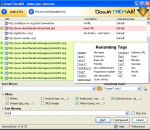
The first and only download manager/accelerator built inside Firefox! DownThemAll is all you can desire from a download manager: it features an advanced accelerator that increases speed up to 4x and it allows you to pause and resume downloads at any time. DownThemAll is fast, reliable and easy-to-use! It lets you download all the links or images contained in a webpage and much more: you can refine your downloads by fully customizable criteria to get only what you really want! Be in full control over your downloads, dedicated speed and number of parallel connections at any time. Use Metalinks or add mirrors manually to download a file from different servers at the same time. DownThemAll is open-source and freeware. No Adware, no Spyware, no hidden costs!
AVI-Mux GUI is an application that allows to combine several video, audio or subtitle files into one file, with out without size restriction, allowing to configure properties of the output file to a deeper level than usual for such applications. Supported input file types: AVI, MKV, WAV, MPA/MP3, AC3, DTS, AAC, OGG/Vorbis, SRT, SSA - All file format readers have been rewritten from scratch and do not depend on bugs of 3rd party parsers Supported output formats: AVI, MKV, raw (MPx, AC3, DTS...), ATDS-AAC, OGG/Vorbis - the AVI, MKV and OGG muxers does not depend on any third party bugs either (ADTS is too simple to speak about a "muxer") - supports Open-DML AVI files No size limitation for AVI files (note: this breaks many hardware MPEG4 players) - supports creating rec list Forces Microsoft's AVI Splitter to read AVI files sequentially, without seeking on the disc (note: this breaks many hardware MPEG4 players) - easy splitting Split large files by size, by time or by chapter boundary. See here for more information. - handles MPx/AAC-in-AVI You can use MPx, AAC and HE-AAC audio in your AVI files. Those files are 100% compliant to the AVI file specification - extracting most stream types All stream types that can be extracted in "raw mode", like MP3, AC3, DTS, as well as AAC and OGG/Vorbis streams can be extracted from source AVI/MKV files. SRT and SSA subtitles can be extracted from AVI files. - own cache An own cache increases performance over using the Windows file cache - repair files Some typical bugs in AVI files causing by some known applications can be fixed without remuxing the file Mode 2 - Form 2 reading Files which are stored on CDs using the Mode 2 - Form 2 - format, or files which someone copied from such a CD using Windows Explorer, can be accessed directly Vorbis-in-AVI reading AVI files containing Vorbis audio in a way compatible to what ffmpeg does can be used as data source. - Note that writing such files is not yet possible in AVI-Mux GUI. join AVI/MKV files with SSA subtitles This works even when the SSA style definitions of the source files collide: AVI-Mux GUI will recreate them. - real file type identification AVI-Mux GUI doesn't care about the file name when identifying a file type, so it cannot be fooled by people who rename MKV, or, even worse, OGM files, to .AVI just to get more hits on eMule
Quest RemoteScan® provides hassle-free desktop scanner connectivity for thousands of companies in nearly 120 countries, with more than one billion documents scanned worldwide. You no longer have to worry about server boots – Quest RemoteScan is the most stable, secure and seamless software solution for image acquisition in hosted environments. RemoteScan Enterprise is the software solution for scanning directly from any TWAIN or WIA compliant desktop scanner into any hosted software. You can access scanners connected directly to client workstations with RemoteScan Enterprise using any software running on vWorkspace, Terminal Server/Remote Desktop Session Host, VMware or Citrix® servers. Simply scan directly from your desktop scanner without compromising network security or establishing shared folders or directories. RemoteScan lets you share a single scanner or imaging device with other users over a network (IP, LAN, WAN), similar to sharing printers. Installation takes fewer than two minutes. Features: Support for all scanners - Allows any number of desktop scanners to be shared on a network; in a vWorkspace / Terminal Services/Remote Desktop Session Host / Citrix / VMware environment, software on the server will detect individual desktop scanners at remote locations as if they are locally attached. TWAIN and WIA support - Supports all TWAIN and WIA compliant desktop scanners and imaging devices, including high-end scanners, sheet feeder scanners, ‘all-in-one’ devices, card scanners, flatbed scanners, web cams, and digital cameras; it also scans to iPads from scanners attached to PCs or workstations running iRemoteScan. Lossless compression - Uses highly efficient, lossless compression for transmitting data, and does not slow down network traffic appreciably RDP and ICA support - Uses native RDP, Quest EOP and Citrix ICA/HDX protocols - no need to change firewall settings Easy compliance with enterprise requirements - Includes the RemoteScan ShareCamera and RemoteScan Templates for auto-configuration of scanner resolutions and settings; it’s the right choice for enterprise environments with a mixture of desktop scanner makes and models. Customizable look and feel - Allows you to lock down desktop scanner settings, even among many different brands and models of scanners; you can use this to restrict a user’s scanning choices, as well as enforce the scanning area, DPI resolution and color settings for consistent results. Universal software support - Works with any application that can import from any desktop scanner or camera using TWAIN image acquisition, including Adobe Acrobat, Laserfiche, Photoshop, Intuit QuickBooks and Microsoft Word, as well as custom applications; connect desktop scanners via parallel, USB, Firewire or SCSI connections. Multiple languages - Offers versions in English, Spanish, German, Italian, French, and Dutch. Easy to use - Provides an intuitive user interface can be installed in under five minutes.
GOM Media Player The only media player you need - for FREE! Not only is GOM Media Player a completely FREE video player, with its built-in support for all the most popular video and Media Player formats, tons of advanced features, extreme customizability, and the Codec Finder service, GOM Media Player is sure to fulfill all of your playback needs. With millions of users in hundreds of countries, GOM Media Player is one of the world`s most popular video players. Whats New : Added "Touch Setting" feature for touch screen devices. Added "Search box" feature on playlist. (Ctrl+F) Supported "HTTPS URL" for youtube or net radio playback. (Ctrl+U) Added "Music Tap" on preferences related to play music files. Improved performance related to "speed of add & delete" of files on playlist. Other miscellaneous corrections, fixes, and changes
Iperius Backup is one of the best free backup software, also released in commercial editions for those who need advanced backup features for their companies. The freeware version of Iperius Backup allows you to backup to any mass storage device, such as NAS, external USB hard drives, RDX drives, and networked computers. It has comprehensive scheduling and e-mail sending functions. It supports zip compression with no size limit, incremental backup, network authentication and the execution of external scripts and programs.
Maryfi is a free and easy to use software router for Windows 7, 8 , and 8.1 computers. With Maryfi, users can wirelessly share any Internet connection such as: a cable modem, a cellular card, or even another Wi-Fi network. Other Wi-Fi enabled devices including laptops, smart phones, music players, and gaming systems can see and join your Maryfi hotspot just like any other Wi-Fi access point and are kept safe and secure by password-protected WPA2 Encryption.