Recently Added

Free Language Translator 2.4

Free Language Translator 2.4 Free version 13843 

This is a desktop language translator application. It allows the import for several popular subtitle and document formats. Any product version less than 2.0 requires Net 3.5 Service Pack1 or higher to run. Any product version higher or equal than 2.0 requires Net 4.0 Client or full profile to run. Quick guide for using this free multi language translator: Open a doc, pdf, txt, html, rtf document or srt or sub subtitle, or drag a file from windows explorer, or just paste some text in this panel, then select the “To” and “From” languages, click on the "Translate" and select one of the options from the menu. As a convenience feature, you can right click on the file you wish to open in Windows explorer and select ‘Translate’. You can auto detect the language of the original text by using the context menu or the detect button from the tool strip. You can create your custom dictionary to correct the online translation and save them for further use when using the “Translate and use Custom Dictionary” menu option. In order to add an entry to your Custom Dictionary, select the text to be corrected, right click in the translation panel and select “Add to Custom Dictionary”. You will be able to make further changes manually by typing into the translation panel while tracking the synchronized original panel. The keyboard language layout changes according to the selected panel and language chosen. The status bar can display an optional empiric quality of translation. Selecting a smaller page size increases the translation time a little bit, but at the same time, for large amount of text, it can improve translation accuracy and synchronization between the original and translation panels. Finally, select the translated text and copy into the clipboard, right click in the translation panel and choose “Copy Selection”, or just save it as a file using the “Save File” icon in the toolbar. Enjoy this truly free application! Note that if you translate secret or confidential content, the original and translated text flows unencrypted over the Internet and Google can potentially inspect and/or store it.

EAGetMail POP3 & IMAP4 ActiveX Component 3.0

EAGetMail POP3 & IMAP4 ActiveX Component 3.0 Trial version 13843 

EAGetMail enables your ActiveX, C#, VB.NET, JScript.NET, ASP.NET or other .NET framework applications to parse and receive email based on POP3/IMAP4 protocol. Many advanced features are supported including: - User Authentication and SSL Connection - Digital Signature and E-mail Encryption/Decryption (S/MIME) - Unique Identifier (UIDL) in POP3 and IMAP4 protocol - Parse Bounced Email (delivery-report) - Work with winmail.dat (TNEF Parser).

WeBuilder 2014 12.2

WeBuilder 2014 12.2 Trial version 13841 

Intelligent and powerful all-in-one code editor for web developers. Clean interface, instant startup, superb flexibility and powerful features allow you to create and edit HTML, CSS, JavaScript, PHP, Perl, Ruby, Python, ASP, ASP.Net, SSI code faster and easier than ever, while integrated tools enable you to validate, reuse, navigate and deploy your code in an efficient and sophisticated manner. Features include full HTML5 and CSS3 compatibility; syntax highlighting for all popular web development languages, including HTML, CSS, JavaScript, PHP, ASP, ASP.Net, WML, XML, Perl, Ruby, SQL, LESS, SASS, Python, Apache .htaccess; advanced PHP debugger; code intelligence for PHP, HTML, CSS and JavaScript; bracket highlighting; code folding; built-in File and (S)FTP Explorer; project management and deployment; built-in Web browser; integration with Web server; code explorer; built-in multi-browser preview; built-in code beautifiers for CSS, PHP and JavaScript; SQL explorer; find and replace with regular expression support; find and replace in files; multi-item clipboard; UTF-8 Unicode support; spelling checker; code snippet library; HTML and CSS code assistants; HTML and CSS validation tools; support for popular PHP and JavaScript frameworks and countless other goodies. WeBuilder is one of the most complete code editors for web developers on the market today packing hundreds of valuable features and tools, yet at the same time it is clean, quick and lightweight. Whether you are a professional developer or just an enthusiast, with WeBuilder you can code faster, save your time and increase productivity.

EmEditor Professional 14.3.1

EmEditor Professional 14.3.1 Trial version 13840 

EmEditor Professional, a lightweight text editor for Windows, supports Unicode and can handle large files (even larger than 248GB) with speed and ease. The text editor features JavaScript or VBScript macros, plug-ins, syntax highlighting, spell checking, document comparison, drag-and-drop, menu and keyboard customizations, and much more. EmEditor also supports PerlScript, PHPScript, Python, Ruby, and other languages. Compatible with Windows 8.

Favorite to OneNote 3.0.0.10

Favorite to OneNote 3.0.0.10 Trial version 13839 

Bookmark web page hyperlink to OneNote 2013, 2010, 2007 from Browsers (IE, Chrome, Firefox, Opera). These add-ins extend browsers bookmarks bar. We can collect and organize a lot of the links with OneNote now.ccess row. How to use Favorite to OneNote 1. Bookmark a web page hyperlink to OneNote. In ie or chrome or firefox, like "Bookmark" button to bookmark a web page hyperlink. Right click on the web page, and in the popup context menu, click on "Favorite to OneNote", this will create a hyperlink with the web page title in current OneNote page. 2. Bookmark a link's hyperlink to OneNote. In ie or chrome or firefox, right click on the a link text, and in the popup context menu, click on "Favorite to OneNote", this will create a hyperlink with the link text in current OneNote page. We can use OneNote tables to organize a lot of links, that will easy to classification, will be more easy to read.

PowerDVD Mobile for Win8 UI

PowerDVD Mobile for Win8 UI Trial version 13837 

Enjoying multimedia on-the-go has never been so easy. PowerDVD Mobile brings the award-winning features of CyberLink PowerDVD to Windows 8 mobile devices so that you can watch movies, view photos, and listen to music in the best quality, wherever you are!

myIPTool 1.0.4.0

myIPTool 1.0.4.0 Free version 13835 

IP Network Configuration Tool. Tired of endless clicking to change your IP address? This system tray application gives easy access to changing, saving and loading your IP address information. Useful for people constantly hopping between networks. FEATURES: · View IP address info in system tray · Save/Load/Delete your commonly used IP settings · Upcoming features: Ping and Speed Monitor · Blue Icon for DHCP, Black Icon for static address

HTML5 Slideshow Maker 1.9.4

HTML5 Slideshow Maker 1.9.4 Trial version 13832 

HTML5 Slideshow Maker is a handy and powerful photo slideshow creator. It can create a professional HTML5 photo slideshow with only three steps. The HTML5 picture slideshows powered by HTML5 Slideshow Maker can load quickly and run on all iDevices smoothly! The interface of HTML5 Slideshow Maker is very clean and the workflow is clearly shown on its interface. It has lots of ready-for-use HTML5 templates. The full version of HTML5 Slideshow Maker has more HTML5 templates than the free version. With HTML5 Slideshow Maker, even a newbie can can make a professional html5 photo slideshows for watching on any kinds of device. After finishing creating an HTML5 photo slideshow, you can share it by inserting your own website, sending to friends via email, or uploading to our free slideshow service Go2Album. The HTML5 photo slideshow powered by HTML5 Slideshow Maker is compatible with all mobile devices and main browsers.

Photo Slideshow Maker Platinum 5.57

Photo Slideshow Maker Platinum 5.57 Trial version 13830 

Photo Slideshow Maker Platinum is a web album creator, web gallery maker, photo to slideshow maker and html5 slideshow creator to create photo slideshows for Website, Blog, MySpace, Live Space, WordPress, Yahoo 360 and more. Photo Slideshow Maker Platinum is the ideal slideshow tool which you can make slideshows or banners and share your memorial moments with your family or friends on your own website, Blog or upload to your own website.

PosterPrint 2.5.1

PosterPrint 2.5.1 Trial version 13829 

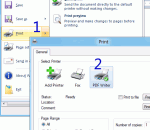
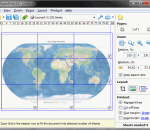
Have you ever needed to print a large poster or banner but you couldn't make it big enough on your standard printer? PosterPrint can take a document created by any Windows printing application, zoom and print it for you on several standard sheets of paper using any available printer.

Hot Keyboard Pro 4.3.40

Hot Keyboard Pro 4.3.40 Trial version 13829 

Set up macros to paste signatures, phone numbers and other texts; record and play back keystrokes and mouse actions; launch favorite applications; open documents you work on often; get to folders including My Documents, Control Panel, Network places; enable/disable network connections; arrange windows on the desktop and move them between displays; control media player and sound volumes. Assign macro to hot key, text shortcut and more.

11 from 15615

« First « Prev 1 2 ... 327 328 329 330 331 ... 1419 1420 Next » Last »

Best Apps for Windows From the Editors

GOM Media Player 2,2,71,5231

GOM Media Player 2,2,71,5231

GOM Media Player The only media player you need - for FREE! Not only is GOM Media Player a completely FREE video player, with its built-in support for all the most popular video and Media Player formats, tons of advanced features, extreme customizability, and the Codec Finder service, GOM Media Player is sure to fulfill all of your playback needs. With millions of users in hundreds of countries, GOM Media Player is one of the world`s most popular video players. Whats New : Added "Touch Setting" feature for touch screen devices. Added "Search box" feature on playlist. (Ctrl+F) Supported "HTTPS URL" for youtube or net radio playback. (Ctrl+U) Added "Music Tap" on preferences related to play music files. Improved performance related to "speed of add & delete" of files on playlist. Other miscellaneous corrections, fixes, and changes

Iperius Backup 3.8.2

Iperius Backup 3.8.2

Iperius Backup is one of the best free backup software, also released in commercial editions for those who need advanced backup features for their companies. The freeware version of Iperius Backup allows you to backup to any mass storage device, such as NAS, external USB hard drives, RDX drives, and networked computers. It has comprehensive scheduling and e-mail sending functions. It supports zip compression with no size limit, incremental backup, network authentication and the execution of external scripts and programs.

Maryfi

Maryfi

Maryfi is a free and easy to use software router for Windows 7, 8 , and 8.1 computers. With Maryfi, users can wirelessly share any Internet connection such as: a cable modem, a cellular card, or even another Wi-Fi network. Other Wi-Fi enabled devices including laptops, smart phones, music players, and gaming systems can see and join your Maryfi hotspot just like any other Wi-Fi access point and are kept safe and secure by password-protected WPA2 Encryption.