QuickTime Lite is a trimmed-down version of QuickTime that contains only the essential components needed for playing QuickTime content that is embedded in webpages. Advantages of QuickTime Lite are: Quick and easy install Ability to make an unattended installation No background processes No unwanted stuff and other nonsense Smaller size than Apple QuickTime It comes bundled with Media Player Classic - a freeware media player that supports both QuickTime Lite and Real Alternative.
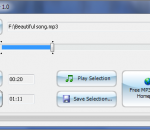
Free MP3 Cutter is a simple utility that allows you to cut MP3 files into pieces. In a few clicks, you can select a part of a song or audiobook and save the selection in a separate MP3 file. The program works very fast and has a user-friendly interface.
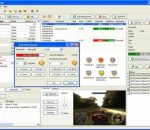
Friendly cyber cafe software with a complete set of features for cyber cafe management: wi-fi billing, thin clients support (NComputing, Windows Terminal Server), tickets, license keys, pre-paid and post-paid sessions, point-of-sale, a terminal protection, print charging, URL log and traffic calcuation, reports, etc. Charge the customers of your cafe, club, shop, hotel, etc. when they use your Wi-Fi hotspot from their Wi-Fi laptops. Cut down your game licensing expenses using the license key (CD-key) management system. Automatically charge your customers for monochrome and colour printing. Organize a chat between operator and customers. Browse a terminal screenshot, task manager and volume control. Sell items to walk-in customers. Make your unique receipt design. Use TrueCafe Client software to lock cyber cafe terminals and display customer session info. Remotely turn on, shutdown or restart terminals, start or terminate any application on a terminal, configure a list of applications that a user can start. Allow a customer to order items from a terminal. Setup any imaginable pricing model. Analyze your business data using TrueCafe Reports. Secure your data and actions providing your customers and employees with different security roles. Easily backup your database and configuration files manually or automatically. Use TrueCafe on Windows Terminal Server or NComputing Server. Calculate Internet traffic for a customer session. Keep track of the Internet websites and pages a customer opens on your cyber cafe terminal.
WinRAR is an archiving utility that completely supports RAR and ZIP archives and is able to unpack CAB, ARJ, LZH, TAR, GZ, ACE, UUE, BZ2, JAR, ISO, 7Z, Z archives. It consistently makes smaller archives than the competition, saving disk space and transmission costs. WinRAR offers a graphic interactive interface utilizing mouse and menus as well as the command line interface. WinRAR is easier to use than many other archivers with the inclusion of a special "Wizard" mode which allows instant access to the basic archiving functions through a simple question and answer procedure. WinRAR offers you the benefit of industry strength archive encryption using AES (Advanced Encryption Standard) with a key of 128 bits. It supports files and archives up to 8,589 billion gigabytes in size. It also offers the ability to create selfextracting and multivolume archives. With recovery record and recovery volumes, you can reconstruct even physically damaged archives.
For the ultimate PC security solution, choose Kaspersky PURE 3.0 Total Security. It delivers everything you need to protect your PC – including your digital identity and your documents, photos, music, and passwords – against the latest, sophisticated malware and Internet threats. With special features that add further layers of protection when you’re online shopping or banking, Kaspersky PURE 3.0 also secures your money and your accounts against cybercriminals. • Award-winning protection – defends against all types of malware and Internet threats • Unique Safe Money – helps to secure your financial transactions and data • Advanced Password Manager* – adds further protection for your digital identity • FREE online backup – lets you restore your data to any PC, via the Internet • Innovative keyboard security – maintains the privacy of sensitive information • Low impact on resources – helps preserve your PC’s performance • Enhanced protection – encrypts and stores your most precious files • Simplified security – lets you manage protection for multiple PCs… from one PC *Password Manager is not available for x64 operating systems, applications, or browsers.
Adobe® Presenter 9 software makes it easy to create professional-quality videos by capturing both yourself and your screen with a few clicks. Turn passive content into video presentations, product demonstrations, training videos, and more on your own, right at your desktop. Edit your videos with a simple four-button interface. Get feedback by including quizzes and surveys. Publish to video portals, desktops, and mobile devices, and track performance using integration with LMSs. Turn your teaching content into video with just a few clicks. Simultaneously capture yourself and your onscreen courses to create a video lecture that can be accessed by learners any time, anywhere. Optionally, add quizzes and track performance by integrating with an LMS. Make your digital communication more effective by blending your content with your personality. Simultaneously capture videos of yourself and your screen, easily mix and edit them to create experiences as stimulating as real life. Publish to video portals with a single click. Easily convert your presentations into interactive eLearning content from within PowerPoint. Capitalize on your presentation skills to create high-impact training videos. Add quizzes and assets, deliver to desktops and mobile devices, and track results using leading LMSs. FEATURES: · Easily create professional Flash presentations and self-paced courses complete with narration and interactivity. · Import and edit video in any format and export as SWF. · Record and edit high-quality audio. · Help ensure consistency with branding and customization. · Deliver advanced quizzes and surveys with question pooling and randomization. · Publish content as a PDF file, preserving all of your animations. · Create AICC- and SCORM-compliant content. · Integrate with Adobe Acrobat Connect Pro software to deploy, manage, deliver, and track content.
graphic, design, designs, template, templates, brochures, Indesign, QuarkXpress, CorelDraw,brochure design templates, Graphic Design Templates
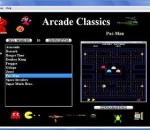
This is a very easy to use platform for playing "Mame Rom Games" from Windows. These are original program code for the arcade games. The download has 15 of the games. Asteroids, Berzerk, Burger Time, Centipede, Dig Dug, Donkey Kong, Frogger, Galaga, Joust, Pac-Man, QBert, Rampage, Space Invaders, Super Mario Bros., and Tempest. All 1592 games can be downloaded from web site at arcadeclassics.webs.com. Extract files to the same directory as the "Arcade.exe" file, and this program will detect and install them for use in the application. New support for controllers and high scores have been added with this version.
Alcohol 120%, is a powerful Windows CD and DVD burning software that makes it easy to create backups of DVDs* and CDs. In addition, the program lets you store your most used CDs as images on your computer, so you can call them up at the click of a button. Now includes Pre-Mastering function and support for Blu-ray format. Home users make backup copies of their game CDs and movie DVDs*, allowing the kids to treat multimedia disks roughly, without destroying their value. Librarians and school administrators use Alcohol 120% burning software to archive their institutions' collections of recordable media, protecting themselves against the daily wear and tear that damages discs. Business users use Alcohol 120% burning software to make duplicate backup copies of software titles, ensuring that they will continue to have access to their licensed software, even if their physical CDs become damaged and unusable. With Alcohol 120% burning software, you no longer have to worry about CDs or DVDs* getting lost, stolen, or damaged. Duplicate discs work just like the originals, and your entire collection can be archived safely. This download is for a 30 day trial.
Many modern satellite and cable receivers offer the ability to record television and radio programs by a so called PVR function. Such recordings are stored usually in the transport stream format (ts) or in a kindred format. Unfortunately, such recordings often contain errors or incompatibilities that lead to incompatible recordings that can't be played back on other devices without problems. Here, the TS-Doctor can help more than any other tool, for both SDTV and HDTV recordings. It verifies the recordings for errors, adapts the format to eliminate compatibility issues and cleaned up the recordings without changing the actual video and audio data. In the end you will get a compatible transport stream (ts), that can be played easily on the computers or hardware media players such as popcornhour a100/110/c200, wdtv, xtream and many other similar devices. * Support for Kathrein HD TRP streams! * Correction of wrong video_full_range_flags (colorspace) in DVB streams! * Visual cutting function for the begining and the end of the stream! * Support for iCord HD M2TS and Technisat TS4 streams! * Packet editor and stream filter tool * Support for Comag SL 100 HD DVR streams! * NEW: Support for radio streams * NEW: Enhanced cutting (to remove advertisement)
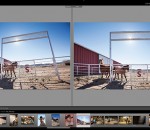
Adobe Photoshop Lightroom answers the digital photographer's call for a workflow application that allows photographers to quickly work with raw format images. With Lightroom you can manage all of your photographs; showcase them in print, dynamic slideshows, and interactive Web galleries that are a simple to produce. Lightroom's cross platform support allows photographers to effortlessly work on projects from any Windows or Macintosh computer on-location or in the office. Lightroom-spend less time at the computer, and more time behind the lens, doing what you love. Create the perfect look for every image whether you shoot raw or JPEG — Lightroom includes a comprehensive range of leading-edge image processing tools. Make precise overall adjustments to color and contrast, use a flexible brush to edit targeted areas of your photo, convert to black-and-white, reduce noise, adjust sharpness, and much more. Experiment fearlessly with as many image-editing controls, enhancements, and looks as you like. Lightroom is a nondestructive environment that encourages your creative exploration. Your original images are safely unaltered, and it's easy to reverse your steps or save multiple versions of any photograph. Select multiple photos in Lightroom and easily open them in Photoshop CS5 to merge them into a panorama, a high dynamic range (HDR) photo, or a creative composite. See your edits immediately back in Lightroom. Apply your favorite looks — including complex sets of adjustments — with a single click using presets. Many are included, and you can create and save your own. Lightroom boosts your creativity and saves you time. Built to be fast, intuitive, and easy to use, it's the efficient assistant you need — one set of powerful tools for your photography tasks, whether you're adjusting one image, searching for ten, processing hundreds, or organizing thousands. FEATURES: Your photography essentials in one package Quickly achieve the best from your photography with proven, refined software that provides efficient tools for all your photography tasks. You can edit, manage, and showcase all your images with one integrated solution. Intuitive environment Enjoy the freedom, creativity, and productivity that comes from working within an intuitive environment perfectly designed for the job. The controls of Lightroom are easy to master and let you breeze through your photography tasks quickly and smoothly. Highly tuned performance and design Quickly edit one photograph or work efficiently with libraries of up to hundreds of thousands of images. The already speedy performance of Lightroom has been accelerated even further in Lightroom 3. Import images faster and easier. Apply the same Develop settings to all photos in a group at once using presets or the sync feature. Efficient image viewing and selecting See, evaluate, and select your images quickly and clearly with flexible image viewing features. Instantly magnify one image or compare several. Even hide the background and application interface so that you can focus on what matters most — your images. Image management Get organized and find images quickly with powerful asset management features. Easily group photos into collections, quickly assign searchable ratings and keywords to one image or hundreds, manage your library across multiple drives, and sort or search for photos using many different criteria. The Lightroom community Trade tips, experience, Develop presets, and more with a thriving worldwide community of Lightroom users and photographers just like you in many venues online and offline.
GOM Media Player The only media player you need - for FREE! Not only is GOM Media Player a completely FREE video player, with its built-in support for all the most popular video and Media Player formats, tons of advanced features, extreme customizability, and the Codec Finder service, GOM Media Player is sure to fulfill all of your playback needs. With millions of users in hundreds of countries, GOM Media Player is one of the world`s most popular video players. Whats New : Added "Touch Setting" feature for touch screen devices. Added "Search box" feature on playlist. (Ctrl+F) Supported "HTTPS URL" for youtube or net radio playback. (Ctrl+U) Added "Music Tap" on preferences related to play music files. Improved performance related to "speed of add & delete" of files on playlist. Other miscellaneous corrections, fixes, and changes
Iperius Backup is one of the best free backup software, also released in commercial editions for those who need advanced backup features for their companies. The freeware version of Iperius Backup allows you to backup to any mass storage device, such as NAS, external USB hard drives, RDX drives, and networked computers. It has comprehensive scheduling and e-mail sending functions. It supports zip compression with no size limit, incremental backup, network authentication and the execution of external scripts and programs.
Maryfi is a free and easy to use software router for Windows 7, 8 , and 8.1 computers. With Maryfi, users can wirelessly share any Internet connection such as: a cable modem, a cellular card, or even another Wi-Fi network. Other Wi-Fi enabled devices including laptops, smart phones, music players, and gaming systems can see and join your Maryfi hotspot just like any other Wi-Fi access point and are kept safe and secure by password-protected WPA2 Encryption.