MemoriesOnTV is a powerful yet simple to use slideshow creator. Designed with ease-of-use in mind, MemoriesOnTV helps you whip up interesting slideshows quickly and effortlessly. Add beautiful and elegant effects to your slideshows. We focus on the QUALITY of the effects instead of the QUANTITY. Our Ken Burns-styled panning and zooming effects has been refined over the years since we first introduced it to the consumer slideshow market. All these mean that you have the best and most professional looking effects at your finger tips. Choose to burn your slideshow onto a video disc (VCD, SVCD or DVD) for play back on ordinary DVD players. No more squeezing in front of a computer monitor to showcase your pictures. The slideshow can be enjoyed on a big screen in the comfort of the living room. Share your slideshow online via Web Export*. The web slideshows are created in Flash format, which is playable out of the box on 96% of all web browsers (PCs & Macs). No more installation of vendor-specific plugins: no worries of virus/spyware threats! You can also generate standalone video files of your slideshow in AVI* or MPG format. These are playable on any computers (yes, PCs & Macs again) with the appropriate codec. For the adventurous users, explore the powerful advanced features and tools that gives you total control over how you compose your slides. Customize the effects and slides and let your creativity flow.
WaveMaker is an open & easy-to-use web development platform. Using its visual, drag & drop tools, any developer can build applications with minimal learning curve. Creates standard Java apps with 98% less code. Visual RAD tool based on Spring/Hibernate/Dojo. WaveMaker apps are cloud-ready and can deploy to Amazon EC2 and Rackspace. WaveMaker is backed by a 29,000-strong developer community.
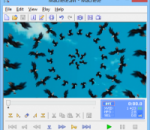
Machete Video Editor Lite is a free software for easy and lossless video editing. It is designed for quick and simple "slicing" of your video files: you can delete unnecessary fragments (e.g. cut out commercials), copy, move, mix and save individual pieces. This means that Machete Video Editor Lite combines functionality of both a video splitter (cutter, trimmer) and a video joiner (for joining video files with the exactly the same formats) and more. Also, you can use the software to remove audio tracks from video files and edit tags (metadata) in all supported file formats. With Machete Video Editor Lite's simple and intuitive interface you can edit your files within a few minutes after downloading the program, even if you never edited a video file before. Using this version of the program, AVI and WMV files can be edited (most video codecs associated these formats are supported). All editing operations are performed without re-encoding (this is called lossless editing). This not only saves time, but also preserves the original quality of your video. Also, it means that you would not need a powerful and expensive computer to edit your video material. After a file is edited and saved, it retains its original format.
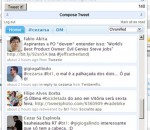
Twitter for Chrome Hands down, the best Twitter Extension for Chrome. Browse & post to your twitter timeline and so much more! Twitter for Chrome offers incredibly quick access to your Twitter feed, mentions, and profile right from your Chrome toolbar.
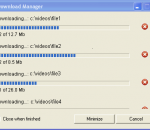
IE DownloadHelper provides an easy tool to retrieve video and audio from webpages. The application helps you converting the media into your preferred format.
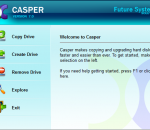
Casper makes maintaining a backup replacement disk for your PC easy by creating a complete, immediately-bootable copy of your PC's hard disk, including the operating system, applications, settings, and all of your data. If your PC's hard disk fails or becomes corrupted, boot your computer directly from your backup hard disk and you're up and running again in seconds. Automate the backup to be performed at any time -- even while you use your PC.
CINEC is a multi video encoder for windows.Convert videos from several video formats (AVI, MPEG, MTS, M2TS, 3GP, MOV, WMV, MXF) to the most high quality cine & broadcast wide adopted codecs, including Prores, DNxHD, XDCam, and other presets.It is useful for video recorded by camcorders like sony FS100, FS700, F5 and Sony F55, Panasonic P2 range, JVC and cameras like panasonic GH2, GH3, Canon 5D, 7D, 1D, Sony Alpha among a lot of several video sources. Use Cinemartin Cinec for Transcode / encode videos with cinema, film & broadcast HD quality formats. Quality is the top of the software, that accommodates fast processing capabilities,featured in a software that allow multiple CPU cores to be dedicated to encode.With the highest quality as professionals demand, cinec also allows, in a simple way, Cut or split videos instantly with or without encode (no reencode).
Speech Recognition Software To Help You Type Faster. Having diificulty typing your documents? Speak and let Dictation Pro type for you. Prepare your letters, reports, e-mails just by speaking into a microphone. Just speak into a good-quality microphone or headset. Type documents with minimum keystrokes and mouse clicks. You can input text three times faster by speaking than typing. Dictation Pro includes commands for formatting, deleting, and copying the words and passages. The commands are easy to remember and designed to simplify and speed up editing by voice. Instead of using mouse to select or a keyboard to type the shortcuts, just speak the command and Dictation Pro executes it for you. Dictation Pro is fast, easy and fun. You'll wonder how you managed without it!
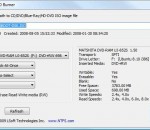
Active ISO Burner 2.5 is a simple-to-use dialog-style software to burn CD/DVD/Blue Ray ISO images compatible with the ISO 9660 standard. Automated burning is also supported. To burn discs with your PC, you need two things. The first is a CD burner, or (better) a DVD burner, or (better still) a Blu-Ray burner. The second is disc-burning software. For the first, you're probably limited by the burner you already own, and your burner's capabilities will determine what kinds of disc you can burn, how much and what kind of data they can hold, and how long it takes to burn them. But for the second requirement, the burning tool, you have a lot more choices, and a lot of them are free. eatures: 1. Many more CD/DVD/BD devices supported, as well as fewer burning errors 2. Three independent burning transports are supported (SPTI,ASPI,SPTD) 3. Works under User’s account (via SPTI on Vista, and SPTD transports) 4. Extended device, media, and ISO file information is displayed 5. Burning mode (TAO,SAO,DAO) and number of copies to burn can automatically be specified 6. Full text log with actions performed, errors and progress information is displayed 7. Configuration of after-burn actions supported: Verify, Eject, Shut Down PC 8. Test Mode burning is supported Burning Options: * Transport - SCSI transport to use for device access: o SPTI - SCSI Pass Through Interface - this transport is preferable and works only on NT based systems (NT4/2000/XP/2003/Vista/2008). Under Windows Vista it will allow you to burn under User's account (no Admin's privileges). No additional drivers or utilities need to be installed to use SPTI. o SPTD - SCSI Pass Through Direct - this transport is preferable and works only on NT based systems (NT4/2000/XP/2003/Vista/2008). Additional SPTD drivers need to be installed (included in installation) and machine re-booted. If installed - allows to burn on ALL NT based systems under User's account (no Admin's privileges). o ASPI - Advanced SCSI Programming Interface - this transport is primarily intended for Windows 9x systems (95/98/ME), but can be used on Windows NT based systems (included WnASPI32.dll must be located at the same directory where Active@ ISO Burner is installed/copied). * Cache Size - size of the cache buffer in megabytes. Gives a basic level of Buffer Under RuN Error Protection using software buffers. The data, to be burnt, is kept in the system RAM, before it is burnt to the disc. * Perform Buffer Underrun Protection (BUP) - sets the status of BURN-Proof (Buffer Under RuN error Proof) flag which helps in protection from BURN error. * Perform Optimal Power Calibration (OPC) - sets the status of flag for performing OPC, before burning. Performing OPC is a special technique used in newer CD-Recorders for monitoring and maintaining the quality of the disc writing and ensuring the accuracy of all the mark and lands lengths across the disc. The term Performing OPC actually describes a general process which is also known by several trade names including "Dynamic Power Control (DPC)" and "Direct Read During Write (DRDW)". There may be differences in execution which gives some of these implementations competitive advantages over others. Sending OPC calibrates the device laser power at the beginning of burning session to adjust the properties of each recordable disc.
Beyond Compare 3 is the ideal tool for comparing files and folders on your Windows system. Visualize changes in your code and carefully reconcile them. Compare Files, Folders Beyond Compare allows you to quickly and easily compare your files and folders. By using simple, powerful commands you can focus on the differences you're interested in and ignore those you're not. You can then merge the changes, synchronize your files, and generate reports for your records. Specialized Viewers Beyond Compare includes built-in comparison viewers for a variety of data types. Compare .csv data or HTML tables in a Data Compare session, or images in a Picture Compare session. 3-way Merge Beyond Compare's new merge view allows you to combine changes from two versions of a file into a single output. Its intelligent approach allows you to quickly accept most changes while carefully examining conflicts. Synchronize Folders Beyond Compare's intuitive Folder Sync interface lets you reconcile differences in your data automatically.
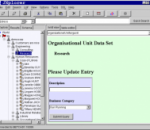
JXplorer is an open source ldap browser originally developed by Computer Associates' eTrust Directory development lab. It is a standards compliant general purpose ldap browser that can be used to read and search any ldap directory, or any X500 directory with an ldap interface. It is available for immediate free download under a standard OSI-style open source licence. FEATURES: · Standard ldap operations: add/delete/copy/modify · Complex operations: tree copy and tree delete · Optional GUI based search filter construction · SSL and SASL authentication · pluggable editors/viewers · pluggable security providers · HTML templates/forms for data display · Full i18n support · LDIF file format support · highly user configurable · drag-n-drop browsing operation · DSML Support handles complex ldap cases: · multi valued rdns · binary attributes · Certificates and Passwords · Unicode characters · Special characters / UTF8 in distinguished names. · Extensible architecture with object class based Java plugins
GOM Media Player The only media player you need - for FREE! Not only is GOM Media Player a completely FREE video player, with its built-in support for all the most popular video and Media Player formats, tons of advanced features, extreme customizability, and the Codec Finder service, GOM Media Player is sure to fulfill all of your playback needs. With millions of users in hundreds of countries, GOM Media Player is one of the world`s most popular video players. Whats New : Added "Touch Setting" feature for touch screen devices. Added "Search box" feature on playlist. (Ctrl+F) Supported "HTTPS URL" for youtube or net radio playback. (Ctrl+U) Added "Music Tap" on preferences related to play music files. Improved performance related to "speed of add & delete" of files on playlist. Other miscellaneous corrections, fixes, and changes
Iperius Backup is one of the best free backup software, also released in commercial editions for those who need advanced backup features for their companies. The freeware version of Iperius Backup allows you to backup to any mass storage device, such as NAS, external USB hard drives, RDX drives, and networked computers. It has comprehensive scheduling and e-mail sending functions. It supports zip compression with no size limit, incremental backup, network authentication and the execution of external scripts and programs.
Maryfi is a free and easy to use software router for Windows 7, 8 , and 8.1 computers. With Maryfi, users can wirelessly share any Internet connection such as: a cable modem, a cellular card, or even another Wi-Fi network. Other Wi-Fi enabled devices including laptops, smart phones, music players, and gaming systems can see and join your Maryfi hotspot just like any other Wi-Fi access point and are kept safe and secure by password-protected WPA2 Encryption.