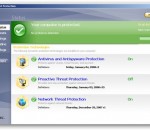
Symantec Endpoint Protection is built on multiple layers of protection, including Symantec Insight and SONAR both of which provide protection against new and unknown threats. Built for virtual environments, it can integrate with VMware vShield Endpoint for dramatically improved performance.
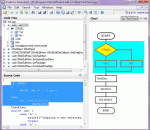
Code to FlowChart is an advanced source code to flowchart converter for software engineers and document writers. It can automatically generate flow chart/NS chart from source code, and help users to learn complex projects by visible flowchart. Code to FlowChart converts the software project into high-quality flow chart or NS chart through reverse engineering. It also supports to export the flowchart as MS Word/Visio/SVG/BMP/XML formats.
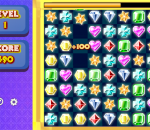
Enter the amazing clusters of shiny bright gems! Your goal in this game is to form a line of 3 or more identical gems so that they can be removed. When the game opens, you will be given a grid which contains numerous gemstones. Click two horizontally or vertically adjacent gems to swap their positions, so that at least 3 gems of the same kind form a horizontal or vertical line and can be removed from the grid. Your score is displayed on the left of the screen, while the red bar on top of the grid shows your remaining time. Extra time will be given when gems are successfully removed from the grid. When the bar reaches its end of the left, the game is over. Form more combos to receive huge bonuses and crown yourself with a glittery diadem!
Start with a description, then let a chain of players take turns to draw and describe - but each player can only see the previous step in the game. It won't take long for the original message to get lost in translation and turn into something completely different (and hilarious!). Are you ready for a breakdown in communication?
xrecode II is converter and audio-grabber which allows you to convert from mp3, mp2 ,wma, cda, ogg, flac, ape, cue, ac3, wv, mpc, cue ,tta, tak, wav, dts, m4a, m4b, mp4, ra, rm, aac, avi, mpg, vob, mkv, flv, swf, mov, ofr, wmv, divx, m4v, spx, 3gp, 3g2, m2v, m4v, ts, m2ts, adts, shn, tak, xm, mod, s3m, it, mtm, umx to m4a, alac, ape, flac, mp3, mp4 (using NeroAAC), ogg, raw, wav, wma, WavPack, mpc, mp2, Speex, ofr, ac3 and Shorten formats. Most noticeable features: # Works on XP,Vista,Windows7 32/64 bit versions. # Parallel conversion by utilizing power of multi-core CPUs. # Support of embedded CUE sheets (for FLAC, WavPack and APE files). # Built-in Metadata editor with Cover Art support. # "Glue" input files to one large audio file and create CUE sheet. # Converting to many formats at once using "Multiple" output mode. # Grabbing of multi-channel Audio CDs to the desired format at once. # Informative and resizable UI suited even for netbooks. # Extracting audio from flv, avi, mov etc. video files (multiple audio streams are supported). # Support for 24/32bit audio files. # Multilanguage support. Currently program is available in English, Japanese, Polish, Russian, Hungarian, Spanish, Spanish Traditional, Swedish, Brazilian Portuguese, German, Finnish, Bulgarian and Czech languages. FAQ How to Grab Audio CD? # Insert CD into drive. Program will automatically start CD Grabbing process. # Program will react if you insert a new CD. # You can change this behaviour under program Options. How to Grab Audio CD into one file and create CUE? # Choose "Merge" as a destination format. # Click "[ ] Create CUE" under "Merge" settings. # "Merge" is not limited to CD Tracks only - you can merge whatever input files you like. How to Convert files to multiple output formats at once? # Choose "Multiple" as a destination format. # Adjust settings for individual formats. # Tip! Before you press "Start" click "Additional" under "Output File Settings" and click "Add output file type to output path". This will assure that all files will be created into separate folders. What to do with "Replay Gain" button? # Please visit this site if you are not familiar with Replay Gain concept. # Replay Gain analysis will be started by pressing this button. # You will then see the results under "Replay Gain" column. # Click [ ] Normalize under "Input File Settings" if you want to apply Replay Gain for resulting files. How to Edit Metadata? # Add some files to program and click on Metadata tab. # Select one or more files. # Changes made in editor will be applied to all selected files. What to do with "Save Metadata" button? # Push it if you want to save Metadata in the source files. # Don't push it if you want Metadata to appear only in converted files. Tip for Track Number. # Select more than one file. # Put 1/ or 01/ into "Track" field. If, for example, 12 files were selected then Track Number for all selected files will be populated like this: 1/12, 2/12, 3/12 ... 12/12. Tip for Cover Art. # Right click Cover Art picture. # Click to Google, Bing or Amazon for picture. # Your default internet browser will be launched and redirected to search engine you just selected. # Right click (in the internet browser) and choose "Copy Image" when you've found the right picture. # Copied Image will be automatically recognized as a Cover Art by Metadata Editor. # You can switch off this behavior under program Options. How is demo program restricted? # Demo version will display nag screen on startup. Apart from that it's fully functional.
Advanced TIFF Editor Plus (multipage TIFF Editor) is a powerful PDF and TIF (TIFF) viewer, editor, converter, pages manager and multipage scanner. Our program is a complete solution for viewing or editing scanned documents (faxes, business papers etc.). It is an absolutely necessary tool to work with PDF and TIFF documents. Editing functions includes: create pages, add, extract or remove pages, change of pages order, insert new pages from scanner or from almost any file format (including another multi-page graphic or text file). Program allows to split or merge multi-page files. Advanced TIFF Editor Plus can move, delete, rotate, flip, invert pages, deskew images, insert text, erase, correct, remove noise, draw. Other features include an ability to view and edit Wang or Kodak imaging annotations; handle fax images with different horizontal and vertical DPI resolution; batch processing; text recognition (OCR); capture from screen; virtual printer - GraphicRegion TIF printer. Images viewed on the screen can be sent directly to any printer supported by your operating system. Size, area and position are adjusted using a comfortable printer dialog. Program allows to work with DCX, EPS, PS, AI, GIF, JBIG and DICOM files also. Advanced TIFF Editor Plus software is a fast and efficient editor and converter for Windows XP/Vista/Windows 7. Advanced TIFF Editor Plus is the replacement program for the old MS Kodak TIFF viewer (Kodak image editor).
Publish your own secure website directly from your PC and remotely access your images, documents, videos, and music, or securely share them with your friends, family, and co-workers.
ABTO VNC server SDK provides you with toolkit to integrate VNC support into your applications (including .NET ones). VNC server together with the most popular viewers, including VNC viewer for .NET, allows stable connection with the remote computer, which hosts the server, and control of its operation. It can be used as an ActiveX component. VNC server can be accessed both directly and through repeater so it will work even behind NAT.
Create an artistic pencil sketch out of your pictures auto magically! Pencil Sketch is the only photo app that is able to quickly generate a high quality pencil sketch out of any of your pictures as if it was drawn by a pencil.
Code Writer is a free text and code editor app with active syntax highlighting that updates as you edit documents and has over 20 supported file types. A tabbed document interface allows for quickly switching between open documents. The app has been built from the ground up with Windows 8 design principles in mind. It's fast and fluid, and gives you the power to edit documents with features you'd normally only find in desktop apps.
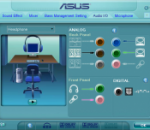
The ALC882 series 7.1+2 Channel High Definition Audio codecs with UAA (Universal Audio Architecture), featuring five 24-bit stereo DACs and three 20-bit stereo ADCs, are designed for high performance multimedia PC systems.
GOM Media Player The only media player you need - for FREE! Not only is GOM Media Player a completely FREE video player, with its built-in support for all the most popular video and Media Player formats, tons of advanced features, extreme customizability, and the Codec Finder service, GOM Media Player is sure to fulfill all of your playback needs. With millions of users in hundreds of countries, GOM Media Player is one of the world`s most popular video players. Whats New : Added "Touch Setting" feature for touch screen devices. Added "Search box" feature on playlist. (Ctrl+F) Supported "HTTPS URL" for youtube or net radio playback. (Ctrl+U) Added "Music Tap" on preferences related to play music files. Improved performance related to "speed of add & delete" of files on playlist. Other miscellaneous corrections, fixes, and changes
Iperius Backup is one of the best free backup software, also released in commercial editions for those who need advanced backup features for their companies. The freeware version of Iperius Backup allows you to backup to any mass storage device, such as NAS, external USB hard drives, RDX drives, and networked computers. It has comprehensive scheduling and e-mail sending functions. It supports zip compression with no size limit, incremental backup, network authentication and the execution of external scripts and programs.
Maryfi is a free and easy to use software router for Windows 7, 8 , and 8.1 computers. With Maryfi, users can wirelessly share any Internet connection such as: a cable modem, a cellular card, or even another Wi-Fi network. Other Wi-Fi enabled devices including laptops, smart phones, music players, and gaming systems can see and join your Maryfi hotspot just like any other Wi-Fi access point and are kept safe and secure by password-protected WPA2 Encryption.