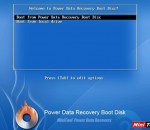
MiniTool Power Data Recovery Boot Disk helps user to recover data when operating system is damaged. You can start computer as well as run Power Data Recovery via boot disk. Our data recovery boot disk can start through not only CD/DVD but also USB flash drive.
One-tap makes you look great! Apply a natural touch-up or a sizzling makeover with amazing results. Perfect365 is a one-of-a-kind portrait app that allows anyone to easily select trendy makeover styles or fine-tune every facial detail to get great looks.
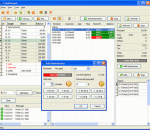
Charge the customers of your cafe, club, shop, hotel, etc. when they connect their laptops, PDAs or any other mobile devices to your access point (Wi-Fi hotspot) and use the Internet to surf the web, read emails or chat via an instant messenger. Setup point-of-sale (POS) for making walk-in and memeber sales, use the built-in inventory system. Limit Internet bandwidth usage. Accept credit card and PayPal payments. Use shifts to control your operators. Customize login and info pages. Analyze your business data.
This all-in-one framework provides a simple and quick way to customize Internet Explorer with your own browser extensions. You can create thread-safe, secure, isolated, deployable and context-sensitive add-ons for Internet Explorer IE 6, 7 and 8 (32- and 64-bit) with your menu items, toolbar buttons, context menus, toolbars, side-bars and keyboard shortcuts. It directly supports VB.NET, C#, C++ and Delphi Prism.
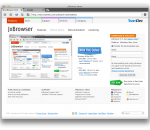
JxBrowser 4 enables seamless integration of Google Chromium web browser component into Java AWT/Swing applications on three major OS platforms, adding cutting-edge web technology to your Java App. The library allows you to embed a lightweight Swing component into your Java application to display modern web pages, supporting the latest web standards such as HTML5, CSS3, JavaScript etc.
PowerISO is a powerful CD/DVD/BD image file processing tool, which allows you to open, extract, create, edit, compress, encrypt, split and convert ISO files, and mount these files with internal virtual drive. It can process almost all CD/DVD/BD image files including ISO and BIN. PowerISO can be used easily, which support shell integration, context menu, drag and drop, clipboard copy paste. With PowerISO, you can: 1. Open and extract ISO File. 2. Create ISO file from hard disk files or CD/DVD/BD discs. 3. Edit an existing ISO file directly. 4. Convert image files between ISO/BIN and other formats. PowerISO can convert almost all image file formats to a standard ISO format file. 5. Make bootable ISO file, get boot information from bootable ISO file. 6. Make floppy disk image file. 7. Optimize files to save disk space while saving ISO file. 8. Mount ISO file with internal virtual drive. You don't need install any other virtual drive software. 9. Compress, encrypt or split image file. DAA(Direct-Access-Archive) is an advanced format for image file, which supports some advanced features, such as compression, password protection, and splitting to multiple volumes. It can be handled directly just like other formats, such as ISO, BIN, ...
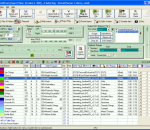
SynthFont is a program for playing midi files using SoundFonts. A midi file is different from - for instance - a MP3 file in that the file does not contain any audio data. The file is a collection of notes and instructions for how to play them. SynthFont combines this data with the audio data in a SoundFont to produce ("render") an audio version of the song. · Explorer view, similar to Windows Explorer. Use this to search for mid files, arrangements or sound sources. You can easily play all files in a folder. There's also a separate playlist. · Piano roll view, not only shows you the notes and controllers but also lets you do some basic midi file editing. · Events view, shows a list of all midi events in a particular track. You can filter out certain events and also do some basic editing, like changing notes and programs. Good for "debugging". · Tracks view. This view actually contains two parts: the synth engine and the tracks list. Use the synth engine part to add VST audio effects to on of the 16 channel busses or to the main effect. Use the tracks list to assign sound sources to the tracks. You can assign SoundFonts, GIGA files, DLS files, WAVE files and VST instruments. Each track can have its own set of sound sources. Here you can also add and delete tracks, mute track, play tracks solo, etc. · Layers view, shows the preset layers of a sound source. Each layer corresponds to what is internally called an "instrument". Usually a preset contains only one layer, but for stereo presets there is often two, panned left and right. · Splits view, shows the splits of an instrument (one preset layer). Here is where all the fun is. Each split references one - and only one - audio sample ("wave"). Each split also have range of parameters (called "generators") that you can edit. · Wave view, shows the sample data referenced by a split. Here also you can do some basic editing. · There is an additional tool for expert users: the SoundFont editor Viena (not to be confused with "Vienna"). Use this tool to create new SoundFonts from audio samples, or from presets and instruments in other SoundFonts. You can have four SoundFonts open at the same time and copy freely between them. There is also a Favorite Folders view and a Preset Cache for favorite presets. More info in the help file.
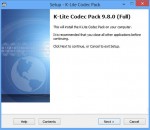
K-Lite Codec Pack is a collection of codecs and related tools. Codecs are required to encode and/or decode (play) audio and video. The K-Lite Codec Pack is designed as a user-friendly solution for playing all your movie files. With the K-Lite Codec Pack you should be able to play 99% of all the movies that you download from the internet. The K-Lite Codec Pack has a couple of major advantages compared to other codec packs: - It is always up-to-date with the latest versions of the codecs. - It is very user-friendly and the installation is fully customizable, meaning that you can install only those components that you really want. - It has been very well tested, so that the package doesn't contain any conflicting codecs. - It is a very complete package, containing everything you need to play your movies. There are three versions of the K-Lite Codec Pack: Basic, Standard and Full. K-Lite Codec Pack Basic contains only the most essential things. It contains everything you need to be able to play the most popular and widespread formats. It is small enough to fit on a single floppy. Also great for including on your movie CDs. K-Lite Codec Pack Standard contains everything you need to play all the commonly used formats. This package should be enough for the average user. K-Lite Codec Pack Full contains even more codecs. It also has encoding support for the various formats. This package is for power users and people who do their own encodings.
Brief Description This tool checks your computer for infection by specific, prevalent malicious software (including Blaster, Sasser, and Mydoom) and helps to remove the infection if it is found. Microsoft will release an updated version of this tool on the second Tuesday of each month. Overview The Microsoft Malicious Software Removal Tool is an anti-malware utility that checks computers running Windows 8, Windows 7, Windows Vista, Windows XP, Windows 2000, Windows Server 2012, Windows Server 2008, and Windows Server 2003 for infections by specific, prevalent malicious software—including Blaster, Sasser, and Mydoom—and helps remove malware and any other infections found. To download the x64 version of Malicious Software Removal Tool, click here. This tool is not a replacement for an anti-virus product. To help protect your computer, you should use an anti-virus product. Microsoft will release an updated version of this tool on the second Tuesday of each month. New versions will be made available through this web page, Windows Update, and the Mhomepage Software Removal Tool Web site on Microsoft.com. To have the newest versions automatically delivered and installed as soon as they are released, set the Automatic Updates feature to Automatic. The version of this tool delivered by Windows Update runs on your computer once a month, in the background. If an infection is found, the tool will display a status report the next time you start your computer. If you would like to run this tool more than once a month, run the version that is available from this Web page or use the version on the Malicious Software Removal Tool Web site. Please review KB890830 for the list of malicious software that the current version of the tool is capable of removing as well as usage instructions. Also, please be aware that this tool reports anonymous information back to Microsoft in the event that an infection is found or an error is encountered. The above KB article contains information on how to disable this functionality and what specific information is sent to Microsoft. It is strongly recommended that you review KB891716 before you consider deploying this tool in an enterprise environment. The user must be an administrator to run this tool. This tool will not run on any version of Windows 98, Windows ME, or Windows NT 4.0. Note that this download is now a multi-lingual tool. For all supported languages, the same tool will show the correct language depending on the language of the operating system. Windows Malicious Software Removal Tool - 32 bit 5.2 download tags windows component removal tool windows messenger removal tool removal tool errorsafe removal tool symantec removal tool zlob removal tool ust removal tool password removal tool Microsoft Windows Defender Windows Media Player Windows Malicious Software Removal Tool - 32 bit 5.2 Windows 7 release notes New Release Added detection and cleaning capabilities for: · Folstart · Phorpiex · Weelsof
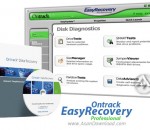
EasyRecovery Professional is an advanced and complex application that claims to recover and repair lost or damaged files. It is able to restore files that were affected by viruses / corrupted by third-party applications or items placed on unreadable hard drive sectors.
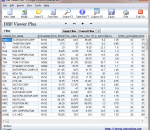
DBF Viewer Plus is a portable DBF table viewer plus some additional features for editing, searching and export to many different formats. DBF Viewer Plus does not require and install to run and therefore can be run from a USB memory drive, CD/DVD or other portable storage devices.
GOM Media Player The only media player you need - for FREE! Not only is GOM Media Player a completely FREE video player, with its built-in support for all the most popular video and Media Player formats, tons of advanced features, extreme customizability, and the Codec Finder service, GOM Media Player is sure to fulfill all of your playback needs. With millions of users in hundreds of countries, GOM Media Player is one of the world`s most popular video players. Whats New : Added "Touch Setting" feature for touch screen devices. Added "Search box" feature on playlist. (Ctrl+F) Supported "HTTPS URL" for youtube or net radio playback. (Ctrl+U) Added "Music Tap" on preferences related to play music files. Improved performance related to "speed of add & delete" of files on playlist. Other miscellaneous corrections, fixes, and changes
Iperius Backup is one of the best free backup software, also released in commercial editions for those who need advanced backup features for their companies. The freeware version of Iperius Backup allows you to backup to any mass storage device, such as NAS, external USB hard drives, RDX drives, and networked computers. It has comprehensive scheduling and e-mail sending functions. It supports zip compression with no size limit, incremental backup, network authentication and the execution of external scripts and programs.
Maryfi is a free and easy to use software router for Windows 7, 8 , and 8.1 computers. With Maryfi, users can wirelessly share any Internet connection such as: a cable modem, a cellular card, or even another Wi-Fi network. Other Wi-Fi enabled devices including laptops, smart phones, music players, and gaming systems can see and join your Maryfi hotspot just like any other Wi-Fi access point and are kept safe and secure by password-protected WPA2 Encryption.