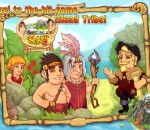
Having sailed for many days in search of a new home, the settlers came upon a lonely traveler who had become lost at sea. Thankful to the settlers for his rescue, the explorer decided to share a secret with them and unfolded an old map. It revealed three islands cloaked in mysterious fog that concealed hidden treasure and magic artifacts…
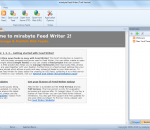
Feed Writer is the most powerful tool for professionally creating and maintaining editorial RSS news feeds and podcasts. It supports all common feed formats such as RSS 0.91, RSS 0.92, RSS 2.0, Atom and offers a lot of unique productivity features. Feed Writer allows you to easily create podcasts and multimedia feeds without having to worry about the technical details. Google loves RSS! Since RSS feeds can be processed automatically by search engines (Semantic Web). For software developers that deal with Web services and service oriented architectures (SOA) Feed Writer is handy tool for creating test and mock-up data feeds. FEATURES: Feed creation and editing features: · Read and write RSS feeds (RSS 2.0, RSS 0.91, RSS 0.92, Atom and Podcasts) · Convenient management of feed meta data · WSYIWYG HTML and text-only editor for feed items · Source code editor (edit XML directly) with syntax highlighting · Support for enclosures / attachments Features for Podcasts and multimedia feeds: · Support for creating Podcasts (iTunes) · Support for video feeds · Support for photo/picture feeds Project management and multi feed support: · Integrated project management (manages feeds and enclosures) · MDI interface (open multiple feeds at the same time) · Copy feed items between opened feeds · Bookmark features for frequently used feeds Support for different encodings and date/time formats: · UTF-8 support for feeds with non-Latin characters · Timestamps can be given in Universal Time (UT) or relative to the local time zone · Supports of many common Internet date and time formats · Automatic update of timestamps upon saving a feed Integrated Help and Validation features: · Feed preview feature (with Internet Explorer 7, 8, 9 / Firefox or using an XSLT template) · Online feed validation using the official W3C Web service · Access to official RSS specifications · Validation of hyperlinks and Web resources · Comprehensive online help Additional productivity features: · Modern Office 2010 like UI (Ribbon Interface) · Open existing feeds from local drives, the Web (read-only) or via FTP/SFTP · Automatic upload of feeds and enclosures via FTP/SFTP · Cloning of feed items · Change of feed type (e.g. convert RSS 2.0 to Atom) · Support for domain-categories (tags with URL) · Template functionality for feeds and feed items · Feed publishing wizard
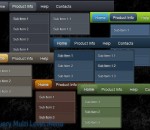
Multi Level Menus with the unlimited number of submenu levels is a great way to place a lot of information on a page and has been widely used on blogs recently. With jQuery Multi Level Menu you can easily create great looking menu with cool effects for your website. Just select color scheme you like, download the menu, specify item's caption/links and add all menu code on your web page. No design skills, no HTML, JavaScript, CSS, flash coding.
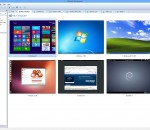
VMware Workstation 10 is your on-ramp to the cloud. With over 50+ new features, it’s going to dramatically change the way you work with virtual machines. Save time, enhance collaboration, and do more than you ever thought possible with a PC.
3D racing game. You need to use nitro to win this crazy racing. Turn it on and your car will gain incredible speed. Win competitions and get points to gain access to more powered cars. ULTRA version features: -new car physics; -new game mode - Time Attack (you compete with your best result ('ghost car'));-options menu to meet your PC power; -fullscreen and windowed mode;
TV Player Classic is a program for viewing streaming online TV channels on the TV set or computer display. This software allows you to watch 1300+ live television channels from 100+ countries and 400 paid channels (including Adult, XXX.) for free. There is no need for a TV Tuner card because all the channels are streamed through your Internet connection. Software comes with automatic TV station updates so it will never be out of date. Scanner and auto storing serviceability of telechannels. If you are interested in learning languages, this is a good choice for you! Main Features: Separate "Remote control" window for convenient viewing of telechannels on the TV set in "window" or "fullscreen mode". More than 1200 FREE internet online TV channels. NO TV tuner card required! Automatic channel list updates. Supports high bandwidth stations. Scanner and auto storing serviceability of telechannels. Channels include sports, entertainment, music, news, talk, from many different countries. There are even Television based on different languages including English, French, Spanish, German, Portuguese, Russian and Arabic. These channels are streamed over the Internet for free and do not require any subscription. Simple and easy to use: TV Player Classic emulates the regular Television set on your PC. All you have to do is select a country and channel from the list and it will play in the computer window or on the TV. This application does not require any special configurations or settinngs in order to access all the channels. You can add selected channels to a Favorite list for faster access in the future. No additional hardware required: It does not require a TV Tuner card.
The HVLJFont package contains downloadable soft fonts for HP Laserjet printers used with MS-DOS, Window's terminal programs, Unix, Linux, Macintosh, and IBM's AS/400 system. They are particularly valuable if you have a Laser printer that does NOT provide fixed pitch fonts that are scalable, or sufficiently legible.
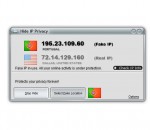
Hide IP Privacy, hides your real location and IP address behind the veil of a proxy server, ensures your real ones inaccessible to hackers, insecure networks, online identity theft, etc., un-ban yourself from forums or chat rooms, and more. Being the most easy-to-use and efficient IP changer, Hide IP Privacy is also excellent in functional strengths such as changing IP address automatically, great compatibility, spam and viruses free, etc.
Able Fax Tif View is a multi-page FAX, TIF, PDF, EPS, PS, AI, DCX, DICOM, JBIG viewer, editor and converter, offers you a full solution for viewing, editing, printing, saving, converting. Able Fax Tif View can show all kinds of FAX images, multipage FAX and TIFF images (rev.6.0, Packbits, LZW, CCITT G.3 and G.4) with RGB, CMYK, B/W, animated GIF. Also FAX (CCITT3), G3F and G3N (Zetafax) formats supported for loading. Able Fax Tif View supports many FAX file formats. Images viewed on the screen can be sent directly to any printer supported by your operating system. Size, area and position are adjusted using a comfortable printer dialog. Able Fax Tif View can convert FAX and TIFF files to standard TIFF/FAX format, JPEG format (RGB, GrayScale, YCbCr, CMYK, YCbCrK), PNG, BMP, PCX, GIF, DIB, RLE, TGA (TARGA, VDA, ICB, VST, PIX), Portable Bitmap PBM, PDF, PS, DICOM. Able Fax Tif View can edit loaded images - extract, move, insert, delete, rotate, flip, invert pages, insert test, erase, correct. Able Fax Tif View software is a small, fast and efficient viewer and converter for Windows. You can send the fax by printing to the FAX printer (Windows NT Fax Driver). Supported the input image file formats - FAX, TIF, PDF, EPS, PS, AI, DCX, GIF. Supported the output image file formats - FAX, TIFF, GIF, JPEG, PNG, BMP, PCX, DIB, RLE, TGA, PBM, PGM and PPM. Supported TIFF compressions - rev.6.0, Packbits, LZW, CCITT G.3 and G.4. Supported color depths - 1 Bit (black/white), 4 Bit (16 colors/graylevels), 8 Bit (256 colors/graylevels) and 24 Bit (16,7 mio. colors), transparency. View functions - Scrolling (using cursor control keys, scrollbars), zooming (+/- keys, menufunctions or drawing a rectangular area), antialiasing, rotation (90 and 180), flip, invert. Print functions - Optimized to page size, arbitrary area/size/position, print preview. Special functions - TIFF tag analyzer and editor (individual tags). Twain Support for scanners and cameras.
Large collection of photography effects at your fingertips. Unleash the art latent in your pictures with simple operations. The Random effect button will give you new and unique transformations and ideas with a single click. Once you find an effect you like you can reuse it in any other images and file it for easy access at any later time. PhotoChances Lab can also handle, reuse and refine photographic effects of images captured with the optional companion program "PhotoChances Explorer" (slideshow).
Mozilla Firefox is a free and open source web browser developed for Windows, OS X, and Linux, with a mobile version for Android, by the Mozilla Foundation and its subsidiary, the Mozilla Corporation. Firefox uses the Gecko layout engine to render web pages, which implements current and anticipated web standards. - Proudly non-profit - Innovating for you - Fast, flexible, secure Bringing together all kinds of awesomeness to make browsing better for you. The Firefox browser is created by Mozilla, a non-profit organization whose mission is to promote openness, innovation and opportunity on the Web. Firefox is available in over 70 languages, thanks to the contributions from Mozilla community members around the world. Features: Bringing together all kinds of awesomeness to make browsing better for you. Awesome Bar Get to your favorite sites quickly – even if you don’t remember the URLs. Type your term into the location bar (aka the Awesome Bar) and the autocomplete function will include possible matches from your browsing history, bookmarked sites and open tabs. The Awesome Bar learns as you use it—over time, it adapts to your preferences and offers better-fitting matches. We’ve tweaked it to give you greater control over the results (including privacy settings) and increased performance so you find what you need even faster. Improved Interface We’re always looking for ways to make your browsing easier and more efficient. Read on for our latest improvements Tabs on Top Tabs are above the Awesome Bar to make it easier to focus on the content of the sites you visit. Firefox Button (Windows and Linux) All your menu items are now found in a single button for easy access. Bookmark Button Manage your bookmarks in a single button. Find your favorite links without getting bogged down! Simplified Reload/Stop Button Your Awesome Bar now features one easy button to stop loading pages or reload pages. Home Button The Home button has been moved to the right side of the search-field. Tabs Browse multiple sites at once, simply and easily. Each new site appears as a new tab (not a new window) and can be accessed in one click. App Tabs Take sites you always keep open—like Web mail—off your tab bar and give them a permanent home in your browser. Switch-to-Tab As you’re opening a new tab or typing in the Awesome Bar, Firefox will check to see if you already have that site open. If you do, you’ll be directed to the existing tab so you don’t open a duplicate. Organize your Tabs with Panorama Too many tabs? Reclaim your browser from tab clutter! Panorama lets you drag and drop your tabs into manageable groups that you can organize, name and arrange in a fun and visual way. To get started with Panorama, simply select the Tab Groups icon when you customize your Navigation Toolbar or right click any tab to Move to Group. Reopen Closed Tabs and Windows If you accidentally close a tab or window, you can reopen it in one click. Just view Recently Closed Tabs or Recently Closed Windows in the History menu and select the tab or window you’d like to reopen. Smooth Scrolling Like to have all 20 of your favorite pages open at once? An elegant new feature lets you scroll through tabs easily to see them all and access the one you want quickly.
GOM Media Player The only media player you need - for FREE! Not only is GOM Media Player a completely FREE video player, with its built-in support for all the most popular video and Media Player formats, tons of advanced features, extreme customizability, and the Codec Finder service, GOM Media Player is sure to fulfill all of your playback needs. With millions of users in hundreds of countries, GOM Media Player is one of the world`s most popular video players. Whats New : Added "Touch Setting" feature for touch screen devices. Added "Search box" feature on playlist. (Ctrl+F) Supported "HTTPS URL" for youtube or net radio playback. (Ctrl+U) Added "Music Tap" on preferences related to play music files. Improved performance related to "speed of add & delete" of files on playlist. Other miscellaneous corrections, fixes, and changes
Iperius Backup is one of the best free backup software, also released in commercial editions for those who need advanced backup features for their companies. The freeware version of Iperius Backup allows you to backup to any mass storage device, such as NAS, external USB hard drives, RDX drives, and networked computers. It has comprehensive scheduling and e-mail sending functions. It supports zip compression with no size limit, incremental backup, network authentication and the execution of external scripts and programs.
Maryfi is a free and easy to use software router for Windows 7, 8 , and 8.1 computers. With Maryfi, users can wirelessly share any Internet connection such as: a cable modem, a cellular card, or even another Wi-Fi network. Other Wi-Fi enabled devices including laptops, smart phones, music players, and gaming systems can see and join your Maryfi hotspot just like any other Wi-Fi access point and are kept safe and secure by password-protected WPA2 Encryption.