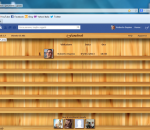
iFamebook is the first app in the world that let you know who visits your Facebook profile! It adds a button to your Facebook page that will enable you to see your visitors.
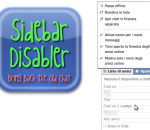
With this extension you can disable the newly introduced Chat Sidebar and return to the old good normal Facebook Chat. There are also other features, check them below! · Disable the Chat Sidebar and return to the Old Normal Chat. · Use Friend Lists to limit your availability and group your Chat contacts. · Link the name in chat windows titlebar to contact's profile. · Revert the blue top bar to the old style one. · Stick the blue top bar at the top of the window. · Add a shadow below the blue top bar. · Hide the ticker in the home page and/or inside games. · Enable or disable extension features via a settings panel.
Share and contribute to web pages with Toolbar # Share any web page with your friends right from the Toolbar. # Contribute and read helpful information on any web page with Google Sidewiki. # Translate web pages instantly with automatic language detection. Google Toolbar enhances Internet Explorer with a Google search box and other useful tools like a pop-up blocker, Web form filler, and spellchecker. Google Toolbar has a variety of new features to the add-on for IE 6.0+. Universal Google Gadgets now work from Google Toolbar and give users access to additional tools, functionality and content right from the browser. A new version of the AutoFill feature for Web forms has better accuracy. Users can now save toolbar settings and access their bookmarks and custom buttons from any version of IE with Google Toolbar. # Contribute and read helpful information on any web page with Google Sidewiki. # Translate web pages instantly with automatic language detection. # Browse faster with instant suggestions as you type in the search box. Features: AutoFill: · Tired of typing in your address and credit card information every time you shop online? AutoFill makes shopping a breeze by enabling you to fill out web forms with a single click. Just enter your info once in the Toolbar's Options dialog box and you're ready for an online shopping spree. (Note: your credit card info stays password-protected.) AutoLink: · The online review of a great new restaurant has the place's address but no map. You could type the restaurant's street, city, and ZIP code into the search box, but why bother, when clicking the Toolbar's AutoLink button will automatically create a link to an online map (US addresses only)? AutoLink can also link package tracking numbers to delivery status, VIN numbers (US) to vehicle history, and publication ISBN numbers to Amazon.com listings. WordTranslator: · Ever need to translate words on English web pages into another language? Don't bother looking up words one by one - just hover your mouse cursor over an English word and Toolbar's WordTranslator will tell you what it means in your own language. WordTranslator currently supports translation from English into Chinese (Traditional and Simplified), Japanese, Korean, French, Italian, German and Spanish. Address Bar Browse by Name: · Browse by Name helps you find a site even when you don't know its URL. Just type the site name into your browser address bar, and Toolbar will take you there automatically. For instance, try typing "oxford" into the address bar to go directly to the university's home page at www.ox.ac.uk. · If you type in something that doesn't have an official home page, like "digital cameras," Browse by Name will automatically show you search results for that term. Bookmarks: · Want to create and label bookmarks that you can access from any computer? Simply click the Toolbar's star icon, or right-click the star to add and label a bookmark. You'll be able to access your Bookmarks menu on any computer with the new Google Toolbar installed. Send To: · You can use your Google Toolbar to share web pages via email, text message (SMS), or blog. To share an entire page, select from the Toolbar's "Send To" menu; to share an excerpt, simply select the section of the page you want to share before clicking "Send To."
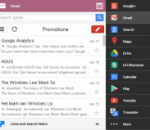
Quickly search almost everything google is capable of - get easy access to the most commonly used google services, available at any time. This extension is meant to be a replacement for both, iGoogle and the quickly removed google menu. This extension contains an extensive menu of google services. You can access them by browsing through the black menu entries. By clicking the menu entry of your choice, you'll go to the corresponding google service in a new tab. Easily share or plusone the current page you are viewing via Black Menu for Google, check you google+ notifications or even create a new post right in Black Menu for Google. This page also includes a searchbox. The results will open in a new tab. You can also filter you search query by using one of the filters in the "links and search filters" menu. That menu also contains links to the different Sections of Google+, like Communities, Circles, and Games. This page includes a almost full featured gmail inbox. You can view every label, compose an email, mark a mail as spam, it even has multiple-account support! You can also search for email and get the results right into Black Menu. You can also click one of the searchfilters in the "links and searchfilters" menu, which will open a new tab with your search results in Gmail. When you have nothing entered in the search box, the links in the "links and searchfilters" items will link to those labels in gmail. This page also Includes a link to google contacts, and a link to create a new contact.
YouTube5 has become far more popular than I ever imagined it would! I’d like to say a general thank you to everyone who has commented to make suggestions or just express appreciation for this extension, its a great encouragement to know it has been useful to so many people.
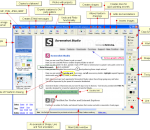
Press PrintScreen and can't grab the entire webpage because it is longer than the browser window? You need FireShot! Unlike other extensions, this plugin provides a set of editing and annotation tools, which let users quickly modify captures and insert text and graphical annotations. Such functionality will be especially useful for web designers, testers and content reviewers. Screenshots can be saved to disk (PNG, GIF, JPEG, BMP), printed (NEW), copied to clipboard, e-mailed and sent to external editor for further processing. A free image hosting web-server is also provided.
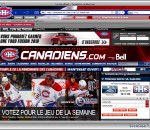
This is for the fan of NHL's Montreal Canadiens or just someone that loves a great looking hockey theme! Includes links to the Canadien's site, up-to-date videos in the sidebar and more! SEARCH Upon launch, we will switch your default search engine to BING. You can easily switch to another search provider but we think you will enjoy the BING search experience. PRIVACY: We respect your privacy. We do track some data - but it`s only numbers. We follow the total number of active themes, clicks on the extension buttons and themes using our search partners. That`s it. Nothing is personally identifiable and nothing is on an individual basis. The full legal description is at brandthunder.com/eula if you`d like extra assurance. UNINSTALL: We hate to see you go but if you want to uninstall, simply go to Tools - > Addons -> Extensions and select Uninstall. ABOUT US: Brand Thunder works with leading brands to develop custom Firefox add-ons. We have worked with the leading social networks, sports teams, news publishers, entertainment and gossip sites, colleges, blogs, music as well as our own themes for football, baseball, soccer and the holidays - lots of exciting partners are on the way, so stay tuned! STAY IN TOUCH: Get the latest on new partners, updates and more through our feeds: www.brandthunder.com/feed and www.twitter.com/brandthunder
OneNote Repair Toolbox is the best solution to repair corrupted OneNote page and files. It is simple to download and install (with full after sales support) and we guarantee all file recoveries. Managed by a simple, user-friendly interface, you can view repair data before saving, save data to disk as separate files and is the most effective solution to repair corrupt OneNote pages. For OneNote fast repair, download OneNote Repair Toolbox today!
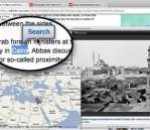
Apture Highlights is a Firefox add-on designed to combine the power of Google search and the richness YouTube, Flickr, Twitter to perform amazing searches. Just highlight a phrase on any site to reveal the web’s best content without ever leaving the page. Fast, powerful, and fun.
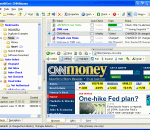
Check&Get; is a powerful Bookmark Manager, Web Change Monitor, Web Capture Tool and Web Page Archiver. It manages your browser bookmarks, makes scheduled visits to web sites to look for changes, and retrieves and highlights the changed contents. Each time Check&Get; detects changes in a web site that it is monitoring, the program automatically captures the web page, highlights the changes and can notify you of changes via e-mail. Alternatively, the program can deliver a pop-up alert window, or play a sound file to alert you about the change. With its internal browser, Check&Get; lets you look at your saved web pages, even when you're not connected to the Internet or the page no longer exists on the Web. You can use the program's auto-saving feature to collect snapshots of prior versions of web pages, allowing you to study and document the changes in web sites over time. Check&Get; has powerful, built-in bookmark management functions. You can search bookmarks by their names, descriptions, or keywords. Lists of URLs can be imported from any browser or Office document, and added to your bookmarks. Check&Get; cleans duplicate bookmarks and eliminates inactive links, so your list of web sites is always fresh and accurate. You can turn your list of bookmarks into an unlimited number of collections, and schedule web searches by collection. Check&Get; works with Internet Explorer, FireFox, Mozilla, Opera, and most popular Windows browsers, allowing you to open bookmarks, as well as import, export, and synchronize them. Whether you are a business person who needs to know what price changes your competitors have made in their online catalogs, a researcher who needs to be alerted when web site content has changed, a student who is following a breaking news story, or a home user who wants to see what his or her favorite sports team or Hollywood star is doing, Check&Get; has the tools that you need.
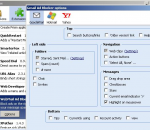
Block ads on the right hand side of the screen when using Yahoo Mail, Hotmail, Outlook.com and Gmail thereby expanding your message… Removes the ads and sponsored links and squeezes out the empty space left behind by other ad blockers to give you more room to write your messages. For Gmail users: You can choose to remove the People Widget in the options. Great for parental control to child proof those ads. There are also options to hide various other items on your Google Mail page to make it more zen.
Adobe Shockwave Player Over 450 million Internet-enabled desktops have Adobe Shockwave Player installed. These users have access to some of the best content the Web has to offer - including dazzling 3D games and entertainment, interactive product demonstrations, and online learning applications. Shockwave Player displays Web content that has been created using Adobe Director.