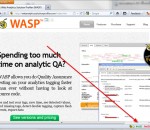
The Web Analytics Solution Profiler (WASP) is a specialized extension aimed at analytics and online marketing professionals who want to do quality assurance and understand how their tags (web bugs) are implemented. Furthermore, this Firefox extension also comes with a powerful crawler. Provides detailed information about the data being collected trough Query String and Cookies by web analytics solutions (called "tags", "trackers" or "web bug"), ad networks, behavioral targeting and multivariate testing tools. Covers over 125 tools, including Google Analytics, Omniture SiteCatalyst, Coremetrics, WebTrends and several others. The free version is best for part-time analyst and occasional testing. FEATURES: · Built specifically for web analytics professionals · Intuitive and easy to use interface · No technical knowledge required · In context information/as you browse · Powerful crawler for tags audits · Monthly updates & enhancements · Work with all major web analytics vendors
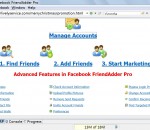
Facebook FriendAdder Pro (FFAP) is a professional facebook marketing tool with 23 powerful features to get high traffic within days, easy to use and full automatical. From mass friend requests to mass wall posts, the ability to fill profile's information, upload pictures to profiles and suggest events to friends, you can schedule all features. Marketers who are making full use of it will probably benefit a lot.
Semantic Checker is a Firefox Extension highlighting semantic elements in your document. In the current version Semantic Checker highlights the following elements. Semantic HTML4 elements abbr, acronym h1-h6, caption blockquote, cite dl, dir, menu em, strong code, dfn, address, legend, samp Semantic HTML5 elements article, aside, header, footer, nav, dialog figure, mark, meter, audio, video, progress, time, command, datagrid, details, datalist, keygen, bb, outpu, ruby HTML5 Input-Attributes datetime, datetime-local, date, month, week, time, number, range, email, url, search, color HTML5 elements "in preparation" HTML4 elements, which have an id or a classname equal to the HTML5 element names are highlighted as HTML5 elements "in preparation". This feature is inspired by an article of Jon Tan. Microformats hCard, hCalendar rel-license, rel-nofollow, rel-tag Vote Links Go to the Mozilla Addon-Site to download the current version of Semantic Checker.
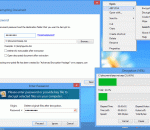
Strong file protection by 128-2048 bit encryption (AES 256-bit and RSA 2048-bit are also supported). Secure file deletion is also supported: U.S. DoD 5200.28, GOST P50739-95 and others. USB Flash Drives can be used as the storage for strong encryption/decryption keys. Creating Self-Decrypting executable files. Powerful command line utility. Ability to encrypt/decrypt files from Windows Explorer in 1-2 mouse clicks.
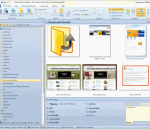
Peek-A-Boo Favorites is a Visual Bookmark Manager that takes a snapshot image of each bookmark allowing you to preview the web site before visiting it. It will monitor your favorite bookmarks and notify you when the web page content has changed by a thumbnail preview image. You can schedule individual bookmarks to check for page content changes from several minutes to several months. You can then view the updated text differences line by line. Peek-A-Boo Favorites also comes with an IE Plug-in to view thumbnail images of favorite bookmarks within Internet Explorer. It will also detect duplicated links and dead links allowing you to either delete them or updated them. You can text search across your favorite pages content. You can sort your favorites by folder, A to Z listing or by web site. Schedule automated backups of your favorites. It has extensive tracking of each favorite including Last date visited, Last updated page content, Visited count, Web Site GEO location (City/Country) and Star Rating indication. Join the Peek-A-Boo Community Library of favorites to share your favorites and get the most popular favorites based on your search criteria. Subscribe to Favorite lists of Top Rated Web Sites i.e. Top Visited by Country. The fully licensed version of Peek-A-Boo Favorites provides an Online Account to store multiple computer favorites. It also allows you synchronize your favorites to a USB drive with the application Peek-A-Boo Junior a simplified version of Peek-A-Boo Favorites.
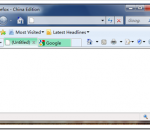
you can hold the key of Ctrl ,and move mouse to search menu image, then the Dictionary window showed. We can disable color tab of Vista-aero By click option at the end of the tabbar ,disable useColorTab. We can disable Search Menu of Vista-aero By click option at the end of the tabbar ,disable Accelator. It can work perfectly with "Personas for Firefox" .
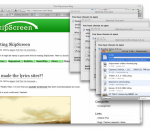
SkipScreen is a Firefox add-on that skips the clicking and waiting on sites like RapidShare, Megaupload, Mediafire, zShare, and more! You will no longer want to download music without this extension. SkipScreen will be tenaciously maintained and improving all the time. Why click through ad-laden pages and wait for countdowns when your computer can do it for you?
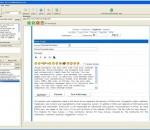
Forum Dominator is a forum submitter tool hat will help you efficiently optimize your time on message boards. With this forum submission software, you can bookmark your posts and automatically check them for replies. You can also automatically insert your message into posting pages with one click. In addition, this forum submitter will automatically format your message into text, HTML, UBB Code, or EZCode. You can also save and load different messages which will certainly save time. You can also create your own formatting templates for other message boards. No need to use forum submission services, when you can submit to all the forum submission sites yourself.
Ink Factory Print Saver plays sound effects when printing. If you print, you'll here the sound of a tree falling whilst the paper comes out of your printer. If you decide to cancel your printjob, the sound of birdsong in the forest will be your reward. A fun and friendly reminder that printing uses paper (trees) as well as ink cartridges. Designed to encourage users to think about printing and the resources it uses, not just the financial cost.
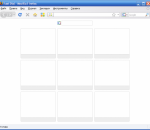
Fast Dial attempts to be a user's' best friend by giving more control when choosing favorite Web sites and bookmarks.This free Firefox plug-in adds a single button to your toolbar that launches a blank page with a lot of empty squares. Simply double click a square and users are asked to input a URL, a picture if they want and a title for the page. Fast Dial works precisely as it should, and the Web sites appear immediately and open as expected. For those who are frustrated with their bookmark or favorites list, this is a great alternative that provides more visual cues and freedom.
Block advertising from downloading onto your PC, stop those slow loading, annoying adverts from loading with Death2Ads, our unique firewall software that targets adverts and can protect children from other undesirable websites. Would you like to automatically get rid of those adverts plastered all over webpages? Don't like advertising wasting your precious bandwidth and time? Did you know they are also tracking your activity? Use Death2Ads and take control of Internet advertising and stop them tracking you through secret ad based cookies. Unlike the competition, it works in all web browsers not just one! Enjoy excellent customer service and support from the team at Firewall Technologies, we're here to help you.
Mozilla Firefox is a graphical web browser developed by the Mozilla Corporation, and a large community of external contributors. Mozilla Fire Fox protects you from viruses, spyware and pop-ups. Enjoy the improvements Mozilla Firfox offers to web browsing performance, usability, privacy and security. Mozilla Firefox is 100% free and is rated the best web browser by many reliable sources. Block annoying pop-ups Firefox blocks pop-ups automatically. Google Search Toolbar Search Google with ease using a unique enhanced suggestion search. Tabbed Browsing Speed up web browsing by viewing more than one web page in a window. Solid Security.
Adobe Shockwave Player Over 450 million Internet-enabled desktops have Adobe Shockwave Player installed. These users have access to some of the best content the Web has to offer - including dazzling 3D games and entertainment, interactive product demonstrations, and online learning applications. Shockwave Player displays Web content that has been created using Adobe Director.
Explore the Chrome Browser Chrome is a fast, simple, and secure web browser, built for the modern web. Speed Chrome is designed to be fast in every possible way. It's quick to start up from your desktop, loads web pages in a snap, and runs complex web applications lightning fast. Simplicity Chrome's browser window is streamlined, clean and simple. For example, you can search and navigate from the same box and arrange tabs however you wish -- quickly and easily. Security Chrome is designed to keep you safer and more secure on the web with built-in malware and phishing protection, auto-updates to make sure you have all the latest security fixes, and more. Privacy Chrome puts you in control of your private information while helping protect the information you share when you’re online. Customization There are tons of ways to customize Chrome and make it yours. It's easy to tweak your settings and add apps, extensions, and themes from the Chrome Web Store. Signing In Signing in to Chrome brings your bookmarks, history, and other settings to all your computers. It also automatically signs you in to all your favorite Google services. More