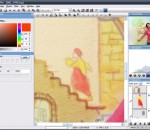
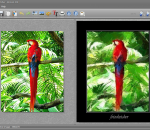
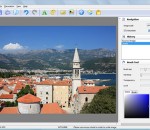
Hornil StylePix is a lightweight and professional photo editing software. Now, through it you can create PC, internet and mobile contents. Convenient working environment - Supports png, jpg, bmp, tif, gif, tga file formats and tsp(StylePix own file forma). - Multi-level undo/redo support, and action list. - Zoom in/out and the full-screen view and guides, rulers, grid support - Thumbnail, histogram and waveform view for current editing image. - Built-in browser and slide show. Layer with styles - Rasterize, Duplicate, merge, flatten, arrange layers. - Supports four object type(image, shape text and path) and group object. - 20 kinds of blending modes support. - Alignment and placement tool support. Variety selection tools - Auto range, color range, and rectangular, circular, lasso and polygonal lasso with softness. - Selection transform tool. - Load selection from layer. - Modify selection: expand, contract, border, soften. - Stroke and fill selection. Variety of drawing tools - Dynamic image brush: You can create your own brushes by letters, photos and anything you want. - Eraser, spray, clone brush, line, curve, rectangles, circles, polygon, start and arrow. - Multi-line text editing. - Flood fill and gradient fill tool. - 20 kinds of blending modes. - Color picker with HSV and web safe color model. Enhance and restore tools - Burn, dodge, Blur, sharpen tool. - Remove scratch and red-eye tool. Batch processing Practical filters with live preview - Color filters: curve, level, auto level, auto contrast, auto color etc. - Blur filters - Sharpen filters - Pixelate filters - Rendering filters - Noise filters - Distort filters - Sketch filters - Convolve filters - Style filters - Morphological filters - Photo enhancement filters Because of its accurate and fast color matching capability, Mosaizer Pro is used by enthusiasts and professionals all over the world. FEATURES: · Overlays - bitmaps on top of each cell of the photo mosaic to create depth · 32Bit bitmap masks - combine the bitmap overlay and its alpha mask · 3D effects - like shadow, buttons, windows and splat! · A very accurate color matching engine (benchmark quality) · Multiple-language support · Cropping: only render what you want · Multiple file formats: bmp, jpg (jpeg), png, ico, gif, wmf and emf · The Genuine Paintbrush - to literally paint with pictures · Create picture libraries · Use of textures to create additional 3D effects · Edit functionality - to edit parts of the result by search/replace · Single cell mosaizing - to paint a picture by repeatedly using its own bitmap · Pre-processing - make sure the best picture library is used · Post-processing filters (color blending, color correction, tile edit) · Cell colorizing - to better match with the source colours
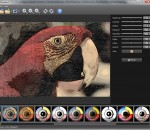
XnSketch allows you to turn your photos into cartoon or sketch images. Features: 18 different effects (black strokes, white strokes, pastel, pencil sketch, colored sketch, ...) Edge strength, and opacity adjustement Contrast, brightness, saturation adjustement Save or share the result
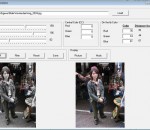
Vampix is a tools designed to add fun color / black & white effects to your favorite digital pictures. Load a picture, select specific colors you want to filter and set the thresholds for fine-tuning in order to add fun to your pictures in a couple of clicks.
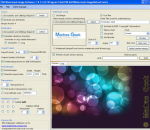
Protect your photos with the TSR Watermark images software that can run in batch mode. Add multiple watermarks in one run, and save each watermarked image at multiple locations with diferent setttings, add logo or text as watermark to your pictures, images, photos or other digital images. Batch processing when creating watermark. Transparent or solid watermark. 3D watermark effect using emboss bump mapping. Free software for personal use, to add watermark to pictures. How to watermark photos, use this software. Latest version includes angled text used for watermarking. Keep the EXIF information when saving jpeg photos, set the quality of jpegs, select the output image type (jpeg, png, gif, bmp, tiff). Automatically rotate the resulting image, based on the orientation tag in the EXIF information in the photo. Add copyright text to the EXIF information. Automatic preview the selected preview photo when changes are made to the setup. Create text watermarks with either embossed or chiseled text for a cool 3D effect! TSR Watermark Images Software is available in multiple languages, currently translated languages is English, German, Italian, Japanese, Hungarian, Czech, Spanish, French, Romanian, Dutch, Vietnamese, Portuguese (Brazil & Portugal), Chinese (Simplified & Traditional), Indonesian, Russian and Danish
FotoSketcher is a freeware program for Windows XP, Vista and 7 which automatically turns digital images (photos, 3d renderings…) into works of art. With the click of a button any photo can become a masterpiece. Many styles are available: pencil sketch, oil painting, watercolor, pastel, drawing, cartoon, pen and ink, sepia (vintage photo)… The interface supports 12 different skins and is extremely user-friendly. FotoSketcher can be used straight away, with virtually no learning curve. Apart from its main goal of turning any user into a budding artist, FotoSketcher can also perform image correction and retouching (automatic contrast improvement, change color saturation, resize or rotate image, add various frames, add text…). The batch mode allows users to modify multiple images in one go. FotoSketcher is available in many languages. This program is 100% free, and does not contain any adware, spyware or virus.
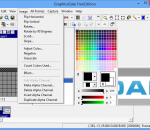
GraphicsGale is a software for editing raster format image. You can retouch a photo, paint a picture, and so on. GraphicsGale is a software that allows you edit graphic images. Unlike most bitmap editors, GraphicsGale can make an animated image using a preview window. This feature must be useful for making an animated GIF or a video game character.
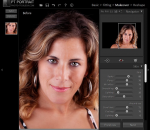
Easy portrait editing software, remove blemish and wrinkles, gain a perfect look. Support working as a Photoshop & Photoshop Elements plug-in. 1.Skin blemishes removal Quickly remove skin blemishes such as acnes, moles, redness, etc. Dramatically reduce wrinkles, eye bags, skin blotchiness and deep pores. Maintain nature skin texture so the portrait doesn't look over retouched. 2.Skin smoothing and enhancement Smooth skin, fine facial shine and enhance skin tone to give the portrait a professional look. 3.Features enhancement Remove red - eye, enhance eyes and eyebrows instantly. Whiten teeth and make lips look more vivid. 4.Face reshaping Reshape face, eyes, nose and mouth simply by moving sliders. Give the portrait a better look. 5.Full-body skin perfection With the skin brush you can customize the skin area easily to perfect all visible skin, not just the facial area. 6.Image color correction Remove color casts and adjust overall image color to restore a real photographic scene. 7.Formats supported Support importing file in these formats: Bitmap, JPEG, 24/48-bit TIFF, Camera RAW and Adobe DNG. Support saving as TIFF and JPEG.
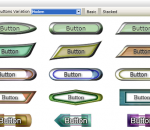
TechnoRiverGraphics is a state-of-the-art graphics engine for producing professional web buttons and logos. It is written entirely in WPF (Windows Presentation Foundation) and employs the latest in Windows graphics technology to create modern-styled buttons suitable for web sites and rich internet applications. The package itself contains more than 200 carefully pre-designed buttons, each of which can be further customized to produce similar, yet distinctive looking set of results. It is a fun tool for users to tinker slowly, experiment with different combinations, add and edit multiple layers, to eventually produce a unique and nice looking button or logo. With this product's innovative approach to buttons creation, it is definitely an ideal tool for graphics professionals to add into their existing software library.
Home Photo Studio is a powerful, fun and easy photo editing program offering a complete set of image manipulation tools. Thanks to a convenient interface and a detailed help system, the software is simple to learn but provides enough options to keep any photo enthusiast creatively occupied. With Home Photo Studio, you can view and edit your digital shots. Photos can be retouched, color can be enhanced, red eye can be removed, and blurred images can be made clearer. All of these changes can be made with a click of the mouse! You can add special effects to your photos, including lighting, weather effects, and even 3D composition - a feature not commonly found on non-professional photo editing programs. Frames in a wide range of styles can be added to the photos, as well. When the photos have been enhanced, they can be used to create slide shows, postcards, and collages, which can be shared with others. This photo editing software includes hundreds of special effects, design templates, and project options that can be used with digital photos on computers. If mistakes are made during the editing or enhancing process, the multi-undo feature makes correcting the error easier. Additional features found in the software include the ability to quickly view EXIF data and to use plastic effects on photos. Users will appreciate the detailed help system built into the program so they can find answers when having trouble with a new project. Home Photo Studio provides all of the features and extras needed to modify and enhance digital images.
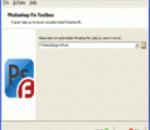
Please take a closer look at Photoshop Fix Toolbox if you encounter data corruption issues affecting the integrity of Adobe Photoshop files. This program runs under all supported software environments and opens any version of PSD file for analysis. There is no need to worry about the safety of processed documents during the recovery of Adobe Photoshop images, this tool works with copies only, it does not affect original files. Please open the website of application developer and look through the specifications of Photoshop Fix Toolbox, make sure it may work on any PC in the network, including your own workstation. The efficiency of Adobe Photoshop recovery program remains the same on all computers, but it works slower on older workstations therefore you may need to install this application on a later PC to improve the speed of analysis. After the first start of Photoshop Fix Toolbox you may look at the interface of Adobe Photoshop recovery tool and evaluate its ease. The absence of additional settings allows starting the analysis of PSD files immediately, you may call the open file dialog, find a file of Adobe Photoshop format to be processed and click the Next softkey to start the analysis of selected PSD file. After the start of Photoshop fix process you may need to wait for a while because the parsing of selected image may be time consuming if the size of selected PSD document is too large and it is parsed on a slower computer. There are no other ways to improve the speed of analysis except installing this application on more powerful workstations so please be patient and wait for the end of data recovery process. As soon as the parsing of selected document is successfully completed, you may evaluate the efficiency of Adobe Photoshop recovery by previewing the results of analysis. In the end of PST repair our customers can export the data into new documents of Adobe Photoshop format. The last step is not available until you register Photoshop Fix Toolbox.
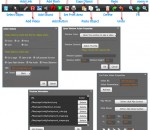
features: 1 Take photo by your webcam. 2 Processing your photos. There are 12 picture processing method. They are none, negatives,relief,Gray,Soften,Sharpen,Atomization,Lighting,RedBackground,GreenBackground,BlueBackground,Painting. 3 You can use this software to share these effects photos to your social networking site.