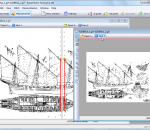
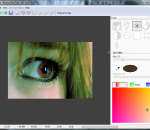
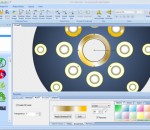
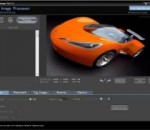
RasterStitch Panorama is a utility for putting together multiple raster images (stitching). Use this program to create a panorama of several photographs or scan and join fragments of a paper document, which dimensions exceed the scanner workspace. For example, you can scan a draft of the A0 format with a desktop A4 (21x29 cm) scanner or scan a map case of 50x50 cm by individual fragments and then join them to create the whole picture. The stitch line is created by setting two pairs of common points on the next images. Also you may use automatic common points detection. That allows even a newbie to accomplish a great result quickly and easily. Supported raster image formats: BMP, PCX, TIFF, GIF, JPG, TGA, PNG Built-in raster image correction tools: - Rotate for 90-divisible angles. - Horizontal and vertical mirroring. - Cropping image by custom rectangle boundaries.
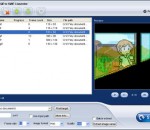
ThunderSoft GIF to SWF Converter is the best software to batch convert gif files to swf files and extract gif image serial. Provide gif file frame by frame preview, and rich output setting, include SWF version, background color, frame rate, image format, image quality, etc. Both image and speed of the output animation are same as the original gif files. Key features Convert Gif, Png, Bitmap or JPEG files to SWF format. Allow batch convert with one click. Allow add background music. Supports command line conversion. Extract gif file to image serial(Png, Bitmap or JPEG files). Rich SWF file setting, include SWF version, size, background color, frame rate, etc. Output image setting, such as image format, image quality. The obtained SWF-movie can be linked to the specified URL. Both image and speed are same as original. Provide gif file frame by frame preview.
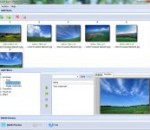
Boxoft Batch Photo Resizer is a simple, lightning-fast and powerful photo resize and conversion tool that lets you to batch Resize, Rotate, Stamp, and even Convert your images with ease, Full compatibility with JPEG, BMP, GIF, PCX, TGA, ICO, J2k, and PNG formats is included. Batch support included to do all of the above functions to multiple files at once. Boxoft Batch Photo Resizer Running in GUI and keeps running in batch mode (as command-line utility), a command line version is included also. With Boxoft Batch Photo Resizer , you can shrink JPEG image files, along with other supported formats, and dramatically reduce internet transfer times, enabling you to quickly and easily prepare your image collections to be published on the web. Help unlock the photos from your digital camera. Use Boxoft Batch Photo Resizer to batch resize your photos making it easier and faster to email to friends, upload to photo sharing websites or upload to websites that offer photo printing services. Boxoft Batch Photo Resizer lets you resize in 3 easy steps, allowing you to choose the photos you want to resize, the dimensions, and where you want to save the new photos.
SmartPrintLab Poster Designer software makes it easy to create a perfect posters, banners and signs. You may save designed graphics to image format or print them directly on your home or office printer. Or produce a large version of the poster with our Poster Printer program by printing and stitching multiple pages. Start designing quickly and easily with our huge collection of read-made templates or create your artwork from scratch. Poster maker software has templates for a range of business posters including Sales, Discounts, Promotions, Business Hours, Open and Closed signs, Private Property, and many others. Funny and motivational posters include the Old Wanted sign, "Reuse, Recycle, Regift", "Girls Rule" and many, many other jokes, motivators and signs. Think that's everything? Think again! Poster software has templates for holidays and templates for work, party and event posters, propaganda, advertisements and information signs, coloring books and kids' stuff, certificates and diplomas-and that's just a few of over a hundred templates! Haven't found a template for your purpose? No problem! SmartPrintLab poster creator can help you make your own template or poster to re-use any time you want. The convenient, user-friendly interface makes it easy for anyone to make perfect posters, banners, signs and other artwork in just a few minutes. It's a perfect tool for home, office and business purposes. Unleash your creativity in the poster making process and create the most impressive design, ever!
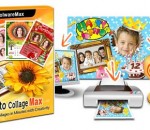
Making collages with frames, clip art, backgrounds and so on is a fun way to arrange your multiple photos into one, is also very sweet to commemorate events such as birthday, wedding, holidays, to share joy with family and friends. Photo Collage Max puts all the templates, masks, shapes and other effects you need together, letting you design good-looking digital collages without any trouble. Designing collages is very easy with Photo Collage Max. After launching it, choose one template from plenty of templates located in the right sidebar as the layout of your collage artwork. Drop photo from your own folder into the blank area or just drag photo into it as a new layer. You can change background, add text, clipart, frames and masks to decorate your collage project, make it a unique one. Considerate is Photo Collage Max. Almost all the templates for your special occasions are included, such as birthday, wedding, holidays. No need for lots of options and settings, you can create a collage or a greeting card smoothly. Making special calendars by selecting meaningful pictures and words into them is available also. There are several options for you to choose with your collage artwork once you finish it. Save it as a digital picture (pick formats from .jpg, .png, .gif, .bmp, .tif), send it via email to your family and friends, or set it as wallpaper. Besides, you can print it or use it as a new template. Gathering all valuable templates, backgrounds, frames, clipart in one place, Photo Collage Max helps you make photo collages, greeting cards, calendars for memorizing your special moments easily and creatively.
Image Smith is a powerful batch image processing tool. With a variety of features you can easily scale, reorient, recolorize, convert, and flatten images. Image Smith can open numerous different picture file types, and output in the most common industry standard formats like JPEG, GIF, and PNG. Use the numerous predefined presets in Image Smith to scale or stretch images down to formats suitable for web banners, e-mailing photos, backups, and more! This is ideal for taking large photos from your camera, which may be upwards of five megabytes each, and scaling and converting them down to a manageable size of only a few hundred kilobytes. Many power-user features are also included: changing the color levels, applying a sepia effect, inverting, changing the contrast, auto-levelling, extracting image masks, and rotating by angle. Additionally, also easily preview the effect of the settings before processing the entire set. Image Smith is available for both Macintosh and Windows, and ensures you get the same experience on whichever computer you are on. Download the free fifteen day trial, and take the redundancy out of image editing!
PhotoX software provides a quickest and easiest way to watermark your photo. Avoid unauthorized use of your product photos, stamp your product photos with watermark. You can add text or image watermark. For Text Watermark, you can set different font face, font size, bold, italic or underline with different color. For Image Watermark, you can pick from different formats of image, include gif, jpg, png and others. The watermark can be set into different position of the photo. It can also be aligned diagonally on the photo. You can also adjust the opacity of the watermark to ensure the readability of photo. Besides watermarking, you can make use of other tools to protect your photos. They are Grayscale, Add Strip, Thumbnail and Fade Out effect. With these tools, you can: convert your photos into grayscale; add strips on top of photos; generate thumbnail of photos and apply fade out effect on the photos.
Face Off Max is software that enables you to create funny photos by transplanting any face to any body and share the fun with your friends. You can either choose to produce funny photos with fantastic built-in and weekly updated templates which will be suitable in all occasions or create unique photos with your own photos. Furthermore, by using Face Off Max, you can easily display your masterpiece in everywhere you want to keep in touch with your friends: Facebook, Myspace, blog, email and etc. And it works even easier with Facebook. Without logging in via browser, you can have your photos uploaded directly to Facebook. It would be great to post a photo on your Facebook wall with you dancing with Natalie Portman or with your friends becoming a zombie. You can even enlarge the fun by adding some funny words to your photos. How about having a photo with you dressing like an astronaut, stepping your feet on moon and saying "That's one small step for a man, one giant leap for mankind"? Just need a little creativity, your fun can go boundlessly! What is more amazing with Face Off Max is that you can achieve all these in a simple and intuitive way. The intuitive interface will let you know at the first glance how to achieve what you want with Face Off Max and the simple using instruction will accompany with you during the entire process of your creation.
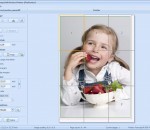
Beauty Pilot allows you to bring out the beauty in women's portraits taken with a digital camera. Built-in, self-playing examples will quickly acquaint you with the program. Beauty Pilot can be installed as a standalone program and also as a plug-in.
SmartsysSoft Label Maker lets you design Address labels, CD/DVD labels, Folder labels, Media Labels, Post cards, Shipping labels, and even Envelopes. It comes with a lot of pre-designed label templates, pictures, shapes, symbols. You can choose them from a vast library and then custom with your own logo, images and clip art to create your attractive labels. SmartsysSoft Label Maker also a great vector graphics program. Some drawing elements such as texts, clip art, shapes, symbols, images can be added to your design as you needs. Each one is painted very smoothly. So that, you can get professional-looking labels with very high quality when designs are translated to printing. All vector objects can be filled or stroked with solid color, gradient colors, images or patterns. More than hundreds of dash styles are supported to be used for stroking shapes. Besides that, SmartsysSoft Label Maker provides very powerful shapes tools to edit path of vector objects. With which, you can create the most unique shapes, symbols or texts if you desires. SmartsysSoft Label Maker is also professional quality printing software. It supports to print your labels on any Windows compatible printers directly. Also it is allowed to save your design as a high quality image with PDF, BMP, JPEG, GIF, PNG, TIFF format for outside quality printing.
This application can be used for magnifying (enlarging) digital images, extracting edges from an image with sobel and canny edge detector or applying other filters as well. There is also a guide (documentation) to digital image magnification & edge detection