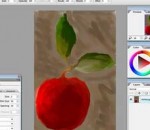
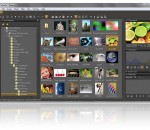
Artweaver is a full-featured painting tool with a huge set of predefined realistic brushes to paint creatively or just experiment. Artweaver is suitable for beginners and advanced users. Artweaver allows you to paint creatively with the help of a huge range of painting tools. You can create sketches from photos or just experiment with colors. Artweaver is available in two versions. The Artweaver Free version for free and an Artweaver Plus version with costs which has more features than the free version. You can try Artweaver Plus for 14 days without restrictions before deciding to purchase Artweaver Plus. Features: Realistic brushes Artweaver has a powerful and highly configurable brush system to simulate many different brushes. Each brush configuration can be saved as a new variant or even into a new category. User interface Artweaver has an intuitive and easy to use user interface. But you can still adjust it to your needs and save it as different arrangements to optimize your work-flow. Events Artweaver records the whole painting process as events and allows to save and later to replay them. Demonstrate other users your painting style or just show the progress from an empty image to a finished artwork. Powerful core Artweaver is powered by a powerful core which utilizes existing hardware to a maximum and supports many additional tools / features which are useful for painting and image editing. More Features * Support for many file formats like AWD (Artweaver), BMP, GIF, JPEG, PCX, TGA, TIFF, PNG and PSD (incl. layers) * Transparency, layers and layer groups * Common image editing tools like gradient, crop, fill and selection tools * Many effect filters like sharpen, blur, emboss and mosaic * Expandable by Plug-In modules (Artweaver standard) * Editable text layers * Pen tablet support * History function to undo/redo last editing steps * Support for many languages through language files
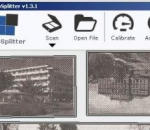
AutoSplitter will automatically recognize your photographs on the scanned image, will clip and deskew (de-rotate) them. Adjust clipping, rotations and orientation manually if you desire. This software remarkably simplifies the process of scanning photographs. Just place your photographs in your scanner, scan them with AutoSplitter and the rest will be done automatically. Photographs will be recognized by the software, split into separate output images. AutoSplitter will also deskew your photos. Of course you can adjust the clipping and rotation manually if you wish. AutoSplitter saves a LOT of time and hassle for you. Ever tried clipping and deskewing your scanned photographs by yourself? It takes a lot of time and effort to do that. I'm sure you have a lot of precious photographs to digitize, but you just could not bring yourself to scan and edit all these images. This is your chance to catch up with that task!
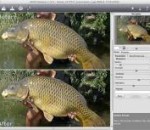
A standalone application that can also be accessed as a plug-in, photoFXlab™ is the ultimate hub for all things Topaz. With instant access to all of the Topaz plug-ins, photoFXlab™ easily connects you to all of your Topaz effects in a searchable library. Featuring a layered workflow with masking capabilities, selective enhancement brushes with edge-aware technology and a fun new way to InstaTone™ your images, photoFXlab™ is the new way to experience Topaz. photoFXlab offers users a varied and complex suite of graphic effects meant to enhance and optimize the look of their images. It can be used both as a standalone application, as well as as plugins for compatible software, such as Adobe Photoshop, Photoshop Elements, PaintShop Pro, Photo Impact, Serif Photo Plus or Lightroom.
Designed for artists by artists, Corel® Painter™ opens up a world of creativity. With an impressive array of brushes, paper textures, paints, oils, watercolors and more, if you can dream it, you can create it in Painter! Thanks to extensive file support, you can also build upon projects you've started in other programs, making Painter a great complement to Adobe® Photoshop®. This latest version of the world's leading digital art software helps artists evolve their creative possibilities more than ever—see it for yourself with a free trial! Most realistic digital painting experience Painter's RealBristle™ brushes represent a major milestone for digital painting, reproducing the movement and feeling of traditional art on canvas when paired with a graphics tablet. Progressive digital art capabilities Exciting new Kaleidoscope and Mirror painting features let you create electrifying patterns and colors on canvas, leveraging the symmetry, speed and precision of mirrored planes. This Kaleidoscope painting capability is exclusive to Painter! Designed for comfort A new interface streamlines your brush selection, libraries, color controls and image set up. High-quality rendering gives you a clear view when zooming into the finer details. Perfect complement to other software and hardware Photoshop support lets you easily work with Photoshop files and correctly preserve colors and layers when transferring files from Photoshop to Painter. Support for the latest pen tablets from Wacom® gives you exceptional freedom of movement.
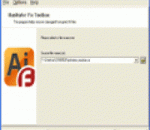
Take a closer look at the utility of Adobe Illustrator recovery if you encounter data corruption issues when opening AI files. Try Illustrator Fix Toolbox and make sure the data can be easily restored without backup copies and other efforts of you. This program is so easy to use that you may quickly start recovering AI files without additional guidelines and explanations, get the latest version of Illustrator Fix Toolbox from the file server of software developer and click this file to proceed. After the first start of AI recovery program you may simply follow the directions of Illustrator Fix Toolbox and make sure the analysis of Adobe Illustrator files is much easier than you may think. Take a closer look through the interface of AI repair utility and make sure the analysis of selected files can be started immediately and without additional instructions and guidelines. Call the file selection dialog by clicking the open file softkey and take a look at the list of files, available for the recovery. Please note that Illustrator Fix Toolbox guarantees the safety of data processing, it works with copies of input files only and does not change the structure of input documents. Check the path, click the Next button to continue and get some rest, the recovery of affected documents may take some time according to the size of input files and some other factors. After the end of Adobe Illustrator recovery you can look through the report and convert the data into a new document of AI format. Please note that you should register your copy of Illustrator Fix Toolbox, it should be done owing to the functional limitations of Adobe Illustrator application. This program is distributed for a reasonable price, please open the online store of software developer and make your order, choosing any payment option you like.
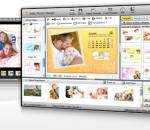
Design over 10 photos by few mouse clicks. 5DFly Photo Design is an intelligent photo editing software, which enables you to create photo collage, scrapbook, photo calendars, greeting cards, baby announcements, wedding photos and other artwork from your digital photos. It offers lots of stunning templates to get you started, and the program offers a WYSIWYG photo editing interface with support for image layers and drag && drop positioning. If you want additional control over your pictures, you can also apply image adjustments, frames, drop shadows, color conversions and other effects. The result can be saved as high-resolution images for printing or exported as photo video, PowerPoint slideshow or PDF. 5DFly is free to use without time limit while the image output has slight watermark and you have unlimited access to all photo templates. Key Features - Photo editing intelligence && automatic photo design && rendering to get stunning effects easily. * Intelligent automatic photo template rendering - By using 5DFly Photo Design, photo template automatic rendering to your photos is automatically generated. You can design over 10 amazing photos by 3-5 mouse clicks. * Easy-to-use && powerful photo editor - Combined with photo template and image layer management && photo editing tool, 5DFly image editor provides image frames && background, monochrome, RGB && saturation && hue adjustment and so on. * High-resolution image output - The photo you design can be exported to high-resolution images for printing. * Electronic photo album including photo video, photo PowerPoint and PDF - Batch generate photo video, PowerPoint album and share your photos with your friends. * Easy photo templates download and installation - Unlimited access to on-going well-designed photo templates for all users.
3DFieldPro is a contouring plotting and 4D-3D data program. 3DFieldPro converts your data into contour maps, surface or volume plots.3DFieldPro allows create the contours (isolines) on surface and isosurfaces in volume from regular data set or scattered points. All aspects of 2D or 3D maps can be customized to produce exactly the presentation you want. Also 4D software project 3DFieldPro: - Volume gridding for 4D scattered points by 4 gridding methods; - Create isosurfaces and 3D planes; - 3D model with irregular grid; - All options of 3DField.
StylePix Pro is an photo editor that has all the features of raster graphics editor and adhered to lightweight design and effective UI. In addition, it has a built-in image viewer and batch processor. Convenient working environment - Supports png, jpg, bmp, tif, gif, tga file formats and tsp(StylePix own file forma). - Multi-level undo/redo support, and action list. - Zoom in/out and the full-screen view and guides, rulers, grid support - Thumbnail, histogram and waveform view for current editing image. - Built-in image viewer and slide show. Layer with styles - Rasterize, Duplicate, merge, flatten, arrange layers. - Supports four object type(image, shape text and path) and group object. - 20 kinds of blending modes support. - Layer mask. - To decorate the appearance of layer, provides 13 kinds of layer styles. - Alignment and placement tool support. Variety selection tools - Auto range, color range, and rectangular, circular, lasso and polygonal lasso with softness. - Selection transform tool - Load selection from layer. - Quick mask mode. - Modify selection: expand, contract, border, soften. - Stroke and fill selection. Variety of drawing tools - Dynamic image brush: You can create your own brushes by letters, photos and anything you want. - Eraser, spray, clone brush, line, curve, rectangles, circles, polygon, start and arrow. - Multi-line text editing. - Flood fill and gradient fill tool. - 20 kinds of blending modes. - Color picker with HSV and web safe color model. Enhance and restore tools - Burn, dodge, Blur, sharpen, desaturate, saturate and smudge tool. - Remove scratch and red-eye tool. Batch processing: Solve tedious repetitive tasks by batch processing. Practical filters with live preview - Color filters: curve, level, auto level, auto contrast, auto color etc. - Blur, Sharpen, Pixelate, Rendering, Noise, Distort, Sketch, Convolve, Style and Photo enhancement filters.
tintii takes full colour photos and processes them into black and white with some select regions highlighted in colour. The technique is known as colour popping or selective colouring – tintii makes it easy. tintii takes a colour photo and cleverly separates it into a handful of major hues. You then select which colours to pop, and the rest become black & white. tintii involves no tedious selections or masking, or rigid preselected colours, just a few mouse clicks and a great colour-select effect. Additional post-processing controls facilitate finer control, such as edge softening and greyscale mixing. The tintii filter plugin for Adobe® Photoshop®, Photoshop Elements and Corel® Paint Shop Pro® lets you apply selective colour effects in conjunction with tools such as desaturation brushes, scripting and batch processing. The tintii plugin is a great asset in the toolkit of professional or hobbyist photographers, graphic designers and web designers. The tintii plugin for Photoshop, Photoshop Elements and Paint Shop Pro is only $19 AUD (about $16 US, £10 GBP or €11 EUR)
Advanced TIFF Editor is a multipage FAX, TIF, PDF, EPS, PS, AI, DCX, JBIG, DICOM viewer, editor and converter, offers you a full solution for viewing, editing, printing, saving, converting. Advanced TIFF Editor can show all kinds of FAX images, multipage FAX and TIFF images. Advanced TIFF Editor supports many FAX file formats. Images viewed on the screen can be sent directly to any printer supported by your operating system. Size, area and position are adjusted using a comfortable printer dialog. Advanced TIFF Editor can convert FAX and TIFF files to standard TIFF/FAX format, JPEG format (RGB, GrayScale, YCbCr, CMYK, YCbCrK), PNG, BMP, PCX, GIF, DIB, RLE, TGA (TARGA, VDA, ICB, VST, PIX), Portable Bitmap PBM, PDF, PS. Advanced TIFF Editor can edit loaded images - extract, move, insert, delete, rotate, flip, invert pages, insert text, erase, correct. You can send the fax by printing to the FAX printer (Windows NT Fax Driver). Supported the input image file formats - FAX, TIF, PDF, EPS, PS, AI, DCX, GIF. Supported the output image file formats - FAX, TIFF, GIF, JPEG, PNG, BMP, PCX, DIB, RLE, TGA, PBM, PGM and PPM. View functions - Scrolling (using cursor control keys, scrollbars), zooming (+/- keys, menufunctions or drawing a rectangular area), antialiasing, rotation (90 and 180), flip, invert. Print functions - Optimized to page size, arbitrary area/size/position, print preview. Special functions - TIFF tag analyzer and editor (individual tags). Twain Support for scanners and cameras.
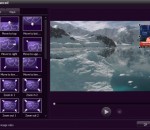
iOrgsoft Video Editor is an easy home video editing software that consists of Video Clipper, Video Cropper, Video Merger which allows you to clip, crop and merge your video files. Besides, it is also good at editing video in a large variety of video formats including SD, HD, camcorder video and other video files for playback on various devices. As a Video Clipper, iOrgsoft Video Editor allows you to clip video files, split video files to whatever length you want within the timeline. As a Video Cropper, iOrgsoft Video Editor enables you to crop off your video files, meanwhile rotate your video in four different directions As a Video Merger, iOrgsoft Video Editor empowers you to combine several videos to one file within the timeline using various transitions Key Features: Import video files from different video sources iOrgsoft Video Editor is an easy to use software that is specially designed to edit video in a large variety of sources like common videos, HD videos, camcorder videos, recorded videos, downloaded videos and other videos. Video Editing Timeline Panel Drag and drop you files from workspace to timeline panel, use zoom-in and zoom-out button to enlarge scale size so that you can have clear visual control of each frame and precisely edit separate tracks including videos, images, audios and text. Powerful video editing functions Video Clip: cut video to whatever length you want within the timeline Video Crop: remove unwanted parts from video files, meanwhile, rotate video from the aspects of right, left, horizontal and vertical Video Merge: combine several video files to a single video file within the timeline using different transitions like image, audio, text Video Transitions: add transitions between video with image, audio and text as transition to make your video files as a whole Customize video with video effect You can customize your videos in two different ways: common effect and special effect