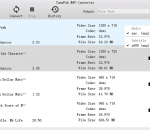
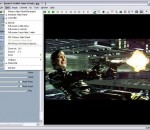
Bluefox Apple TV Video Converter is multifunctional and fast Apple TV Video convert software, which can convert AVI to Apple TV Video MP4, convert MPEG to Apple TV,WMV to Apple TV etc. It provide a very easy and complete way to convert Apple TV Video from all popular video files,perfect support H.264 format,with great quality.It can convert Apple TV video from all popular video formats including AVI MPEG, WMV, MOV, RM, RMVB etc.
Advanced CCTV Lens Calculator for CCTV designers. It offers standard functions of Lens Calculators as well as several advanced features.
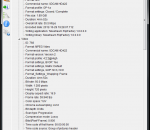
MediaInfo supplies technical and tag information about a video or audio file. It is free software (free of charge and free access to source code: GPL or LGPL licence)
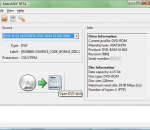
MakeMKV is a small but effective application that facilitates video conversion from DVD movies and other file types to the MKV format. It does not integrate too many settings, so it can be used even by less experienced individuals. It converts the video clips from proprietary (and usually encrypted) disc into a set of MKV files, preserving most information but not changing it in any way.
Sayatoo KaraTitleMaker is a professional video subtitle editing software for Karaoke. The intuitive user interface, rich parameter settings and diverse module plugins, can quickly and accurately produce high-quality and professional video subtitles. The output files can be supported by most of the popular video editing software (e.g. Corel VideoStudio, Adobe Premiere, Adobe After Effects, Canopus Edius, Sony Vegas).
NetJet captures two video streams, synchronizes them, converts the stereo-video into a glasses-free 3D format, and broadcasts output via IP or DVB-ASI in real-time. NetJet performs most operations automatically so you get professional results quickly. This software product aims to help integrators build 3D TV digital signage systems.
This free video cutter for Windows is a very convenient editing freeware, it can cut large videos to small pieces quickly. By using the latest video converting technology, it can export videos with the original lossless quality. After cutting videos to small pieces, the size will be reduced significantly, you can replace the original videos with the new clips to free up space or you can share the new videos scenes to your friends in a easy way.
Batch crop the end off video or audio files, remove off last seconds/minutes of wmv avi mov mkv mp3 and other formats, leaving the rest intact. Usage: 1. Rename the video or audio to start with number-minute|second|ms, such as 5-second-name.mp4 2. Drag and drop files to 'Easiest Free Video End Cropper for Windows' 3. The Result will be saved as 'cropped-end-5-second-name.mp4'
Capture Solution XE is a decent tool that comes in handy on numerous occasions. Inexperienced users should not have any trouble installing and customizing it, thanks to the intuitive layout, and during testing, it required minimal resources. It is a purchasable application, but there it offers good value for money.
Convert video files to flash (SWF and FLV) for your web site or blog! Free Video to Flash Converter features two new players: New Maxi Player and New Multi Player. Many input formats. You can choose one of the preconfigured presets, customize any preset or create a new one using advanced Preset Editor. Free Video to Flash Converter contains no spyware or adware. It's clearly free and absolutely safe to install and run.
If you've ever wanted to watch your video library on your iPhone or iPod Touch, but you can't be bothered to convert files or transfer them to your device, your lazy butt is in luck. A new app called Air Video lets you stream video from your computer to your iPhone -- no fussing with iTunes required! It even works over 3G, after a little bit of extra configuration.
GOM Media Player The only media player you need - for FREE! Not only is GOM Media Player a completely FREE video player, with its built-in support for all the most popular video and Media Player formats, tons of advanced features, extreme customizability, and the Codec Finder service, GOM Media Player is sure to fulfill all of your playback needs. With millions of users in hundreds of countries, GOM Media Player is one of the world`s most popular video players. Whats New : Added "Touch Setting" feature for touch screen devices. Added "Search box" feature on playlist. (Ctrl+F) Supported "HTTPS URL" for youtube or net radio playback. (Ctrl+U) Added "Music Tap" on preferences related to play music files. Improved performance related to "speed of add & delete" of files on playlist. Other miscellaneous corrections, fixes, and changes
RealPlayer has always enabled you to play RealAudio (*.ra) and RealMedia (*.ram) files. Download videos from thousands of Web sites with just one click Build your own video library and playlists Play all major audio and video formats Flash Video support DVD, SVCD, VCD burning and video recording RealPlayer for personal use includes audio CD burning capabilities, DVR-style playback buffering, multimedia search, Internet radio, a jukebox-style file library, an embedded web browser (using Microsoft Internet Explorer), and the ability to transfer media to a number of portable devices, including Apple's iPod, MP3 players, and Windows Media devices.
GOM is a FREE media player with popular audio & video codecs built-in. Codec Finder GOM Player includes many codecs (XviD, DivX, FLV1, AC3, OGG, MP4, H263 and more) so you won't need to install separate codecs for most videos. For those videos that require a separate codec, GOM Player will find one. Play Broken AVI Files (Patented) GOM Player's patented technology enables users to view files with broken indexes or that are still being downloaded. Powerful Subtitle Support GOM Player supports SMI, SRT, RT, SUB(with IDX) files for subtitle. You can even synchronize subtitle and video if there's any mismatch. Convenient Playlist If you run a video file and there is already a file with a similar name in the directory, it will be automatically added to your playlist. GOM Player has a similar playlist format as M3U, PLS, ASX. Support Different Media Types Along with different media format such as AVI, MPG, MPEG and DAT, GOM Player also supports streaming Windows media format (WMV, ASF, ASX). You can also watch DVD-quality videos with 5.1 channel audio output.