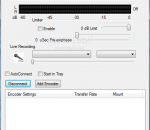
Edcast (aka Oddcast) was probably the best alternative to shoutcast's own DSP for sourcing shoutcast DNAS - in fact, many would argue it was superior in many ways. For example, it can also source Icecast natively, not in dumbed down shoutcast emulation mode. A year ago, or more, I can't recall, "oddsock" shut down, due to undisclosed issues. A year before that, however, I'd already tinkered with the code, adding an ASIO version. Primarily for my own, unusual, set up. When oddsock shut down, I decided to step up and continue his work, hopefully improving on it. Features: * Allow changing YP info even for private stream * Windows Vista/7 compatibility - user writable files (config/log) will default to userusernameappdatalocaledcast* folder * for dsp versions in Windows Vista/7 compatibility - user writable files (config/log) will default to userusernameappdataroamingwinampplugins folder * Password no longer clobbered by sending metadata * Fixed device initialisation bug at startup in STANDALONE and DSP * Fix long standing edcast issue with Virtual Audio Cables * Fix internal buffer overflow when sending metadata * NEW DSP with Fraunhofer support * "Are you sure" prompt when closing down edcast * Attenuation per encoder * Limiter with pre-emphasis and pre-gain * Start in tray * Improved audio handling * Latest BASS.dll - fixes the 3 hour issue * DSP version: set encoders individually to "Always record from DSP" - allows 2 different sources for one edcast * Don't log encoder speed unless logging level is set to DEBUG * Fix config file issues * Sample rate selection for ASIO * VU Meter in RMS mode also shows peak * fix MP3 settings - should be able to actually use some of the more esoteric settings.
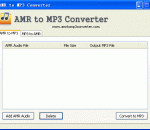
As its name show, AMR to MP3 Converter is one free audio converter for AMR audio and MP3 audio, it can convert AMR audio to MP3 or convert MP3 audio to AMR. This software can support batch audio conversion; users can convert many files at one time. Adaptive Multi-Rate (AMR) is used in speech coding and involves audio data compression. Audio data compression allows for more storage on voice files. ".amr" is a popular filename extension for AMR. Many cell phones use AMR for speech recording storage. MP3 is a proprietary format, it is a common audio format for consumer audio storage. Users can use this program as one ringtone maker, if you like some music, you can use this software to make your style mobile ringtone by yourself.
Complete media solution for extensive libraries. Organize, play, tag all types of media files. Rip, Burn, serve to Xbox, PS3, UPnP, DLNA, TiVo. Audiophile quality, Ten foot mode, remote control, HD TV recording in real time. Customizable media views. 3D views. Supports playe, cameras, 90+ media file formats. Integration with Facebook, Flickr, Audible, Amazon MP3, Google, Youtube, Wikipedia, Hulu, Last.FM, Twitter. Cover art lookup. Three skinned interfaces. Visualization Studio lets you create your own visualizations, DSP Studio allows personalization of the listening environment. Smartlists based on rules. Drag-and-drop for easy Playlist creation. Unique media browsing views for faster, easier and more powerful file search and play. Tagging studio. Integrated CD labeler. Support for CD and DVD database and support for popular handheld players. AUDIO Convolution -- Fine adjustment for room size and composition Volume leveling and other DSP effects can be applied in a sync to a handheld Gapless iTunes encoded MP3 playback Resample by Samplerate -- set MC17 to output any sample rate for each samplerate you have -- 88.2 for 44.1 DSD bitstreaming over ASIO Audio Path Direct -- An information window that shows what DSP effects are being applied (if any). Hover over the small DSP icon in the upper right corner while audio is playing. Television program guide view backdrops in Theater View DVD playback over Library Server IMAGES Image orientation VIDEO Conversion in DLNA and Library Server Red October Improvements for DirectShow video Subtitle Improvements Blu-ray title selection Carnac -- auto-tagging engine that fills in missing information about files by using the filename, codec, and other known information TELEVISION Theater View television guide browsing improvements (grid-style view, search, backdrops from TheTVDB, etc.) Improved DVB TV scanning, DVB-S Commercial skipping
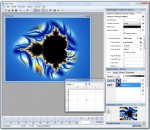
Ultra Fractal is the best tool to create fractal artwork and fractal animations. Whether you are a graphics designer, a video producer, a professional fractal artist or a complete beginner, Ultra Fractal will make it easy to create beautiful fractal pictures, animated textures and moving fractal backgrounds. The Animation Edition contains everything from the Standard Edition, plus animation and network features: create fractal movies and calculate fractals using multiple networked computers. The Animation Edition contains everything from the Standard Edition, plus animation and network features: create fractal movies and calculate fractals using multiple networked computers. FEATURES: Get started quickly with the integrated tutorials: · It is easy and fun to start using Ultra Fractal with the built-in tutorials. Starting with the basics, you will soon learn how to create your own fractals, change the colors, add layers, use masks, and even create animations. You can also download the PDF manual to print the tutorials. Explore thousands of fractal types and coloring options: · First explore the standard fractal types in Ultra Fractal to get familiar with them. Then connect to the online formula database to download thousands of additional fractal formulas and coloring algorithms contributed by other users. Enjoy unlimited deep zooming: · You can zoom to virtually unlimited depths with Ultra Fractal. Deep zooming is fully integrated and works with all fractal types and coloring options, even those you have written yourself! Tweak parameters with the versatile Explore feature: · Choosing parameter values is a breeze with the new Explore feature. Experiment with new parameter values by moving the mouse cursor over a coordinate grid in the Explore window, while the Fractal Mode tool window shows a real-time preview of the result. Color your fractals and add transparency effects: · Coloring your fractals is easy with Ultra Fractal's gradient editor. Drag the gradient curves up and down to create smooth ranges of colors, or use the Randomize options to quickly try various color combinations. You can also use the gradient editor to add transparency effects. Compose fractals with layers, masks, layer groups and Photoshop-like merge modes: · One of Ultra Fractal's key features is layering. You can place multiple layers of fractals on top of each other to combine them and create intricate coloring and texturing effects. Add mask layers to create transparent areas that will let the underlying layers shine through. Organize related layers in layer groups. Store layers or groups that you often use in the layer presets menu to access them quickly. You can even select multiple layers to edit their parameters together. Image import: · Import PNG, JPEG or BMP images in your fractals with the built-in image import feature. Simply select a coloring algorithm that contains an image parameter, and you can select any image on your computer to use. Open and organize your fractal files: · Organize all your fractal-related files with the integrated Explorer-like file browsers. Quickly scan formula files and parameters with the new thumbnail view and the powerful search tools. Render your artwork to produce fractal movies and high-quality images for printing and publishing: · Create stunning fractal movies and high-quality images in full color at any size and resolution with the Render to Disk feature. Built-in anti-aliasing and motion blur smooths and sharpens rendered images and removes jagged edges. Ultra Fractal exports and renders to JPEG, Photoshop, TIFF, PNG, Windows BMP, Targa, and AVI files.
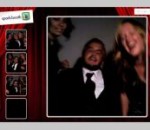
SparkBooth simulates a classic photo booth producing a vertical 4-photo strip. The application features a fullscreen mode that converts any computer with a webcam into a photo booth kiosk. All the photos are saved to disk with option to upload to photo sharing services. All you need is a computer and webcam. SparkBooth is perfect for parties, weddings, events and other celebrations. Features * Fullscreen kiosk mode * Automatically upload photos to Facebook, img.ly, Mobypicture, Posterous, ScreenTweet, TweetPhoto, TwitDoc, Twitgoo, TwitPic, twitrpix, TwitSnaps, and tumblr * Choose from a variety of photo layouts * Add custom image or logo to photos * Customize on-screen messages for your event or language * Easy-to-use interface * Great for unattended operation. Guests simply walk up, press the spacebar, and there it goes.
GOM Media Player is freeware video playback software developed by the South Korean company, Gretech Corp. Designed with both power and simplicity in mind, GOM Media Player is an ideal video player for both beginners and experts alike. Aside from being the most widely used video player in South Korea, the non-Korean versions of GOM Media Player enjoy a monthly worldwide user base of over 43 million in over 200 countries, making it one of the world’s most popular video players. GOM Media Player includes built-in support for all the most popular video formats (MP4, AVI, WMV, MKV, MOV, FLV, etc), loads of advanced features (screen capture, audio capture, video playback speed control, and more), and the Codec Finder service that helps you locate missing codecs for formats that aren’t supported by default. You can even watch broken and incomplete AVI files with GOM Media Player. Download GOM Media Player for free and find out why it’s the only media player you need!
QuickTime Lite is a trimmed-down version of QuickTime that contains only the essential components needed for playing QuickTime content that is embedded in webpages. Advantages of QuickTime Lite are: Quick and easy install Ability to make an unattended installation No background processes No unwanted stuff and other nonsense Smaller size than Apple QuickTime It comes bundled with Media Player Classic - a freeware media player that supports both QuickTime Lite and Real Alternative.
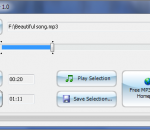
Free MP3 Cutter is a simple utility that allows you to cut MP3 files into pieces. In a few clicks, you can select a part of a song or audiobook and save the selection in a separate MP3 file. The program works very fast and has a user-friendly interface.
Adobe® Presenter 9 software makes it easy to create professional-quality videos by capturing both yourself and your screen with a few clicks. Turn passive content into video presentations, product demonstrations, training videos, and more on your own, right at your desktop. Edit your videos with a simple four-button interface. Get feedback by including quizzes and surveys. Publish to video portals, desktops, and mobile devices, and track performance using integration with LMSs. Turn your teaching content into video with just a few clicks. Simultaneously capture yourself and your onscreen courses to create a video lecture that can be accessed by learners any time, anywhere. Optionally, add quizzes and track performance by integrating with an LMS. Make your digital communication more effective by blending your content with your personality. Simultaneously capture videos of yourself and your screen, easily mix and edit them to create experiences as stimulating as real life. Publish to video portals with a single click. Easily convert your presentations into interactive eLearning content from within PowerPoint. Capitalize on your presentation skills to create high-impact training videos. Add quizzes and assets, deliver to desktops and mobile devices, and track results using leading LMSs. FEATURES: · Easily create professional Flash presentations and self-paced courses complete with narration and interactivity. · Import and edit video in any format and export as SWF. · Record and edit high-quality audio. · Help ensure consistency with branding and customization. · Deliver advanced quizzes and surveys with question pooling and randomization. · Publish content as a PDF file, preserving all of your animations. · Create AICC- and SCORM-compliant content. · Integrate with Adobe Acrobat Connect Pro software to deploy, manage, deliver, and track content.
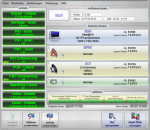
Many modern satellite and cable receivers offer the ability to record television and radio programs by a so called PVR function. Such recordings are stored usually in the transport stream format (ts) or in a kindred format. Unfortunately, such recordings often contain errors or incompatibilities that lead to incompatible recordings that can't be played back on other devices without problems. Here, the TS-Doctor can help more than any other tool, for both SDTV and HDTV recordings. It verifies the recordings for errors, adapts the format to eliminate compatibility issues and cleaned up the recordings without changing the actual video and audio data. In the end you will get a compatible transport stream (ts), that can be played easily on the computers or hardware media players such as popcornhour a100/110/c200, wdtv, xtream and many other similar devices. * Support for Kathrein HD TRP streams! * Correction of wrong video_full_range_flags (colorspace) in DVB streams! * Visual cutting function for the begining and the end of the stream! * Support for iCord HD M2TS and Technisat TS4 streams! * Packet editor and stream filter tool * Support for Comag SL 100 HD DVR streams! * NEW: Support for radio streams * NEW: Enhanced cutting (to remove advertisement)
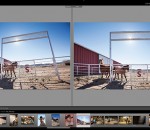
Adobe Photoshop Lightroom answers the digital photographer's call for a workflow application that allows photographers to quickly work with raw format images. With Lightroom you can manage all of your photographs; showcase them in print, dynamic slideshows, and interactive Web galleries that are a simple to produce. Lightroom's cross platform support allows photographers to effortlessly work on projects from any Windows or Macintosh computer on-location or in the office. Lightroom-spend less time at the computer, and more time behind the lens, doing what you love. Create the perfect look for every image whether you shoot raw or JPEG — Lightroom includes a comprehensive range of leading-edge image processing tools. Make precise overall adjustments to color and contrast, use a flexible brush to edit targeted areas of your photo, convert to black-and-white, reduce noise, adjust sharpness, and much more. Experiment fearlessly with as many image-editing controls, enhancements, and looks as you like. Lightroom is a nondestructive environment that encourages your creative exploration. Your original images are safely unaltered, and it's easy to reverse your steps or save multiple versions of any photograph. Select multiple photos in Lightroom and easily open them in Photoshop CS5 to merge them into a panorama, a high dynamic range (HDR) photo, or a creative composite. See your edits immediately back in Lightroom. Apply your favorite looks — including complex sets of adjustments — with a single click using presets. Many are included, and you can create and save your own. Lightroom boosts your creativity and saves you time. Built to be fast, intuitive, and easy to use, it's the efficient assistant you need — one set of powerful tools for your photography tasks, whether you're adjusting one image, searching for ten, processing hundreds, or organizing thousands. FEATURES: Your photography essentials in one package Quickly achieve the best from your photography with proven, refined software that provides efficient tools for all your photography tasks. You can edit, manage, and showcase all your images with one integrated solution. Intuitive environment Enjoy the freedom, creativity, and productivity that comes from working within an intuitive environment perfectly designed for the job. The controls of Lightroom are easy to master and let you breeze through your photography tasks quickly and smoothly. Highly tuned performance and design Quickly edit one photograph or work efficiently with libraries of up to hundreds of thousands of images. The already speedy performance of Lightroom has been accelerated even further in Lightroom 3. Import images faster and easier. Apply the same Develop settings to all photos in a group at once using presets or the sync feature. Efficient image viewing and selecting See, evaluate, and select your images quickly and clearly with flexible image viewing features. Instantly magnify one image or compare several. Even hide the background and application interface so that you can focus on what matters most — your images. Image management Get organized and find images quickly with powerful asset management features. Easily group photos into collections, quickly assign searchable ratings and keywords to one image or hundreds, manage your library across multiple drives, and sort or search for photos using many different criteria. The Lightroom community Trade tips, experience, Develop presets, and more with a thriving worldwide community of Lightroom users and photographers just like you in many venues online and offline.
GOM Media Player The only media player you need - for FREE! Not only is GOM Media Player a completely FREE video player, with its built-in support for all the most popular video and Media Player formats, tons of advanced features, extreme customizability, and the Codec Finder service, GOM Media Player is sure to fulfill all of your playback needs. With millions of users in hundreds of countries, GOM Media Player is one of the world`s most popular video players. Whats New : Added "Touch Setting" feature for touch screen devices. Added "Search box" feature on playlist. (Ctrl+F) Supported "HTTPS URL" for youtube or net radio playback. (Ctrl+U) Added "Music Tap" on preferences related to play music files. Improved performance related to "speed of add & delete" of files on playlist. Other miscellaneous corrections, fixes, and changes
RealPlayer has always enabled you to play RealAudio (*.ra) and RealMedia (*.ram) files. Download videos from thousands of Web sites with just one click Build your own video library and playlists Play all major audio and video formats Flash Video support DVD, SVCD, VCD burning and video recording RealPlayer for personal use includes audio CD burning capabilities, DVR-style playback buffering, multimedia search, Internet radio, a jukebox-style file library, an embedded web browser (using Microsoft Internet Explorer), and the ability to transfer media to a number of portable devices, including Apple's iPod, MP3 players, and Windows Media devices.
GOM is a FREE media player with popular audio & video codecs built-in. Codec Finder GOM Player includes many codecs (XviD, DivX, FLV1, AC3, OGG, MP4, H263 and more) so you won't need to install separate codecs for most videos. For those videos that require a separate codec, GOM Player will find one. Play Broken AVI Files (Patented) GOM Player's patented technology enables users to view files with broken indexes or that are still being downloaded. Powerful Subtitle Support GOM Player supports SMI, SRT, RT, SUB(with IDX) files for subtitle. You can even synchronize subtitle and video if there's any mismatch. Convenient Playlist If you run a video file and there is already a file with a similar name in the directory, it will be automatically added to your playlist. GOM Player has a similar playlist format as M3U, PLS, ASX. Support Different Media Types Along with different media format such as AVI, MPG, MPEG and DAT, GOM Player also supports streaming Windows media format (WMV, ASF, ASX). You can also watch DVD-quality videos with 5.1 channel audio output.