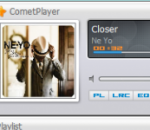
CometPlayer is a free audio player, it supports nearly all popular audio formats, such as mp3, mpa, mp2, wma, ogg, flac, ape, and wav. It is simple in interface, easy to use, and highly personalizable. The special features of this software comprise lyrics display (lyrics will be automatically searched from internet and then displayed in the lyrics panel), playlist creation, music equalizing (preset equalizer included), hotkeys setting, skin changing, and album cover switching.
Format Factory is a multifunctional media converter. Provides functions below: All to MP4/3GP/MPG/AVI/WMV/FLV/SWF. All to MP3/WMA/AMR/OGG/AAC/WAV. All to JPG/BMP/PNG/TIF/ICO/GIF/TGA. Rip DVD to video file , Rip Music CD to audio file. MP4 files support iPod/iPhone/PSP/BlackBerry format. Supports RMVB,Watermark, AV Mux. Format Factory's Feature: 1 support converting all popular video,audio,picture formats to others. 2 Repair damaged video and audio file. 3 Reducing Multimedia file size. 4 Support iphone,ipod multimedia file formats. 5 Picture converting supports Zoom,Rotate/Flip,tags. 6 DVD Ripper. 7 Supports 62 languages
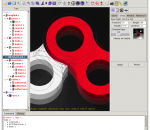
The BRL-CAD package is a powerful Constructive Solid Geometry (CSG) solid modeling system BRL-CAD is a powerful cross-platform open source solid modeling system that includes interactive geometry editing, high-performance ray-tracing for rendering and geometric analysis, image and signal-processing tools, a system performance analysis benchmark suite, libraries for robust geometric representation, with more than 20 years of active development. BRL-CAD includes an interactive geometry editor, parallel ray-tracing support for rendering and geometric analysis, path-tracing for realistic image synthesis, network distributed framebuffer support, image-processing and signal-processing tools. The entire BRL-CAD package is distributed in source code form. About BRL-CAD For more than 20 years, BRL-CAD has been the primary tri-service solid modeling CAD system used by the U.S. military to model weapons systems for vulnerability and lethality analyses. The solid modeling system is frequently used in a wide range of military, academic, and industrial applications including in the design and analysis of vehicles, mechanical parts, and architecture. The package has also been used in radiation dose planning, medical visualization, computer graphics education, CSG concepts and modeling education, and system performance benchmark testing among other purposes. BRL-CAD supports a great variety of geometric representations including an extensive set of traditional CSG primitive implicit solids such as boxes, ellipsoids, cones, and tori, as well as explicit solids made from closed collections of Uniform B-Spline Surfaces, Non-Uniform Rational B-Spline (NURBS) surfaces, n-Manifold Geometry (NMG), and purely faceted mesh geometry. All geometric objects may be combined using boolean set-theoretic CSG operations including union, intersection, and difference. BRL-CAD has been under active development with a portability heritage that includes systems such as a DEC VAX-11/780 running 4.3 BSD; DECStations running ULTRIX; Silicon Graphics 3030, 4D "IRIS", O2, Onyx, and Origin systems running various versions of IRIX; Sun Microsystems Sun-3 and Sun-4 Sparcs running SunOS; the Cray 1, Cray X-MP, Cray Y-MP, and Cray 2 running UNICOS; DEC Alpha AXP running OSF/1; Apple Macintosh II running A/UX; iPSC/860 Hypercube running NX/2; the Alliant FX/8, FX/80, and FX/2800; Gould/Encore SEL PowerNode6000/9000 and NP1; NeXT workstations; IBM RS/6000; HPPA 9000/700 running HPUX; Ardent/Stardent; Encore Multi-Max; and much more. BRL-CAD is a collection of more than 400 tools, utilities, and applications comprising more than a million lines of source code. The package is intentionally designed to be extensively cross-platform and is actively developed on and maintained for many common operating system environments including for BSD, Linux, Solaris, Mac OS X, and Windows among others. BRL-CAD is distributed in binary and source code form as free open source software (FOSS), provided under Open Source Initiative (OSI) approved license terms.
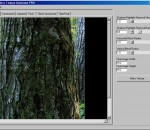
Seamless Texture Creator is a easy-to-use tool for creating seamless-tileable textures from existing images. Normally you don't have to change any settings, Seamless Texture Creator will automatically create the seamless texture with just a single click! Seamless Texture Creator supports following input formats: Bitmaps (*.bmp, *.dib, *.rle, *.wbmp), GIF images (*.gif), JPEG images (*.jpg, *.jpeg), Kodak Photo-CD (*.pcd), Metafiles (*.emf, *.wmf), Portable network graphics (*.png), Targa images (*.tga, *.targa), TIF images (*.tif, *.tiff), ZSoft Paintbrush (*.pcx). And it supports 7 output formats: JPG, PNG, GIF, BMP, TIF, TGA, EMF. Seamless Texture Creator will save you hours of work! And since now you don't have to buy seamless textures because you may use this software to make them by yourself within seconds!
Home of VobSub, Media Player Classic (MPC) and other misc utils.
SynthFont is a program for playing midi files using SoundFonts. A midi file is different from - for instance - a MP3 file in that the file does not contain any audio data. The file is a collection of notes and instructions for how to play them. SynthFont combines this data with the audio data in a SoundFont to produce ("render") an audio version of the song. · Explorer view, similar to Windows Explorer. Use this to search for mid files, arrangements or sound sources. You can easily play all files in a folder. There's also a separate playlist. · Piano roll view, not only shows you the notes and controllers but also lets you do some basic midi file editing. · Events view, shows a list of all midi events in a particular track. You can filter out certain events and also do some basic editing, like changing notes and programs. Good for "debugging". · Tracks view. This view actually contains two parts: the synth engine and the tracks list. Use the synth engine part to add VST audio effects to on of the 16 channel busses or to the main effect. Use the tracks list to assign sound sources to the tracks. You can assign SoundFonts, GIGA files, DLS files, WAVE files and VST instruments. Each track can have its own set of sound sources. Here you can also add and delete tracks, mute track, play tracks solo, etc. · Layers view, shows the preset layers of a sound source. Each layer corresponds to what is internally called an "instrument". Usually a preset contains only one layer, but for stereo presets there is often two, panned left and right. · Splits view, shows the splits of an instrument (one preset layer). Here is where all the fun is. Each split references one - and only one - audio sample ("wave"). Each split also have range of parameters (called "generators") that you can edit. · Wave view, shows the sample data referenced by a split. Here also you can do some basic editing. · There is an additional tool for expert users: the SoundFont editor Viena (not to be confused with "Vienna"). Use this tool to create new SoundFonts from audio samples, or from presets and instruments in other SoundFonts. You can have four SoundFonts open at the same time and copy freely between them. There is also a Favorite Folders view and a Preset Cache for favorite presets. More info in the help file.
A full featured graphics studio for Windows that's easy-to-learn, powerful and affordable! The perfect tool for Artists, Photographers, Website & Graphic Designers, Desktop Publishers, PowerPoint Users, Bloggers, App Developers & Programmers, Experienced and Novice Users Alike! It's simple enough for beginners yet packed with powerful features and advanced tools. NeoPaint makes it easy for business and home users to touch up photographs and create great looking graphics for desktop publishing, presentations and the Internet! Supports Animated GIF, JPEG, PNG, BMP, ICO, PCX, TIF and more. Includes many paint and photo retouching tools, layers, alpha channel, levels/histogram, curves, natural media and custom brushes, 2D/3D shapes, soften, sharpen, red-eye, special effects, masking, textures, color separations, stamps, multi-level undo, rulers, grids, gradients, image browser, screen capture and more.
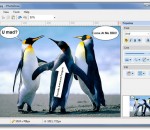
People always say 'a picture is worth 1000 words'. But sometimes a plain picture is just not enough. You may want to add annotation to the picture and let it carry richer and more accurate information. iPhotoDraw is a handy tool that's design exactly for that purpose. It helps you add annotations directly on photos. With iPhotoDraw, you can add description text, callout boxes (ballons), dimensions, detailed images, and other annotation objects to the pictures. You don't even need to worry your original pictures will be screwed up with additional drawings. If fact, annotations are stored in a separated file. The application is small and very easy to use.
Phereoshop application allows you to store and organize images as well as edit stereo pictures with non-destructive image editing tools developed for specific stereo editing needs. You can also use built-in stereo image viewer for full-screen viewing. It supports most popular 3D modes: NVIDIA 3D Vision, Side-by-side (parallel and crossed), 3D TV (side-by-side squeezed). Features: - management of stereo images: albums, tags, descriptions, search; - non-destructive editing tools: color correction, crop, stereo align; - full screen viewer with various stereo viewing modes; - export and import MPO, JPS, PNS, JPG, PNG, TIFF and BMP files; - image sharing via Phereo.com web service; - clean, intuitive interface; - multiple stereo modes: NVIDIA 3D Vision, Side-by-side (parallel and crossed), Anaglyph, 3D TV (side-by-side squeezed); - Shell Extension Manager: MPO, JPS, PNS stereo formats thumbnails support for Windows Explorer.
VCDCutter Pro main features include: support slide show play of picture file; grab picture when you play video file; clip admiring video segment; generate video file screen shot; on-line video broadcast; support window/screen capture; and also send the playing video frame/picture to self-contained simulated video Webcam; and offering a wide variety of other functions. VCDCutter Pro is a software that helps you cut and split video files. VCDCutter Pro is also a software simulated Webcam. It can be simulated into a virtual Webcam and used in Biliao, Liaoliao, EPH, QQ, MSN, NetMeeting, UC, and other software/chat room, for playing movie, MTV, picture, and as simulated Webcam (Name of device: JiaoCap. This function must be supported by WIN2000/XP. WIN9X does not support.) Here are some key features of "VCDCutter Pro": · Control playback of the video file conveniently and friendly (including image resize, playback volume control, playback speed control, etc.); · Clip video file at the time of playback and save the clipped file in AVI/MPG1 format; · Support clipping and chopping MPG1 file into smaller segments at equal length and combine smaller segments into large segment file; · Grab picture while play video file (including continuous grabbing); · Support the slide show playback of picture file and provide numerous change modes of special effects; · Support video file compression and conversion (compress and convert some video files into AVI format); · Generate video file screen shot automatically or in batch; · Send the playing video frame/picture to self-contained simulated video Webcam (Name of device: JiaoCap. This function must be supported by WIN2000/XP. WIN9X does not support.) · Support online video broadcast of video file and share with friends. · Support window/screen capture. you can save captured frames as BMP or AVI, or send frames to self-contained simulated video Webcam.
Power Audio Cutter is a digital audio converter/cutter. The main function of Power Audio Cutter is to convert audio files from one format to another and cut a part of file into new audio file. The program supports wav, mp3, m4a, amr, wma, aac, mp4, ac3, au, mp2, aiff audio formats.
GOM Media Player The only media player you need - for FREE! Not only is GOM Media Player a completely FREE video player, with its built-in support for all the most popular video and Media Player formats, tons of advanced features, extreme customizability, and the Codec Finder service, GOM Media Player is sure to fulfill all of your playback needs. With millions of users in hundreds of countries, GOM Media Player is one of the world`s most popular video players. Whats New : Added "Touch Setting" feature for touch screen devices. Added "Search box" feature on playlist. (Ctrl+F) Supported "HTTPS URL" for youtube or net radio playback. (Ctrl+U) Added "Music Tap" on preferences related to play music files. Improved performance related to "speed of add & delete" of files on playlist. Other miscellaneous corrections, fixes, and changes
RealPlayer has always enabled you to play RealAudio (*.ra) and RealMedia (*.ram) files. Download videos from thousands of Web sites with just one click Build your own video library and playlists Play all major audio and video formats Flash Video support DVD, SVCD, VCD burning and video recording RealPlayer for personal use includes audio CD burning capabilities, DVR-style playback buffering, multimedia search, Internet radio, a jukebox-style file library, an embedded web browser (using Microsoft Internet Explorer), and the ability to transfer media to a number of portable devices, including Apple's iPod, MP3 players, and Windows Media devices.
GOM is a FREE media player with popular audio & video codecs built-in. Codec Finder GOM Player includes many codecs (XviD, DivX, FLV1, AC3, OGG, MP4, H263 and more) so you won't need to install separate codecs for most videos. For those videos that require a separate codec, GOM Player will find one. Play Broken AVI Files (Patented) GOM Player's patented technology enables users to view files with broken indexes or that are still being downloaded. Powerful Subtitle Support GOM Player supports SMI, SRT, RT, SUB(with IDX) files for subtitle. You can even synchronize subtitle and video if there's any mismatch. Convenient Playlist If you run a video file and there is already a file with a similar name in the directory, it will be automatically added to your playlist. GOM Player has a similar playlist format as M3U, PLS, ASX. Support Different Media Types Along with different media format such as AVI, MPG, MPEG and DAT, GOM Player also supports streaming Windows media format (WMV, ASF, ASX). You can also watch DVD-quality videos with 5.1 channel audio output.