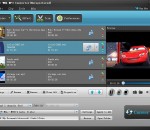
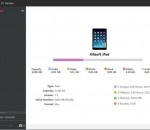
4Videosoft iPhone Mate combines with five professional yet easy to use iPhone software at a great value : 4Videosoft DVD to iPhone Converter, 4Videosoft iPhone Video Converter, 4Videosoft iPhone Transfer, 4Videosoft iPhone Manager SMS and 4Videosoft iPhone Ringtone Maker. Moreover, it is updated to support iTunes 10.1, iOS 4.2, iPod touch 4 and iPod Nano 6 now.
Organize and batch convert all your video and audio files between:VCD, DVD, AVI (DivX, MPEG4, etc), MPEG-1, MPEG-2 (PAL, NTSC), DVR-MS, MP3, MOV, WMA, WMV, and WAV formats. Create video files for your iPod, PSP, or SmartPhone. The program has mass conversion capability. The software provides default settings and auto-select features that gives you high quality and small file size video and audio conversions.
AviSynth is a powerful tool for video post-production. It provides ways of editing and processing videos. AviSynth works as a frameserver, providing instant editing without the need for temporary files. AviSynth itself does not provide a graphical user interface (GUI), but instead relies on a script system that allows advanced non-linear editing. While this may at first seem tedious.
Xilisoft iPad Video Converter allows you to convert just about any video (even high-definition video) format into iPad video formats, and extract iPad audio from video files, convert audio formats to iPad audio, multithreading and batch conversion. It can also split files and convert a file into multiple formats amongst many other features.
Kuji Cam is a camera app with powerful tools to make selfies, customize your photos and share images with your friends. It helps you to express yourself with fascinating filters and discover a new version of you. Does not an image seem enough? Make many selfies and turn them into a beautiful collage instantly. You can turn your phone into a retro photo booth at the touch of a button.
Audio Switch the first batch audio file converter geared toward musicians and audiophiles. It It has a built it volume normalizer, converts video to audio, and provides detailed file information such as clipping, bit depth, frequency bitrate, and the number of channels. Try our fully functional 4-hour demo today.
Different Mobile Phone, optimization and dozens of video and audio conversion solutions to meet all your audio and video conversion needs. create your own conversion solution for what you need. Click just for once, you can complete any audio and video format conversion, and direct import SamSung Nokia, HTC, LG, etc.. Support multi-core CPU, multi-threading and batch conversion, conversion speed and quality of audio and video unimaginable.
Easily convert any movie or music files to iPod, AVI (video) and MP3, AAC, WMA or WAV (audio) formats. Extremely high speed. With just a few mouse clicks you can enjoy all your music or movies on iPad, iPod, any other MP3 player, CD player, mobile phone or PC - without any restrictions.
AVCLabs M4V Converter Plus is a professional DRM M4V Converter on Windows which helps you to remove DRM protection of purchased and rented M4V movies and TV shows from iTunes Store and convert them to common video formats at 20X faster speed with subtitles and all audio tracks preserved. The M4V Converter Plus works with iTunes using fast video recording technology and keeps your original high video and audio qualities.
CreateMovie is a professional application designed to record all screen actions such as moving the cursor or running programs. In addition, you can add a soundtrack to the film simultaneously. Use CreateMovie for creating sample programs or creating presentations on your own site.
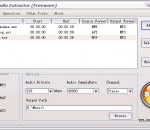
AoA Audio Extractor provides you a handy tool to extract audio/sound or background music from video files. With AoA Audio Extractor, you can easily extract audio tracks from AVI, MPEG, FLV (Flash Video), DAT, WMV, MOV, MP4, 3GP video files and save them as MP3, WAV and AC3 formats.It can also be used to save any portion of the audio of a video file. AoA Audio Extractor is FREE software. You don't need to pay for AoA Audio Extractor.
GOM Media Player The only media player you need - for FREE! Not only is GOM Media Player a completely FREE video player, with its built-in support for all the most popular video and Media Player formats, tons of advanced features, extreme customizability, and the Codec Finder service, GOM Media Player is sure to fulfill all of your playback needs. With millions of users in hundreds of countries, GOM Media Player is one of the world`s most popular video players. Whats New : Added "Touch Setting" feature for touch screen devices. Added "Search box" feature on playlist. (Ctrl+F) Supported "HTTPS URL" for youtube or net radio playback. (Ctrl+U) Added "Music Tap" on preferences related to play music files. Improved performance related to "speed of add & delete" of files on playlist. Other miscellaneous corrections, fixes, and changes
RealPlayer has always enabled you to play RealAudio (*.ra) and RealMedia (*.ram) files. Download videos from thousands of Web sites with just one click Build your own video library and playlists Play all major audio and video formats Flash Video support DVD, SVCD, VCD burning and video recording RealPlayer for personal use includes audio CD burning capabilities, DVR-style playback buffering, multimedia search, Internet radio, a jukebox-style file library, an embedded web browser (using Microsoft Internet Explorer), and the ability to transfer media to a number of portable devices, including Apple's iPod, MP3 players, and Windows Media devices.
GOM is a FREE media player with popular audio & video codecs built-in. Codec Finder GOM Player includes many codecs (XviD, DivX, FLV1, AC3, OGG, MP4, H263 and more) so you won't need to install separate codecs for most videos. For those videos that require a separate codec, GOM Player will find one. Play Broken AVI Files (Patented) GOM Player's patented technology enables users to view files with broken indexes or that are still being downloaded. Powerful Subtitle Support GOM Player supports SMI, SRT, RT, SUB(with IDX) files for subtitle. You can even synchronize subtitle and video if there's any mismatch. Convenient Playlist If you run a video file and there is already a file with a similar name in the directory, it will be automatically added to your playlist. GOM Player has a similar playlist format as M3U, PLS, ASX. Support Different Media Types Along with different media format such as AVI, MPG, MPEG and DAT, GOM Player also supports streaming Windows media format (WMV, ASF, ASX). You can also watch DVD-quality videos with 5.1 channel audio output.