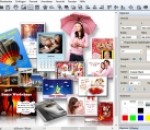
Photo Art Studio is a brand-new application for decorating photos and applying effects. Within literally a couple of seconds, you will be able to build up a stylish frame, create a postcard or a collage. The program includes a handful of functions necessary for processing digital photographs: automatic enhancement and editing, creating special effects, framing, adding decorations and labels. The distribution kit includes somewhat about three hundreds of decoration options, and this number increases in the full version! Photo Art Studio features a pretty, customizable user interface, easy to get along with. The program is easy and comfortable to operate, and its capabilities exceed your expectations! After just a few minutes, you will master the art of professional decoration of photos of any kind. The built-in help system and the online tutorial will help you turn your pictures into true masterpieces!
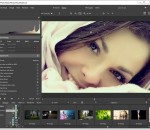
Photo Ninja 64-bit is a professional-grade RAW converter that delivers exceptional detail, outstanding image quality, and a distinctive, natural look. If you think this is "just another RAW converter", you're in for a surprise. Photo Ninja is truly special, with unique capabilities for improving and optimizing your digital images. Click on the items below to learn more about this powerful tool, and read why serious photographers are adopting it into their workflows. Adaptive lighting Brighten shadows, overcome backlighting, and tame excessive contrast Once you discover the illumination and tone controls in Photo Ninja, you'll wonder how you ever got along without them. These controls access a remarkable adaptive lighting engine that can pull detail from shadows, overcome backlighting, tame aggressive highlights, and compress excessive contrast -- all without flattening detail and without halo artifacts. This state-of-the-art technology intelligently compresses dynamic range while yielding pleasing, natural-looking results. Detail enhancement Intelligent local contrast adjustment Photo Ninja's exceptional Detail Enhancement filter intelligently boosts or smooths detail in an image. This world-class technology can "pop" fine- and medium-scale detail in an image and add drama with natural-looking results and without distracting halos. Depending on the subject and the amount of enhancement, the effect can be varied from subtle to surreal, offering a considerable range of artistic control. When set to negative amounts, the detail enhancement filter produces a mild smoothing effect without blurring. This is particularly useful for smoothing skin without creating an unnatural plastic look. Highlight recovery Repair overexposure Digital cameras are notoriously unforgiving of overexposure. Fortunately, Photo Ninja includes world-class technology for repairing many cases of overexposure in RAW images. While the effectiveness depends on the particular subject matter and the degree of overexposure, Photo Ninja can often produce a very convincing reconstruction of the missing data. Moreover, it is fully automatic and works seamlessly with the exposure and tone controls.
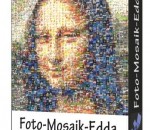
Foto-Mosaik-Edda portable is software which allows you to create photo mosaic pictures from your own computer. A photo mosaic picture is made up of tiny photos which are fitted together in such a way that, from a distance, they blend together to create the appearance of a new picture. To create a photo mosaic picture, you can use digital photos from your collection, for example from your last vacation or family get-together. Foto-Mosaik-Edda analyses the photos and then adds them to one or more databases from which they are drawn to create your photo mosaic. The Foto-Mosaik-Edda assistant guides you through the process, making the creation of your photo mosaic picture child’s play. Your friends will be astounded by this extraordinary effect.
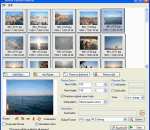
Batch Photo Resizer is a simple yet rich user experience and full-featured photo resizer utility. You can resize, convert, rename, sort, rotate, flip, stretch and adjust your photos in batch mode with the tiny tool. The powerful program will help you change multiple photos from digital cameras or other devices in one time, automate and simplify duplicate tasks and save you a lot of time. Main features: Resize your pictures with batch processing. Batch or single image file conversion. Sort images by the file time or name for batch rename. Search photos in a folder. Add text watermark, rotate, flip, stretch image files in batch mode. Drag and drop files. Optimize photos without losing quality. Support input photo formats like JPG/JPEG, BMP, GIF, PNG, TIF, ICO, EXIF, WMF, EMF, etc. Support output formats like BMP, JPEG, PNG, TIF.
G-Force is the most dynamic and sophisticated, yet entirely artistic, music visualization available - and it keeps getting better. G-Force features fast anti-aliased effects, thousands of possible effect combinations, savable and scriptable effects, QuickTime services, and unparalleled expandability. G-Force music visuals have been described as "mind-blowing" and "legendary" in the press and by its many fans. Experience your music in a whole new way!
Photofiltre offers many of the same functions of Photoshop, but it a bit easier to use and a lot cheaper. This 30 day demo is fully functional, so you can see all it has to offer. The usual range of selection, cutting and drawing tools are in a panel on the right of the window, and in the tool bar there are options that will be familiar to any Photoshop user, like layers and filters, and some other quick editing tools that are pretty cool. Two nice tools are the horizon correct, useful for correcting landscape photos, and the perspective correction, which is quite basic but can produce some interesting effects. Photofiltre also has some easy to use brightness, color and hue alteration tools. You can learn pretty easily by just playing around with the various buttons, although there are comprehensive online instructions available in the help menu. For the amateur photographer, Photofiltre is an easy to pick up and effective photo editing application. It is nowhere near as intimidating as Photoshop, yet it can also produce some really great looking pictures.
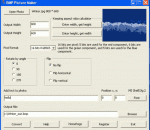
BMP Picture Maker is an useful software to convert many picture formats to BMP format. It supports JPG, GIF, PNG, TIF(TIFF), ICO, EXIF, WMF, BMP, EMF format etc. It resizes the original picture's width or height, and has a convenient proportional calculator to keep aspect ratio easily. It outputs the different pixel format RGB24, RGB32, RGB64 or indexed 2, 16, 256 color. It can rotate or flip bitmap. You can add text watermark which can be placed into any position of the picture. It also converts a frame of animated picture to a bmp file.
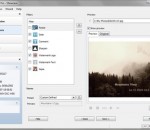
BatchPhoto™ is a powerful photo manipulation program for Windows and Mac OS X that makes it easy to convert, resize, watermark, annotate, touch-up, apply effects, and rename hundreds of photos in a single operation. Instead of enhancing and adjusting pictures individually, BatchPhoto lets you select a group of images, define a series of edits, and apply them in a single operation! BatchPhoto is an easy-to-use program that can correct, adjust, resize, crop, and otherwise edit groups of images. It's not perfect, but we don't think we've encountered many programs that are more versatile and intuitive than BatchPhoto. BatchPhoto from Bits&Coffee; is designed to make batch editing simple and efficient. It allows you to automate editing for your massive photo collections. If you need time/date stamps, image type conversion, size changes, basic touch-up, or watermarks applied to your photographs, BatchPhoto will allow you to do this simply.
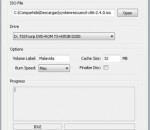
Free ISO Burner is one free ISO image burning software from www.freeisoburner.com, it can burn one ISO image file to CDs or DVDs. This software is small and smart, can run from USB driver, on need installtion, one one standalone execute file can do everything about burn one ISO images. it support bootable CD to image file, no need mount any "virtual drives".
AVS4Mac M4V Converter Plus for Windows is especially designed for Windows users to remove DRM protection of purchased and rented M4V movies, it's the best M4V DRM removal application on Windows. Output profiles for various portable media players and devices, including Samsung Galaxy Series, Amazon Kindle Fire, Google Nexus, HTC Desire, Sony Erricsson Xperia, Windows Phone 8, Creative Zen, Xbox 360, Sandisk Sansa, Nokia, BlackBerry, etc. AVS4Mac M4V Converter Plus for Windows can be also used as an iTunes movie converter. You can also use this Windows M4V Converter to convert MP4 and MOV movies in iTunes movie library to other video formats. The DRM M4V Converter works with iTunes. When it's launched, iTunes will be automatically launched and all the iTunes movies, including purchased M4V movies, iTunes rentals and normal MP4 and MOV movies will be available to convert. To convert DRM protected M4V movies, the premise is that you have the license to play. When a DRM M4V movie is added to the conversion list, the M4V Converter records audio and video in the background at incredibly fast speed and then encodes to your desired output formats.
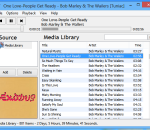
Tuniac x64 is an iTunes style media player/manager for Windows. Supports: flac, mp3, aac/m4a/mp4/3gp, ogg, ac3, alac, ape, cdda, midi, mpc, ofs/ofr, tak, tta, wv and radio streaming support. Advanced playlist editor, search as you type and queue support.
GOM Media Player The only media player you need - for FREE! Not only is GOM Media Player a completely FREE video player, with its built-in support for all the most popular video and Media Player formats, tons of advanced features, extreme customizability, and the Codec Finder service, GOM Media Player is sure to fulfill all of your playback needs. With millions of users in hundreds of countries, GOM Media Player is one of the world`s most popular video players. Whats New : Added "Touch Setting" feature for touch screen devices. Added "Search box" feature on playlist. (Ctrl+F) Supported "HTTPS URL" for youtube or net radio playback. (Ctrl+U) Added "Music Tap" on preferences related to play music files. Improved performance related to "speed of add & delete" of files on playlist. Other miscellaneous corrections, fixes, and changes
RealPlayer has always enabled you to play RealAudio (*.ra) and RealMedia (*.ram) files. Download videos from thousands of Web sites with just one click Build your own video library and playlists Play all major audio and video formats Flash Video support DVD, SVCD, VCD burning and video recording RealPlayer for personal use includes audio CD burning capabilities, DVR-style playback buffering, multimedia search, Internet radio, a jukebox-style file library, an embedded web browser (using Microsoft Internet Explorer), and the ability to transfer media to a number of portable devices, including Apple's iPod, MP3 players, and Windows Media devices.
GOM is a FREE media player with popular audio & video codecs built-in. Codec Finder GOM Player includes many codecs (XviD, DivX, FLV1, AC3, OGG, MP4, H263 and more) so you won't need to install separate codecs for most videos. For those videos that require a separate codec, GOM Player will find one. Play Broken AVI Files (Patented) GOM Player's patented technology enables users to view files with broken indexes or that are still being downloaded. Powerful Subtitle Support GOM Player supports SMI, SRT, RT, SUB(with IDX) files for subtitle. You can even synchronize subtitle and video if there's any mismatch. Convenient Playlist If you run a video file and there is already a file with a similar name in the directory, it will be automatically added to your playlist. GOM Player has a similar playlist format as M3U, PLS, ASX. Support Different Media Types Along with different media format such as AVI, MPG, MPEG and DAT, GOM Player also supports streaming Windows media format (WMV, ASF, ASX). You can also watch DVD-quality videos with 5.1 channel audio output.