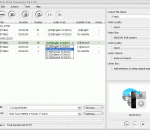
Need to convert sound files between popular audio formats? SoundTaste Audio Converter could be the right one! It converts your audio files to MP3/WAV/WMA/OGG with super high speed. Well-defined presets and detailed configuration parameters are provided for users to get precise output quality. The user-friendly interface guides you to operate without hassle.
FLAC to MP3 Converter enables you convert FLAC to MP3 Audio. FLAC stands for Free Lossless Audio Codec, an audio format similar to MP3, but lossless, meaning that audio is compressed in FLAC without any loss in quality. Now you can enjoy the versatile audios on your MP3 Player wherever and whenever. Simple settings, high speed, and friendly interface.
Free application that converts audio files to MP3, AAC, AC3, WMA, FLAC, M4A, OGG, WV, AIFF or WAV format. Moreover, the program allows extraction of audio tracks from video files without loss of sound quality. The program supports all major audio and video formats (AVI, FLV, MP4, MKV, MOV, FLAC, WMA, MP3, WebM, RM, 3GP, WMV, VOB and many more). In addition, the program allows splitting input files based on chapters (often found in audiobooks).
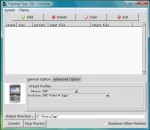
Bigasoft VOB to iPhone Converter is especially designed to iPhone users to easily convert VOB to iPhone video MP4, MOV, H.264 and extract DVD audio to iPhone audio format MP3, M4A, and WAV with excellent quality and high speed. With the professional and easy-to-use DVD iPhone converter, you can play DVD on iPhone 5, iPhone 4S, iPhone 4, iPhone 3GS and iPhone 3G for play DVD movies at your finger tips. It also acts as a VOB to iPod tool.
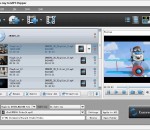
Tipard Blu-ray to MP3 Converter is a professional ripper software, which can help you convert Blu-ray Disc to MP3 and other audio format. Besides, you can even convert any popular video format to MP3. And the powerful video editing functions – trim, merge- can help you edit your audio at will. Plus, with newly adopted multi-core CPUs supporting technology, it has gained better performance on video converting.
Split video for large video files to save LG mobile phone disk space. It also converts audio such as WMA, MP2, OGG, RA, AC3, APE, CDA and even extract audio from videos to convert to MP3, WAV or M4A so you can watch and listen to them on your LG Mobile Phone.of course, you can make ringtone. When you preview the video can be saved as JPG, BMP and other image formats as LG mobile phone wallpaper.
4Media Video to DVD Converter is designed to convert video files in most formats (including HD) to DVD movies for enjoyment on DVD players, which is packed with features allowing you to make personalized menus; clip and crop movies; add subtitle and audio files, opening film, effects, and watermarks to create DVD movies of your own.
AVS4Mac M4V Converter Plus for Windows is a professional DRM M4V Converter which helps you to remove DRM protection of purchased or rented M4V movies from iTunes Store and convert to common video formats at 20X faster speed. The M4V Converter works with iTunes using fast video recording technology and keeps your original M4V movies untouched.
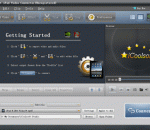
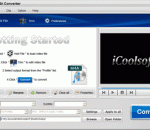
iCoolsoft iPad Video Converter is an expert in iPad Video Converters. It is able to help you convert almost all videos to iPad videos with the best speed and quality. You can beautify the output videos with the wonderful editing functions like trim, crop, effect, watermark and merge. You can convert your files in batch.
Weeny Free Video Converter is a free video converter software to convert video files between many formats with ease. It can convert video files from 3gp, asf, avi, flv, mp4, mpg, rm, rmvb, vob, wmv and more into 3gp, avi, flv, mp4, mpg or wmv files. The output video files can be used on popular multimedia devices such as iPad, iPod, PSP, iPhone, MP4 player, mobile phone, Zune, etc.
Powerful DVD ripping software which helps you rip and convert DVD to Pocket PC video (wma), Windows Media Audio(wma) and mp3 easily and fast.It supports multi-threading CPU, batch conversion, and adjustable output settings. It auto detects your CPU and provides preview and sound normalization. It allows you to select target subtitle and audio track. You can rip DVD's any segment as you want with excellent output quality.
GOM Media Player The only media player you need - for FREE! Not only is GOM Media Player a completely FREE video player, with its built-in support for all the most popular video and Media Player formats, tons of advanced features, extreme customizability, and the Codec Finder service, GOM Media Player is sure to fulfill all of your playback needs. With millions of users in hundreds of countries, GOM Media Player is one of the world`s most popular video players. Whats New : Added "Touch Setting" feature for touch screen devices. Added "Search box" feature on playlist. (Ctrl+F) Supported "HTTPS URL" for youtube or net radio playback. (Ctrl+U) Added "Music Tap" on preferences related to play music files. Improved performance related to "speed of add & delete" of files on playlist. Other miscellaneous corrections, fixes, and changes
RealPlayer has always enabled you to play RealAudio (*.ra) and RealMedia (*.ram) files. Download videos from thousands of Web sites with just one click Build your own video library and playlists Play all major audio and video formats Flash Video support DVD, SVCD, VCD burning and video recording RealPlayer for personal use includes audio CD burning capabilities, DVR-style playback buffering, multimedia search, Internet radio, a jukebox-style file library, an embedded web browser (using Microsoft Internet Explorer), and the ability to transfer media to a number of portable devices, including Apple's iPod, MP3 players, and Windows Media devices.
GOM is a FREE media player with popular audio & video codecs built-in. Codec Finder GOM Player includes many codecs (XviD, DivX, FLV1, AC3, OGG, MP4, H263 and more) so you won't need to install separate codecs for most videos. For those videos that require a separate codec, GOM Player will find one. Play Broken AVI Files (Patented) GOM Player's patented technology enables users to view files with broken indexes or that are still being downloaded. Powerful Subtitle Support GOM Player supports SMI, SRT, RT, SUB(with IDX) files for subtitle. You can even synchronize subtitle and video if there's any mismatch. Convenient Playlist If you run a video file and there is already a file with a similar name in the directory, it will be automatically added to your playlist. GOM Player has a similar playlist format as M3U, PLS, ASX. Support Different Media Types Along with different media format such as AVI, MPG, MPEG and DAT, GOM Player also supports streaming Windows media format (WMV, ASF, ASX). You can also watch DVD-quality videos with 5.1 channel audio output.