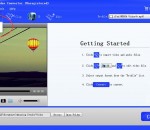
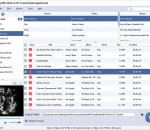
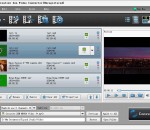
iCoolsoft ASF Converter is a very useful software which can help you to convert any video to ASF or WMV format, convert any audio to MP3, MP2, or WMA format, and convert any video to MP3, MP2, or WMA format directly. The supported input formats are like, MPG, MPEG, MPEG 2, VOB, DAT, MP4, M4V, TS, RM, RMVB, WMV, ASF, MKV, AVI, 3GP, 3G2, FLV, SWF, MPV, MOD, TOD, MP3, MP2, AAC, AC3, WAV, WMA, M4A, RA, RAM, OGG, AU, APE, FLAC, etc.
Tipard AVI Converter is a useful and perfect AVI Converter software. It supports conversion between multiple formats, such as RMVB to AVI, MOD to AVI, TOD to AVI and HD video to AVI format, etc. It also has powerful editing functions, like trim, crop, merge, watermark video clips and adjust video effects.
General Video: Supports almost all common video formats.Mobile Phone: Supports almost all brand mobile phone video file formats, In addition, you can extract the audio from favorite video or movie files for making your own cell phone ringtone. Audio Player: Supports almost all audio player video file formats, including iRiver, iPod, iPod nano, iPod classic, iPod shuffle, etc.. In addition, you can also be extracted from the video files.
The most wonderful AnyMP4 iPad Transfer has the capability to help you export iPad files like Music, Movies, Pictures and so on to computer and import local files to iPad. Also, you can transfer files between different Apple devices such as iPad, iPhone and iPod. Apart from that, users can rip any DVD and convert any video file to iPad compatible video/audio formats. Besides, it is supports iOS 7 and iPhone 5s/5c.
iCoolsoft MP4 Converter is able to help you convert MP4 video to other popular video like FLV, AVI, MOV, M4V, WMV, etc. And you can convert other fashionable video formats to MP4 video without any limitation. Before conversion, you are able to edit the video with the versatile editing functions like trim, crop, effect, watermark and merge and so on. You can complete your conversion process with high conversion speed and quality.
Aneesoft Free Zune Video Converter is an easy-to-use and totally free Zune video converter that can convert all popular video formats like AVI, MPG(MPEG), WMV, MP4, MOV, VOB, FLV, ASF, RM, RMVB, 3GP, 3G2, etc to MP4 or WMV video formats for Microsoft Zune, Zune 2, Zune 3.
ImTOO DVD to Zune Converter is powerful DVD ripping software for Zune that helps you rip and convert DVD movies to Zune video formats including WMV, MPEG4 and H.264 and Zune audio formats including MP3, AAC and M4A fast and easily with perfect quality. It can complete your conversion with a few clicks and enables you watch your favorite DVD movie on your Zune anywhere and any way.
Free MP3 Converter supports all popular video and audio input formats including MPG, MPEG-1, MPEG-2, MPEG-4, MOV, H.264, H.264/MPEG-4 AVC, DivX, XviD, AVI, FLV, MP4, M4V, MKV, MOV, 3GP, 3G2, MTV, SWF, WMV, ASF, DPG, TS, DV, VOB, AMV, WebM; AAC, AC3, AIFF, AMR, AU, FLAC, M4A, M4R, DTS, MKA, MP2, OGG, WAV and WMA.
Copy your DVD movies as backup. The copy process is extremely fast and does not affect the quality of the video. Special features: ISO input files supported, ATI, Nvidia, and Intel hardware acceleration supported, forced subtitles supported, and original chapters can be copied. Burning engine integrated and menus are created. No advanced skills necessary. A video player is included as well as preview for the conversion.
Pazera Free AVI to MP3 Converter is a totally free program that converts AVI, DivX and XviD files to MP3 or WAV format. Additionally, the program allows you to extract original audio tracks from supported files without loss of sound quality. If you want to convert music clip or a concert recorded in the AVI file to MP3 format, this program is for you!
AVCHD Video Converter is the perfect tool to convert AVCHD video files to all popular HD videos, general videos and audio files for storage on computer with much smaller file size and almost the same image quality, editing in popular software or playback on portable players,extracting audio files from AVCHD videos. You can use this professional AVCHD converter to convert video formats for your diverse uses.
GOM Media Player The only media player you need - for FREE! Not only is GOM Media Player a completely FREE video player, with its built-in support for all the most popular video and Media Player formats, tons of advanced features, extreme customizability, and the Codec Finder service, GOM Media Player is sure to fulfill all of your playback needs. With millions of users in hundreds of countries, GOM Media Player is one of the world`s most popular video players. Whats New : Added "Touch Setting" feature for touch screen devices. Added "Search box" feature on playlist. (Ctrl+F) Supported "HTTPS URL" for youtube or net radio playback. (Ctrl+U) Added "Music Tap" on preferences related to play music files. Improved performance related to "speed of add & delete" of files on playlist. Other miscellaneous corrections, fixes, and changes
RealPlayer has always enabled you to play RealAudio (*.ra) and RealMedia (*.ram) files. Download videos from thousands of Web sites with just one click Build your own video library and playlists Play all major audio and video formats Flash Video support DVD, SVCD, VCD burning and video recording RealPlayer for personal use includes audio CD burning capabilities, DVR-style playback buffering, multimedia search, Internet radio, a jukebox-style file library, an embedded web browser (using Microsoft Internet Explorer), and the ability to transfer media to a number of portable devices, including Apple's iPod, MP3 players, and Windows Media devices.
GOM is a FREE media player with popular audio & video codecs built-in. Codec Finder GOM Player includes many codecs (XviD, DivX, FLV1, AC3, OGG, MP4, H263 and more) so you won't need to install separate codecs for most videos. For those videos that require a separate codec, GOM Player will find one. Play Broken AVI Files (Patented) GOM Player's patented technology enables users to view files with broken indexes or that are still being downloaded. Powerful Subtitle Support GOM Player supports SMI, SRT, RT, SUB(with IDX) files for subtitle. You can even synchronize subtitle and video if there's any mismatch. Convenient Playlist If you run a video file and there is already a file with a similar name in the directory, it will be automatically added to your playlist. GOM Player has a similar playlist format as M3U, PLS, ASX. Support Different Media Types Along with different media format such as AVI, MPG, MPEG and DAT, GOM Player also supports streaming Windows media format (WMV, ASF, ASX). You can also watch DVD-quality videos with 5.1 channel audio output.