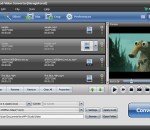
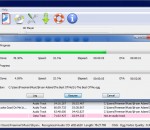
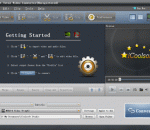
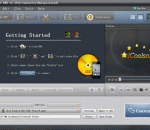
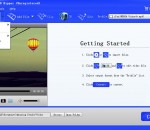
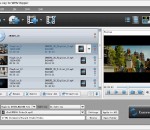
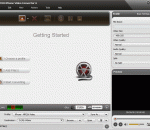
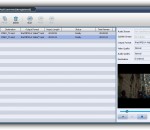
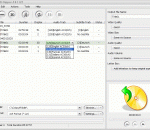
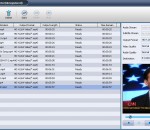
iCoolsoft TRP Converter can help you to convert TRP files to any video format, such as, MP4, MOV, M4V, AVI, WMV, MPG, TS, 3GP, 3G2, VOB, ASF, MKV, SWF, FLV, DV, DPG, AMV, and MTV. Besides converting TRP files, it also supports converting between other popular video and audio files. What's more, it even supports extracting audio tracks from videos.Before converting, you can use this software to edit the original video as you like.
Pavtube Free DVDAid is able to rip, encode and edit DVD disc, DVD folder, and DVD ISO/IFO file to MKV, AVI, MOV, WMV, VOB and more file formats. Without extra payment, you could own a freeware to help with DVD to video/audio transition which enables you to watch DVDs on other multimedia players without limitation. Plus, with the built-in video editor, you could easily edit source DVD video like trimming, cropping, splitting, adding subtitles, etc
iCoolsoft DVD to BlackBerry Suite, containing BlackBerry Video Converter and DVD to BlackBerry Converter, is definitely the best choice for you to convert any audio/video/DVD to the formats compatible with your BlackBerry. You can also use it to extract audio tracks from videos/DVDs and then convert to BlackBerry formats. With many excellent functions, this suite may help you to customize your own files.
APE2AC3 Freeware is the best software for converting APE to AC3. AC3 is the name for audio compression technologies developed by Dolby Laboratories. It is very easy to use without any special setting, only a few clicks complete the task of audio conversion. It is made for the beginner as well as having advanced functions for the professional user. It can detect your hardware configuration and decide an optimized conversion scheme automatically.
Tipard WMV Converter Suite is packed with DVD to WMV Converter, and WMV Video Converter. Tipard WMV Converter Suite can help you rip DVD to WMV and convert any video to WMV with amazing output video quality. Plus, with newly adopted NVIDIA® CUDA™ technology and multi-core CPUs supporting technology, the converting speed is 6X faster now.
Aneesoft DVD to MKV Converter is the easiest and fastest way to rip and convert DVD to MKV format on Windows. Video editing is also supported.
Tipard AMV Video Converter can not only convert MP4, MKV, AVI, MOV, M4V, WMV, TS to AMV/MTV video formats, but also convert these imported videos to MP3/MP2/WAV audio formats. Meanwhile, it provides you with multiple editing functions so that you can edit your video according to your requirement. Moreover, it supports multi-core CPUs to accelerate the converting speed.
Tipard Blu-ray to WMV Ripper works well in ripping Blu-ray Disc, popular video files and DVD to WMV formats. Also you can get audio formats, such as MP3 and WMA from Blu-ray Disc. After updated, it highly supports iPhone 5, iPod Touch 5, iPod Nano 7, Samsung Galaxy S4, Kindle Fire HD and HTC One X now.
Bigasoft DVD to iPhone Converter is especially designed to iPhone users to easily rip DVD to iPhone video MP4, MOV, H.264 and extract DVD audio to iPhone audio format MP3, M4A, and WAV with excellent quality and surprising speed. With the professional and easy-to-use DVD iPhone ripper, you can play DVD on iPhone 5, iPhone 4S, iPhone 4, iPhone 3GS, and iPhone 3G for watching DVD movies at your finger tips.
Aiseesoft Video to SWF Converter enables you to convert all popular video files, including 3GP, 3G2, AVI, DV, DIF, FLV, SWF, F4V, MOD, MJPG, MJEPG, MKV, MPG, MPEG, MPEG2, VOB, DAT, MP4, M4V, MPV, QT, MOV, RM, RMVB, TOD, TS, TRP, TP, WMV, ASF, HD video, to SWF, FLV video and AAC, M4A, MP3 audio formats. Moreover, it will bring you much faster converting speed with AMD APP and NVIDIA CUDA technology, and it can also support 5.1 channel audio now.
This professional M4R converter can convert almost all video and audio files to M4R format, supporting AVI, WMV, ASF, MPEG, MOV, RMVB, FLV, MP4, 3GP, H.264, MKV, MP3, AAC, AC3, AIFF, AMR, AU, FLAC, M4A, MP2, OGG, MKA, WAV, WMA, and so on. M4R to other popular audio formats converting is also supported.You can split the source file to get your segment, merge multiple files for output, select the output format and adjust the sound quality
GOM Media Player The only media player you need - for FREE! Not only is GOM Media Player a completely FREE video player, with its built-in support for all the most popular video and Media Player formats, tons of advanced features, extreme customizability, and the Codec Finder service, GOM Media Player is sure to fulfill all of your playback needs. With millions of users in hundreds of countries, GOM Media Player is one of the world`s most popular video players. Whats New : Added "Touch Setting" feature for touch screen devices. Added "Search box" feature on playlist. (Ctrl+F) Supported "HTTPS URL" for youtube or net radio playback. (Ctrl+U) Added "Music Tap" on preferences related to play music files. Improved performance related to "speed of add & delete" of files on playlist. Other miscellaneous corrections, fixes, and changes
RealPlayer has always enabled you to play RealAudio (*.ra) and RealMedia (*.ram) files. Download videos from thousands of Web sites with just one click Build your own video library and playlists Play all major audio and video formats Flash Video support DVD, SVCD, VCD burning and video recording RealPlayer for personal use includes audio CD burning capabilities, DVR-style playback buffering, multimedia search, Internet radio, a jukebox-style file library, an embedded web browser (using Microsoft Internet Explorer), and the ability to transfer media to a number of portable devices, including Apple's iPod, MP3 players, and Windows Media devices.
GOM is a FREE media player with popular audio & video codecs built-in. Codec Finder GOM Player includes many codecs (XviD, DivX, FLV1, AC3, OGG, MP4, H263 and more) so you won't need to install separate codecs for most videos. For those videos that require a separate codec, GOM Player will find one. Play Broken AVI Files (Patented) GOM Player's patented technology enables users to view files with broken indexes or that are still being downloaded. Powerful Subtitle Support GOM Player supports SMI, SRT, RT, SUB(with IDX) files for subtitle. You can even synchronize subtitle and video if there's any mismatch. Convenient Playlist If you run a video file and there is already a file with a similar name in the directory, it will be automatically added to your playlist. GOM Player has a similar playlist format as M3U, PLS, ASX. Support Different Media Types Along with different media format such as AVI, MPG, MPEG and DAT, GOM Player also supports streaming Windows media format (WMV, ASF, ASX). You can also watch DVD-quality videos with 5.1 channel audio output.