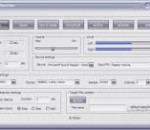
Hanso Recorder is a feature-rich audio program developed for a wide range of sound tasks such as: converting CDs, tapes, DVDs, live performances, TV sounds, Internet radio, video games and any other sound source into audio files you can easily save on your computer. The software's capabilities also integrate text-to-speech conversion that uses natural voices allowing you to listen to your documents while not around your computer. Hanso Recorder comes with support for the most popular formats including MP3, WMA, OGG, VOX, AU, AIFF. This is a highly competent tool that can be used by anyone who wants to save their recordings or save their documents as audio files they can access from a multitude of audio playing devices. After configuring the settings - the sound source, the recording quality, and volume, you can hit the record button. Just select the format you need and click Record CD. Required file format conversions are performed automatically with the use of smart caching to prevent duplicate conversions. It's very easy to configure Hanso Recorder which can be set to launch automatically at startup. The app also includes a recording scheduler that allows you to save your favourite TV or Internet Radio shows even when away. Moreover, Hanso Recorder offers you unlimited recording time. You can save the audio files under the title you want and in the directory you select.The main window is equipped with an Archive button to enable quick viewing or browsing of all recorded files, but also functions as deleting or playing recorded files in its integrated media player. Hanso Recorder offers an attractive, user-friendly interface that makes handling any audio task easy (such as displaying a waveform image of an audio file, filtering, manipulating various audio effects and an equalizer to enhance the sound quality of all recordings, etc).
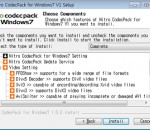
Nitro Codec Pack For Windows7 is a collection of the most essential audio and video DirectShow Codecs and Filters. This software is simple, fast and easy to install packages of codecs, filters, and splitters for media files. It supports for for the most popular compressions like Divx and Xvid as well as some of the less popular. It is designed as a user-friendly solution for playing all your video and audio files.
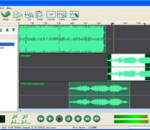
Wave Expert Audio Editor Professional Audio Editing Software Wave Expert Audio Editor is designed to be a very easy and intuitive to use for audio editing. You will be able to open audio file and edit it,or record and edit it. It lets you make and edit music, voice and other audio recordings. Easy editing audio files lets you cut, copy and paste mix audio file, and it build in many sound effects. Wave Expert works as a wav editor or mp3 editor but it also supports a number of other file formats . Also it can convert most audio file to mp3,wave,ogg format. The powerful audio editer can recording any sounds from your pc , So you can Recording and edit audio file from Microphone,Recording and edit audio file from Videotape, Recording and edit audio file from WinAmp or Stream Audio from Internet Key Features: Sound editing functions include cut, copy, paste, delete, insert, silence, autotrim and more. Audio effects include, amplify, bass boost ,change speed and more. Supports a number of file formats including wav (multiple codecs), mp3, au, aif, flac, ogg and many more. Recorder supports , Recording and edit audio file from sound card . Unlimited track mixing lets you mix clips at once. Also supperts out as Mp3 Wave Ogg format . Easy to use interface will get you started editing in just minutes.
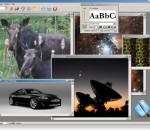
AMC e-Paint is a Windows paint application. It's easy to use, quick to learn and less difficult to master than many brands of soap. It embodies robust painting functionality, but it won't burden you with innumerable features to click through to perform simple tasks. E-Paint's features include a variety of selection tools; antialiased drawing and text; a gallery of image processing filters ranging from tastefully subtle to breathtakingly wild; multiple document handling, soft brushes, local undo, variable magnification and an intuitive user interface - you might not even need its extensive, accessible documentation and tutorials. You'll find e-Paint to be the perfect tool for fine-tuning your digital photographs; drawing cells for web page animations; creating original artwork; building graphics for business presentations or, if you're employed by one of the supermarket tabloids, gluing the head of the president of the United States onto the body of an extraterrestrial. It has few limits, and in the latter example, very little shame.
-Take a photo of your computer screen, including long webpages,online video.-Take the screenshot to clipboard.-Enhance your image with arrows, text, and effects in the steelsoft screenshot editor.-SteelSoft Screenshot can save images in the following formats (24-bit): Windows or OS/2 Bitmap (BMP), Independent JPEG Group (JPG) and Portable Network Graphics (PNG).-Full instructions are included with the software, explaining each of the possible settings and the function that they perform.-Share your screenshot on your social site.
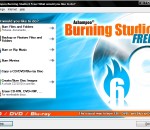
Burner software too complicated? Get power, simplicity and file backup too! Many users are tired of over-complicated CD burning applications that are getting harder and harder to use. Sometimes you can waste most of your time just trying to find a function. Ashampoo Burning Studio FREE focuses on what you want: To burn discs quickly, easily, with maximum quality and minimum hassle. It includes everything you need to be able to do that. And it excludes everything that could get in the way. Ashampoo Burning Studio FREE is still totally simple and intuitive to use. What`s cool: - Burn files and folders on data CDs/DVDs/Blu-ray discs - Burn Audio CDs from WAV, MP3, FLAC, WMA and Ogg Vorbis files - Create music CDs and MP3/WMA discs - Burn Video-Blu-rays, Video DVD, Video CD (VCD) or Super Video CD (S-VCD) - Create and burn CD/DVD/Blu-ray disc images - Burn speed and other options can all be set automatically - Make copies from audio, video or data discs easily - Interactive troubleshooting assistant for solving hardware and media problems - Save project files so that you can burn the same discs again later - Erase CD-RWs / DVD+RWs / DVD-RWs/ DVD-RAM/ BD-REs
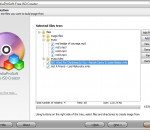
MediaProSoft Free ISO Creator is an easy application that can create ISO 9660 Joliet CD images from files in whatever formats, a given folder or a volume. It can also make ISO with virtual files, giving a file tree representing a directory structure. Everything is easy and you just follow the lead of the wizard. Now you can use the ISO images you made in your virtual drive or burn them to CD/DVD discs. MediaProSoft Free ISO Creator is a free ISO image file creation tool that can help you to directly create an ISO image file from the DVD/CD-ROM or any folders on your PC. No complicated settings and options! MediaProSoft Free ISO Creator provides optional file systems: ISO 9660 file system Level 1 and 2 and Joliet, an extension to ISO 9660 are provided, which allows the use of Unicode characters in file names (needed for international user) and file names up to 64 characters in length. An ISO image file is a duplicate of a CD/DVD disc and this ISO creator can take an ISO file and make it bootable which means when it is placed on a disc, the computer will automatically run it. The user-friendly UI enables you to find & use anything you want in seconds; step-by-step wizard mode is provided to help users operate just by clicking buttons.
MP3 Cut is an easy and efficient FREE MP3 Cutter. Cut MP3 files into specified length clips. Cut MP3 songs into equal-length sections. Cut MP3 music into specified size parts. Cut MP3 section whose start and end points are specified by user. It can copy & save audio tag from the source files to the destination ones, MP3 Cut is capable of writing ID3v1, ID3v2 and APE MP3 tag. It supports batch mode and can cut hundreds of MP3 files at once. It is incredibly fast and fully optimized for SSE/Hyper thread technology and you can get extra speed boost if you have multi-core CPU. MP3 Cut supports on-the-fly converting, in other words, it does not generate temporary files during the conversion process. It is fairly intuitive to use with its Windows Explorer-Style user interface. It supports drag & drop. MP3 Cut can effortlessly search, add and manage the MP3 files to be converted. It uses the latest Lame MP3 encoder which is generally believed as the the best MP3 encoder. The last but not the least, MP3 Cut is Windows Vista compatible and works with Windows 7 (64-bit and 32-bit).
Free Create QR barcode Generator, Add QR Barcode on your photo. Support input JPEG and PNG image. Support 20 type of QR version. Custom define scale ratio. Custom define Background color and Foreground Color. Support draging the QR Barcode to position the QR Barcode. Support export to JPEG image. Support resize the image and adjust the JPEG quality. Support upload your photos to the user gallery of Viscomsoft Social Galleries and share to social networks like Facebook, Twitter, Reddit, Tumblr and Email. Support English, Chinese (Simplified), Chinese (Traditional), German, Spanish, French, Hungarian, Portuguese, Russian, Turkish language.
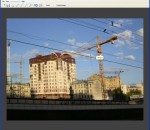
Perspective Pilot allows you to align objects on your architectural building and urban landscape images, thereby making the photos more attractive.
SCRAP: Scale, Crop, Rotate, and Publish. Often these features are all that you need, so why bother paying for programs that have a mind-boggling array of additional complex features that you don't use? This simple photo editor delivers cuts things down to the bare essentials, and does those essentials well. It keeps things simple, which makes it easy to use. Best of all, it's free! SCRAP: Scale, Crop, Rotate, and Publish. Often these features are all that you need, so why bother paying for programs that have a mind-boggling array of additional complex features that you don't use? This simple photo editor delivers cuts things down to the bare essentials, and does those essentials well. It keeps things simple, which makes it easy to use. Best of all, it's free! In brief... Scale - Use preset sizes for common uses, e.g., email, social media, print, HD screen display - Scale to fit a specific width or height (e.g., you need it to be 500 pixels wide, but don't care about the height) Crop - Crop visually (using the mouse), or numerically for precision - Crop to exactly fit 4x6" photo paper, or any specific size - Crop and scale simultaneously to fit an exact size (e.g., 4x6" at 300 DPI, which is 1200x1800 pixels) Rotate - Rotate visually, or numerically for precision - Quickly align straight lines such as horizons and building edges - Quickly straighten out crooked scanned in photos Publish - Save images in a variety of different formats - Print your photos
GOM Media Player The only media player you need - for FREE! Not only is GOM Media Player a completely FREE video player, with its built-in support for all the most popular video and Media Player formats, tons of advanced features, extreme customizability, and the Codec Finder service, GOM Media Player is sure to fulfill all of your playback needs. With millions of users in hundreds of countries, GOM Media Player is one of the world`s most popular video players. Whats New : Added "Touch Setting" feature for touch screen devices. Added "Search box" feature on playlist. (Ctrl+F) Supported "HTTPS URL" for youtube or net radio playback. (Ctrl+U) Added "Music Tap" on preferences related to play music files. Improved performance related to "speed of add & delete" of files on playlist. Other miscellaneous corrections, fixes, and changes
RealPlayer has always enabled you to play RealAudio (*.ra) and RealMedia (*.ram) files. Download videos from thousands of Web sites with just one click Build your own video library and playlists Play all major audio and video formats Flash Video support DVD, SVCD, VCD burning and video recording RealPlayer for personal use includes audio CD burning capabilities, DVR-style playback buffering, multimedia search, Internet radio, a jukebox-style file library, an embedded web browser (using Microsoft Internet Explorer), and the ability to transfer media to a number of portable devices, including Apple's iPod, MP3 players, and Windows Media devices.
GOM is a FREE media player with popular audio & video codecs built-in. Codec Finder GOM Player includes many codecs (XviD, DivX, FLV1, AC3, OGG, MP4, H263 and more) so you won't need to install separate codecs for most videos. For those videos that require a separate codec, GOM Player will find one. Play Broken AVI Files (Patented) GOM Player's patented technology enables users to view files with broken indexes or that are still being downloaded. Powerful Subtitle Support GOM Player supports SMI, SRT, RT, SUB(with IDX) files for subtitle. You can even synchronize subtitle and video if there's any mismatch. Convenient Playlist If you run a video file and there is already a file with a similar name in the directory, it will be automatically added to your playlist. GOM Player has a similar playlist format as M3U, PLS, ASX. Support Different Media Types Along with different media format such as AVI, MPG, MPEG and DAT, GOM Player also supports streaming Windows media format (WMV, ASF, ASX). You can also watch DVD-quality videos with 5.1 channel audio output.