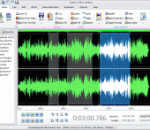
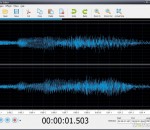
Audio Editor Deluxe allows you to perform various operations with audio data such as editing like cut, copy, paste, etc., filtering, applying various audio effects, & converting/joining audio files. It provides more than 20 sound effects and 6 filters and so on for you to make the music euphonious and unique. All major audio formats are supported by this all-in-one audio editor software. What's more, you are allowed to load music CD tracks to edit them with free CDDB support. Audio Editor Deluxe supports a wide range of audio formats, such as MPEG (MP3, MP2), WAV, Windows Media Audio, Ogg Vorbis, MP2, M4A, CDA, RA, RAM, TTA, Audio Tracks, Dialogic VOX, etc. It is easy to convert an audio file from one format to another. The inbuilt audio recorder enables you to record any sound you hear, like online streaming audio files, DVD/CD, live performances, interviews, internet, conventional radio, vinyl records, tape players, microphone, mixer, electronic instrument, etc. with original quality. Furthermore, the Windows Recording Mixer can be digged out easily from multiple sound cards options. The selection tool lets you specify the editing segment precisely. What's more, on the visual waveform, you can visually edit an audio file by Cut, Copy, Delete, Paste, Paste From File, Trim, Delete and more to meet your needs. The zoom in & out are provided for better view. The unlimited undo and redo functions help you easily cancel and repeat the operation. Over 20 built-in effects (Amplify, Delay, Echo, Equalizer, Fade, Flanger, Invert, Normalize, Reverse and more) and filters (Ban Pass Filter, High Pass Filter, High Shelf Filter, Low Pass Filter, Low Shelf Filter, Notch Filter) are provided to enhance your audio files. So, enjoy your classical music with your friends.
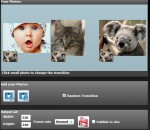
All-in-one video/audio toolkit solution. Convert,cut,join,mix and apply effects. Supports AVI, WMV, MOV , DIVX, ASF, 3GP, MP4, MPEG1, MPEG2, VCD-PAL ,VCD-NTSC, SVCD-PAL, SVCD-NTSC, DVD-PAL, DVD-NTSC and other formats. Add a 3D transitions (70 transitions) and awesome effects (over 50 effect) between any combination of video clips, picture. It offers a built-in-player to view or listen to the file before saving, which allows you to set the start/end points of the portion you want to extract and convert. It changes the frame size, frame aspect ratio, video compression codec and audio compression codec.
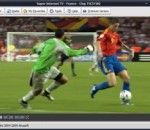
Super Internet TV allows you to watch 2200+ live television channels and listen to 5000+ online radio stations from 100+ countries. There is no need for a TV Tuner card because all the channels are streamed through your Internet connection. All you need is a Windows PC and an Internet connection. You can also record your favorite programs at will. Super Internet TV is ideal for people interested in alternative programming, learning languages, foreign cultures, entertainment, sports or news.
Digital paint software and photo editor with natural art tools. TwistedBrush Pro Studio has one of the most versatile and powerful brush engines in existence, yet it as designed from day one to be easy to use. TwistedBrush has more than 5,000 brushes, along with all the features that artists love to use: layers, realistic media, photo cloning, tracing, masks, particles, filters, script recording, scripts to AVI, drawing tablet support, brush shapes, patterns, textures, integrated scanner support, image brushes, drawing guides, reference image views, dirty brushes, scratch layer, dynamic palettes and a whole lot more. Best of all, feature updates are frequent
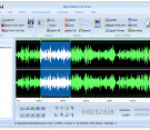
MP3 Editor for Free can edit audio files over 50 formats at lightning speed, including MP3, WMA, WAV, AAC, FLAC, OGG, APE, AC3, AIFF, MP2, M4A, CDA, VOX, RA, RAM, TTA and many more. Any large audio files can be saved to the most popular audio formats as MP3, OGG, WMA, WAV, etc. MP3 Editor for Free is equipped with an audio recorder to capture any sound you hear into your harddrive to create audio projects and gifts. You can record new audio file from both external and internal sources like Mic, cassette tapes, vinyl records, LPs, minidiscs, etc. with the original quality. The recorded audio file will automatically be input the waveform window. With MP3 Editor for Free, you can visually edit MP3 and other audio files faster and easier than ever before. On the visual waveform, you can perform the operations like cut, copy, paste, trim, delete and more to meet your needs. The zoom in & out are provided for better view. To view the signal more clearly, it allows you to zoom the selected region to make it displayed at the whole waveform window. What's more, it features with zoomable waveform and selection tools of millisecond precision that enable you to easily pick the exact piece of the track you want to perform editing operations. No need to worry about mistakes made during editing because all operations can be restored with unlimited Undo & Redo functions. MP3 Editor for Free provides an audio CD burner tool that can create an audio CD from your recordings or any other audio files to use in many occasions like evening party, wedding ceremony, or during a car trip. In this way, you can make a special birthday mix CD to send to your friends or simply have a second copy of your favorite music. To backup your CD collections it also provides an audio CD ripper to grab audio tracks from CDs and saving them to your hard drive or computer in a variety of digital formats including WMA, MP3, OGG, WAV and much more audio files.
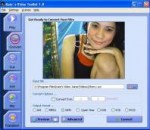
Create funny photos by transplanting any face to any body and share the fun with your friends. Built-in a lot of funny background photo. Easily cut the face or head and support drag face or head into the position you want. Support Rotate, Brightness, Contrast, Gamma, Saturation, Hue Effects. Support undo feature when cuting the face or head. Support flip the face or head. Support zoom in our zoom out the face or head. Support Add Grayscale, Color Effects to final photo. Support export to JPEG image. Support resize the image and adjust the JPEG quality. Support upload your photos to the user gallery of Viscomsoft Social Galleries and share to social networks like Facebook, Twitter, Reddit, Tumblr and Email. Support English, Chinese (Simplified), Chinese (Traditional), German, Spanish, French, Hungarian, Portuguese, Russian, Turkish language.
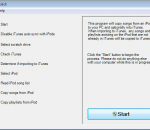
TuneJack is a very easy to use iPod utility to recover songs off your iPod. It is has one purpose in life and it does it's job well. It walks you right through the process. You simply start up TuneJack and wait for it to tell you to connect your iPod. You connect your iPod and TuneJack will detect that the iPod has been connected and then allow you to click a single button to start the process. When the button is clicked, TuneJack will go about its business. It will copy any songs that are on the iPod to your PC. If you tell it to transfer songs to iTunes, it will only copy songs that are not already in iTunes. It will also copy over any playlists that are on the iPod and not in iTunes as well as update existing iTunes playlists with any new songs copied over from the iPod that should be part of those playlists.
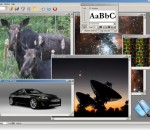
Graphic Workshop Pro is the image management and digital darkroom package with multiple browser windows, batch processing, drag and drop, thumbnails, searching, dozens of image filters and a lot more. It converts, prints, views, dithers, captions, transforms, flips, rotates, scales, scans, crops, color-adjusts, quantizes, catalogs, creates web pages, optimizes and wreaks special effects on most popular image files. Features: Convert between over 60 popular image formats. View files in any of the supported file formats. Display a slide show of images. Search your hard drive and other storage devices for graphics. Apply interactive image filters to your graphics, including soften, sharpen and emboss. Create sophisticated textures and fractals. Print your image files. Dither colour images into halftones. Rotate image files in any increments. Flip image files vertically and horizontally. Scale images up or down with optional anti-aliased scaling. Colour reduce and colour dither images. Adjust image colour, contrast and brightness. Crop images interactively. Move and copy files. Create HTML documents with clickable thumbnails of your digital images. Acquire images from a scanner or digital camera. Convert between digital video formats, such as AVI and QuickTime MOV movies. Maintain an image database with keyword searching. Run any function in batch mode. View, convert and process images with full alpha channel transparency. Print high-resolution paper catalogs of your collection. Create Windows icons. Create thumbnail arrays of your image collection. Add text captions to graphics. Identify mystery graphic files. Matt and frame your pictures. Create animated screen savers from your graphics. Quickly edit your pictures - just right-click on a file and select Paint. Additional formats are supported by optional plugins, such as the RAW Plugin for high resolution digital photography. Get up to speed quickly with extensive documentation and tutorials.
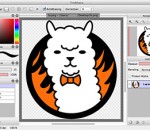
FireAlpaca is the image editor that can be used readily and easily. We made it possible to provide the completely FREE download, in order for our products to be experienced by more users from all over the world. It is available for both Mac and Windows users! We would like you to experience this great opportunity first. FireAlpaca is just released, however it has a great potential. We believe that we can open up a future for FireAlpaca by being downloaed and used by many users from all over the world. Please install FireAlpaca into your computer right away and enjoy our "simple and easy" program! FireAlpaca opens up the window at the start-up due to the network connection.
Any Video Converter Freeware is a totally free video converter which helps you to convert various video formats including MP4, AVI, RM, RMVB, QT, MOV, 3GP, 3G2, FLV, MPEG-1, MPEG-2, DVR-MS, VOB, MKV, ASF, DivX, OGM to AVI, WMV, MP4, FLV and SWF with fast converting speed and excellent video quality. It helps you to convert all kinds of video formats for all kinds of portable media players including Apple products such as iPod, iPhone, iPad; Sony products such as PSP, PS3; Android products and Microsoft products.So with this powerful free video converter, you can enjoy all kinds of videos on your portable devices freely! It can also extract audio from videos files and save into MP3, AAC, WMA, OGG and Wave formats. Any Video Converter can easily download and convert YouTube and Google Videos in a step by pasting URL links. Any Video Converter is also a totally free video to DVD creator which helps you to convert all kinds video formats to DVD NTSC MPG video or DVD PAL MPG video and burn the mpg files to DVD and create DVD movie. Now you can watch any movie on your home DVD player. Any Video Converter is a completely free video converter with lots of use functions. With Any Video Converter, you can trim any part of the video you want by specifying time section, you can merge several video clips in different formats into one clip. Batch conversion and output management are also possible. If you are still seeking a free video converter, Any Video Converter will be the best choice.
DJ Audio Editor is easy-to-use and well-organized audio application which allows you to perform various operations with audio data. You can create and edit audio files professionally, by having ability to apply dozens of amazing effects to audio files such as Amplify, Add Noise, Delay, Flanger, Chorus, Reverb, Invert, Reverse, Fade In/Out, Vibrato, Compressor, Normalize, Expander, Phaser, Time Stretch and Pitch Shift with ability to change all parameters to make your unique effect. The widely covered input audio formats and a set of amazing filters allow you to add endless innovation to music creating and design, and also displaying a waveform or spectral image of audio file makes your work faster. Finally save your audio file to various output formats including MP3, OGG, WAV, WMA, AAC, AC3, AIFF, FLAC, RA, AU, M4A, MP2, AVI, MPG, FLV, SWF and make it playable every where. DJ Audio Editor Features: Open, create, edit and save audio files. Display a waveform or spectral window of an audio file and apply zooming. Save output files to various audio formats including MP3, OGG, WAV, WMA, AAC, AC3, AIFF, FLAC, RA, AU, M4A, MP2, AVI, MPG, FLV, SWF. Play whole audio file or any part of it. Visually edit an audio file (Cut, Copy, Paste, Paste From File, Paste Mix, Paste Mix from File). Include powerful filters on audio files (Low/High/Band Pass, Notch Filter, Low/High Shelf, Peak EQ Filter). Apply various effects such as Amplify, Add Noise, Delay, Flanger, Chorus, Reverb, Invert, Reverse, Fade In/Out, Vibrato, Compressor, Normalize, Expander, Phaser, Time Stretch, Pitch Shift. Ability to change all parameters of effects and filters to make your unique ones. Use marker to locate the selected part or special part of the audio data. Keep history events and allows you to Undo/Redo. Free update for any new version.
GOM Media Player The only media player you need - for FREE! Not only is GOM Media Player a completely FREE video player, with its built-in support for all the most popular video and Media Player formats, tons of advanced features, extreme customizability, and the Codec Finder service, GOM Media Player is sure to fulfill all of your playback needs. With millions of users in hundreds of countries, GOM Media Player is one of the world`s most popular video players. Whats New : Added "Touch Setting" feature for touch screen devices. Added "Search box" feature on playlist. (Ctrl+F) Supported "HTTPS URL" for youtube or net radio playback. (Ctrl+U) Added "Music Tap" on preferences related to play music files. Improved performance related to "speed of add & delete" of files on playlist. Other miscellaneous corrections, fixes, and changes
RealPlayer has always enabled you to play RealAudio (*.ra) and RealMedia (*.ram) files. Download videos from thousands of Web sites with just one click Build your own video library and playlists Play all major audio and video formats Flash Video support DVD, SVCD, VCD burning and video recording RealPlayer for personal use includes audio CD burning capabilities, DVR-style playback buffering, multimedia search, Internet radio, a jukebox-style file library, an embedded web browser (using Microsoft Internet Explorer), and the ability to transfer media to a number of portable devices, including Apple's iPod, MP3 players, and Windows Media devices.
GOM is a FREE media player with popular audio & video codecs built-in. Codec Finder GOM Player includes many codecs (XviD, DivX, FLV1, AC3, OGG, MP4, H263 and more) so you won't need to install separate codecs for most videos. For those videos that require a separate codec, GOM Player will find one. Play Broken AVI Files (Patented) GOM Player's patented technology enables users to view files with broken indexes or that are still being downloaded. Powerful Subtitle Support GOM Player supports SMI, SRT, RT, SUB(with IDX) files for subtitle. You can even synchronize subtitle and video if there's any mismatch. Convenient Playlist If you run a video file and there is already a file with a similar name in the directory, it will be automatically added to your playlist. GOM Player has a similar playlist format as M3U, PLS, ASX. Support Different Media Types Along with different media format such as AVI, MPG, MPEG and DAT, GOM Player also supports streaming Windows media format (WMV, ASF, ASX). You can also watch DVD-quality videos with 5.1 channel audio output.