Recently Added

Multimedia software multimedia software for MP3 files, websites, ringtones and more. Make the most of your multimedia with powerful video software tools.
Free Color Splash Maker for Window 3.0

Free Color Splash Maker for Window 3.0  Free version 13735 

free color splash effect maker for window, online splash effect creator , Add Beautiful Color Splash Effect To Your Photos . Save to JPEG file or custom file size . Support Zoom In, Zoom Out , Undo when photo editing. Support export to JPEG image. Support resize the image and adjust the JPEG quality. Support upload your photos to the user gallery of Viscomsoft Social Galleries and share to social networks like Facebook, Twitter, Reddit, Tumblr and Email. Support English, Chinese (Simplified), Chinese (Traditional), German, Spanish, French, Hungarian, Portuguese, Russian, Turkish language. Allows you to add color splash effects to your images To access ViscomSoft features you need to install Microsoft Silverlight on your PC. Dimensions of the output image can be customized. Allows you to customize the brush size. Allows to save the image with JPEG quality. Directly publish the image to the site. Enables you to save the image to your desired folder.

PotPlayer

PotPlayer Free version 13731 

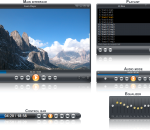
PotPlayer is a free advanced multimedia player. Plenty of features and rich customization. Built in support for most video formats and support for video in ZIP and RAR archives. Note!

Nero Burning ROM 2014 15.0.24000

Nero Burning ROM 2014 15.0.24000 Trial version 13725 

The powerful burning software Nero Burning ROM allows you to burn your data, music and videos to disc. Nero Burning ROM gives you full, customized control of your burning projects. You can - among other things - define the file system, the length of the file name and the character set; you can also change the disc label. And of course, you can also customize the Nero Burning ROM toolbar and change the keyboard shortcuts. Despite its wide range of features, Nero Burning ROM has remained an easy-to-use burning program that creates discs in just a few steps. You select the disc type to be burned (CD/DVD/Blu-ray), define the project type, add the required data and then start burning. Using Nero Burning ROM you can save audio files from an Audio CD to the hard drive. In the process, the files are encoded, i.e. converted into a format that the computer can read. The Audio CD can be automatically identified with Gracenote. So called metadata such as title, genre, and track title are accessed by the Gracenote Media Database and associated to the tracks. That way you have audio files that are accurately and fully named after the encoding process. Nero Burning ROM offers you the most advanced disc burning solution. FEATURES: Customized Burning and Copying Options: · Burn and copy to CDs, DVDs and Blu-ray Discs or save disc images to hard drives, networks, and USB devices or span oversized files to multiple discs and different disc types. Advanced Disc Data Protection: · Add state-of-the-art SecurDisc protection to your burned discs with personal passwords, encryption options and digital signatures. Get alerts before disc data deteriorates, allowing for time to back up. Long-Lasting Disc Data Readability and Content Quality: · Ensure that burned data is readable regardless of scratches, age, or deterioration with cutting-edge SecurDisc technology. Convenient Features That Do More Than Just Burning: · Go beyond just burning and erase rewritable discs with the option to effectively retrieve data, convert audio files into other formats or rip Audio CDs directly with album cover, song titles and artists names. · High quality disc burning and copying for superior quality playback · Easy drag-and-drop burning to CDs, DVDs and Blu-ray Discs · Split oversized files to burn onto multiple discs at one time · Ensure data readability regardless of scratches, age or deterioration · Enhance security levels with personal passwords and encryption

VCD Menu Lite 2.01

VCD Menu Lite 2.01 Free version 13724 

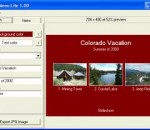
VCD Menu Lite is a free Video CD / DVD menu page generation program for Windows. Add this utility to your video toolkit and quickly produce simple but attractive menus as front-ends for your VCD / DVD movie and slideshow presentations. Pick your colors, type in titles and menu captions, grab the frames from your movie clips, then export to a JPG image. Use an authoring program such as DVDAuthorGUI to convert your menu image into an MPEG still.

DVD CD Burner 8.7

DVD CD Burner 8.7 Free version 13717 

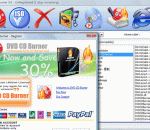
DVD CD Burner is an easy-to-use and powerful dvd cd burner to burn MP3, DATA, ISO, AUDIOS, VIDEOS, and IMAGES to high-quality CDs or DVDs . You can create and burn ISO image file. It can support Long File Name File System, It can supports CD-R, CD-RW, DVD-R, DVD-RW, DVD-RAM, DVD+R, DVD+RW and DVD+R DL. You can Write on Rewritable CDs/DVDs, You can make backup system, software and data easily. . You can free life time updates.homepage

Picture Cutout Guide 2.10.3

Picture Cutout Guide 2.10.3 Trial version 13705 

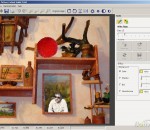
Separates solid objects from an arbitrary background, applies background effects (filling, shadowing, blur), allows transferring objects to another photo, makes a photomontage. Includes stepwise animated demo samples.

MediaProSoft Free DVD to WMV Converter 7.8.6

MediaProSoft Free DVD to WMV Converter 7.8.6 Free version 13705 

Have trouble with watching DVD movies in Windows Media Player? Here's the solution. MediaProSoft Free DVD to WMV Converter is an easy-to-use DVD to WMV converter which helps you rip and convert DVD to WMV video, backup DVD to high quality file of WMV and extract audio from DVD to sound files at high speed. So simple that with just a few clicks, the problem of how to convert DVD to WMV video won't bother you anymore. Just download our converter and enjoy WMV videos in your media players. MediaProSoft Free DVD to WMV Converter helps you convert video files like YouTube videos, movies and DVDs to WMV format to enjoy with media players. It support various output formats playable on many portable devices. It extracts audio tracks from all kinds of DVDs as audio extractor. Rip HD/Blu-Ray DVD to many video formats with lossless output to enjoy in media player with high-resolution screen. The "Snapshoot" button helps you take a snapshot of the scene displayed in the preview window and save it as BMP or JPEG format. For multilanguage DVD discs, you can specify the ripping settings of both audio and subtitle in different languages. You can also disable the audio/subtitle ripping. You don't need to be an expert to get the quality you want as it also provides many well-configured quality presets for every output format to meet your professional or casual needs. It checks your CPU type automatically and ensures the full use of your CPU to bring you the best ripping speed. The ripper exactly synchronizes video and audio - no skipped or lost frames during conversion.

Free Flash Video Converter Factory 2.0

Free Flash Video Converter Factory 2.0 Free version 13703 

Free Flash Video Converter Factory convert all video formats to flash format including FLV, F4V and SWF format. The flash video converting software can quickly convert all popular formats of video into high quality Flash video.Free Flash Video Converter Factory is a useful utility that converts popular video files AVI, MP4, DAT, MPG, MPEG, NSV, VOB, MOV, FLV, MKV, TS, DV, WMV, ASF, 3GP, 3G2 to Flash file. It is designed to convert video to flash on any webpage. It is easy to use and can save your time at the most extent.

TSR Photo Manager - Free version 1.1.3.186

TSR Photo Manager - Free version 1.1.3.186  Free version 13701 

TSR Photo manager - the fastest photo sorter that gives you complete control over your photos.Sort trough thousands of photos in minutes instead of days and get order to your photo mess. Move a photo to one or multiple directories or mark it for deletion. Cleanup and fix your photos with the build in support for cropping and applying filters. Save your time TSR Photo Manager is quicker than anything else. Free up space delete thousands of images in minutes instead of days Get organized sort all your unsorted photo libraries Clean up mark images for deletion, and move them to the recycle bin, Beatify and cleanup photos with build in support for cropping images Personalize your photoalbums each image can be moved to multiple directories, this way you can make one folder for your mother and one for yourself. No hassel Easy to use and free trial version available for download.

Xinfire DVD Player 5.5.0.0

Xinfire DVD Player 5.5.0.0 Free version 13700 

Xinfire DVD Player Free is a basic-looking DVD player that nonetheless provides great quality sound and video and supports a wide range of formats. Xinfire DVD Player Free has all the functions that you would expect of a DVD player. Language and menu options are also accessible from within the interface and the free Xinfire DVD Player supports a very wide variety of video formats: apart from regular DVD (PAL, NTSC, VCD, SVCD) formats, also supported are: the entire range of MPEG4 (including DivX, XviD, etc.), MPEG1, MPEG2, AVI, Real Media video, Quick Time files, WMV files (including WMV-HD), H.263, H.264, mobile video formats (3GP, 3GP2, MP4). This strong compatibility makes Free DVD Player a universal player. And the free DVD Player contains no spyware or adware. It's clearly free and absolutely safe to install and run. Besides, this intelligent DVD player software is user-friendly: easy to install & unload; easy to use with intuitive interface; free online help files for your guidance; 24/7 trustable and free technical support by email; support Windows 7, Windows Vista, Windows XP; lifetime free minor version update, etc. Sick of hopelessly dragging media files into every player on your desktop- just on the off-chance one of them works? Imagine the end of annoying codec errors, unplayable video, unreadable media files- for good. With Xinfire DVD Player Free, that's exactly what you can expect. Expect seamless support of almost every video and audio format under the sun, from downloads, to DVDs, to media recorded with your PC, notebook, tablet, smart phone, camcorder and loads more devices. Simplify your media enjoyment. Watch it all in one perfect player- Xinfire DVD Player Free.

 Boxoft Batch Photo Processor 1.8

Boxoft Batch Photo Processor 1.8 Trial version 13691 

Boxoft Batch Photo Processor is a simple, lightning-fast and powerful photo editor tool that lets you to perform common modifications on a series of images, you can to batch apply multiple graphical filters to your pictures, the filters are divided into four main categories: annotate, touch up, transform, and effects. The program brings the power of batch processing to every digital camera owner, from novice to professional. Image enhancements that used to take hours can now be done in minutes. Instead of enhancing and adjusting pictures individually, Boxoft Batch Photo Processor lets you select a group of pictures, define a series of edits, and apply them in a single operation. You can see bellow Boxoft Batch Photo Processor's main features: Graphic Filters: Annotate: Add Date&Time;, Text Watermarks, and Image Watermarks Touch-Up: Adjust Brightness, Sharpness, Contrast, Colors and more Transform: Auto Rotate, Resize, Create Thumbnails, Crop, and more Effects: Apply Blue, Black & White, Border, and more effects Boxoft Batch Photo Processor features: Supports multiple image formats, e.g. BMP, JPG, GIF, GIF, PNG Batch process up to 1 billion image files at once Batch apply annotate, touch up, transform, and effects graphical filters to photos Save settings and use profiles for speeding up common tasks Apply predefined or custom defined profiles to groups of picturesesize, the dimensions, and where you want to save the new photos.

11 from 6121

« First « Prev 1 2 ... 69 70 71 72 73 ... 556 557 Next » Last »

Best Apps for Multimedia software From the Editors

GOM Media Player 2,2,71,5231

GOM Media Player 2,2,71,5231

GOM Media Player The only media player you need - for FREE! Not only is GOM Media Player a completely FREE video player, with its built-in support for all the most popular video and Media Player formats, tons of advanced features, extreme customizability, and the Codec Finder service, GOM Media Player is sure to fulfill all of your playback needs. With millions of users in hundreds of countries, GOM Media Player is one of the world`s most popular video players. Whats New : Added "Touch Setting" feature for touch screen devices. Added "Search box" feature on playlist. (Ctrl+F) Supported "HTTPS URL" for youtube or net radio playback. (Ctrl+U) Added "Music Tap" on preferences related to play music files. Improved performance related to "speed of add & delete" of files on playlist. Other miscellaneous corrections, fixes, and changes

RealPlayer 16

RealPlayer 16

RealPlayer has always enabled you to play RealAudio (*.ra) and RealMedia (*.ram) files. Download videos from thousands of Web sites with just one click Build your own video library and playlists Play all major audio and video formats Flash Video support DVD, SVCD, VCD burning and video recording RealPlayer for personal use includes audio CD burning capabilities, DVR-style playback buffering, multimedia search, Internet radio, a jukebox-style file library, an embedded web browser (using Microsoft Internet Explorer), and the ability to transfer media to a number of portable devices, including Apple's iPod, MP3 players, and Windows Media devices.

GOM Player 2.1.50.5145

GOM Player 2.1.50.5145

GOM is a FREE media player with popular audio & video codecs built-in. Codec Finder GOM Player includes many codecs (XviD, DivX, FLV1, AC3, OGG, MP4, H263 and more) so you won't need to install separate codecs for most videos. For those videos that require a separate codec, GOM Player will find one. Play Broken AVI Files (Patented) GOM Player's patented technology enables users to view files with broken indexes or that are still being downloaded. Powerful Subtitle Support GOM Player supports SMI, SRT, RT, SUB(with IDX) files for subtitle. You can even synchronize subtitle and video if there's any mismatch. Convenient Playlist If you run a video file and there is already a file with a similar name in the directory, it will be automatically added to your playlist. GOM Player has a similar playlist format as M3U, PLS, ASX. Support Different Media Types Along with different media format such as AVI, MPG, MPEG and DAT, GOM Player also supports streaming Windows media format (WMV, ASF, ASX). You can also watch DVD-quality videos with 5.1 channel audio output.