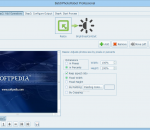
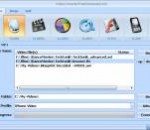
Power Video Cutter is a digital video converter/cutter. The main function of Power Video Cutter is to convert video files from one format to another and cut a part of file into new video file. The program supports AVI, MPEG-1/2, DVD/SVCD/VCD, VOB, DAT, ASF, WMV, Divx, xVid, MOV, MP4, iPod, PSP, iPhone, Zune, BlackBerry, Apple TV, PS3, Xbox360, Creative ZEN, Archos, iRiver, M4V, MPA, 3GP, MKV, RM, RMVB, FLV, SWF video formats.
Add Over 20 effects on your photo , let your photo more beautiful. Support input JPEG and PNG file. Custom define Line weight. Custom define Line Color. Custom define Jigsaw style. Support export to JPEG image. Support resize the image and adjust the JPEG quality. Support upload your photos to the user gallery of Viscomsoft Social Galleries and share to social networks like Facebook, Twitter, Reddit, Tumblr and Email. Support English, Chinese (Simplified), Chinese (Traditional), German, Spanish, French, Hungarian, Portuguese, Russian, Turkish language.
BatchPhotoRobot is a professional batch photo editor which enables you batch resizing, rotating, adding frames, adding watermarks to photos. BatchPhotoRobot is flexible yet easy to use. By configuring needed operations in a pipeline and adjusting their sequence, you can fullly customize processing details. Its Filter function enables you adding artistic effects to photos immediately. Key feature of BatchPhotoRobot: (1) Quick BatchPhotoRobot lets you select a group of photos, configure a series of operations, and apply them in a single click! (2) Easy-to-use Even if you have no previous experience in photo processing, you will find BatchPhotoRobot works the first time you try it. (3) Flexible operation organization Operations are organized as a pipeline. You can select your need operations, adjust their parameters and sequence. (4) WYSIWYG (What You See Is What You Get) You can preview the changes of each operation and the final result while you are configuring operations. (5) Productivity Operations and output settings can be saved and loaded as profiles to improve productivity. File list can also be loaded and saved.
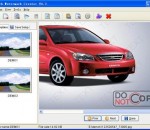
A simple photo editing and printing program. Common photo editing features and image file formats are supported. Layers and pixel editing are not supported. Version 0.90 and later includes manageImages, a photo archive manager.
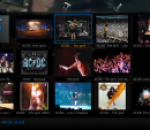
XBMC is an award winning media center application. XBMC is easy to use, looks slick, and has a large helpful community. Currently XBMC can be used to play almost all popular audio and video formats around. It was designed for network playback, so you can stream your multimedia from anywhere in the house or directly from the internet using practically any protocol available. There are playlist and slideshow functions, a weather forecast feature and many audio visualizations. Once installed, your computer will become a fully functional multimedia jukebox.
Free Protecting an image maker for wiindow, Add watermark text on your images. User define watermark text and transparent color. Your photos are actually private , You do not need upload your photo to server when using the software. Support export to JPEG image. Support resize the image and adjust the JPEG quality. Support upload your photos to the user gallery of Viscomsoft Social Galleries and share to social networks like Facebook, Twitter, Reddit, Tumblr and Email. Support English, Chinese (Simplified), Chinese (Traditional), German, Spanish, French, Hungarian, Portuguese, Russian, Turkish language.
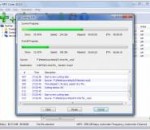
Convert your videos free to AVI, MP4, WMV, MKV, MPEG, SWF, FLV, 3GP, RM, GIF and other popular formats with Video Converter Free Download. This software has intuitive wizard-based interface, very easy to operate. If you wish to transfer video between PC, laptop, netbook, Tablets, iPad, iPod, iPhone, BlackBerry, 3GP mobile phones, PSP, MP4 players, Zune, HTC, Android, Nokia, Xbox, etc, then our free video to video converter is right software for you. Video Converter Free Download supports multi-file batch conversion, which means you can convert a number of video files at the same conversion settings at one time. There is pack of ready presets for fast converting, but you can also set your own video size, quality, resolution, bitrate, framerate, etc. Additionally, with this software you can split your videos into multiple fragments by time or merge several videos of same resolution into one. Except of standard formats our video converter also has custom format allowing you to set specific video and audio codecs. The output video codecs include MPEG4, FLV, WMV, H263 and H264, Xvid, RAW, PGM, JPEG, PNG, etc; the audio codecs include AAC, MP2, MP3, PCM, REAL, WMA, FLAC. Whether you seek for free AVI video converter, free MP4 converter, free iPad converter, free FLV video converter or free Android converter, Video Converter Free Download is right what you look for. It is 100% free to use, easy, fast and creates high quality. Download our video converter free and have fun with it!
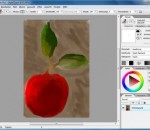
Abrosoft FantaMorph is powerful and easy-to-use photo morphing software for the creation of fantastic photo morphing pictures and sophisticated morph animation effects. With our revolutionary rendering engine and a super-friendly user interface, creating morphing pictures and action sequences has never been easier and faster!
MP3 Cutter is an easy and efficient FREE MP3 Cutter. Cut MP3 files into specified length clips. Cut MP3 songs into equal-length sections. Cut MP3 music into specified size parts. Cut MP3 section whose start and end points are specified by user. It can copy & save audio tag from the source files to the destination ones, MP3 Cutter is capable of writing ID3v1, ID3v2 and APE MP3 tag. It supports batch mode and can cut hundreds of MP3 files at once. It is incredibly fast and fully optimized for SSE/Hyper thread technology and you can get extra speed boost if you have multi-core CPU. MP3 Cutter supports on-the-fly converting, in other words, it does not generate temporary files during the conversion process. It is fairly intuitive to use with its Windows Explorer-Style user interface. It supports drag & drop. MP3 Cutter can effortlessly search, add and manage the MP3 files to be converted. It uses the latest Lame MP3 encoder which is generally believed as the the best MP3 encoder. The last but not the least, MP3 Cutter is Windows Vista compatible and works with Windows 7 (64-bit and 32-bit).
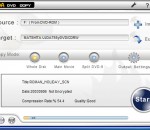
With simplified copy and burning capabilities, AoA DVD COPY is ideal for consumers who want a fast, easy way to protect and share their personal DVDs. Simply press one button and you can copy your DVDs to your hard drive or to DVD+R/RW discs. With AoA DVD COPY, you own the most efficient way to create backup copies of your DVD collection. These working copies allow you to play your DVDs every day without the inevitable risk of getting your originals scratched or damaged. You get disc protection with no loss of playback quality. Why AoA DVD COPY is the best solution for you. 1:1 copy single-layer DVD movies onto one regular DVD5 DVD+R/RW DVD-R/RW disc, keeping all the DVD special features, menus, subtitles and audio tracks. Compress and copy a dual-layer (DVD9) movie into one DVD5 saving disc space while retaining all the special features, menus, subtitles and languages. Copy main movie to DVD5. Remove unwanted subtitles/audios to increase quality. Split and copy a DVD9 movie to 2 DVD5 with all the special features, menus, subtitles and languages. Copy a DVD to your hard drive, so that you can watch a DVD movie or burn a DVD disc from the hard drive. Perfect Video Quality . Fast Copying Speed. Direct copy to the target DVD disc makes it really quick and easy to create DVD copies and backups. Copying a 2-hour DVD movie can be finished in 20-40 minutes depending on your system performance. Simple to use -Your favorite DVDs are just one click away from being cloned. Supports both NTSC and PAL movies, and SCSI, IDE, and USB DVD burners and recorders. Copies can be played back on home and computer DVD player. Supports copy CSS (Content Scrambling System) protected DVD movies. Removes and Macrovision protection automatically during copying.
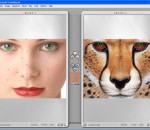
Remove red, blue, green eyes from your pet's photos. The program can be installed as standalone and a plug-in as well.
GOM Media Player The only media player you need - for FREE! Not only is GOM Media Player a completely FREE video player, with its built-in support for all the most popular video and Media Player formats, tons of advanced features, extreme customizability, and the Codec Finder service, GOM Media Player is sure to fulfill all of your playback needs. With millions of users in hundreds of countries, GOM Media Player is one of the world`s most popular video players. Whats New : Added "Touch Setting" feature for touch screen devices. Added "Search box" feature on playlist. (Ctrl+F) Supported "HTTPS URL" for youtube or net radio playback. (Ctrl+U) Added "Music Tap" on preferences related to play music files. Improved performance related to "speed of add & delete" of files on playlist. Other miscellaneous corrections, fixes, and changes
RealPlayer has always enabled you to play RealAudio (*.ra) and RealMedia (*.ram) files. Download videos from thousands of Web sites with just one click Build your own video library and playlists Play all major audio and video formats Flash Video support DVD, SVCD, VCD burning and video recording RealPlayer for personal use includes audio CD burning capabilities, DVR-style playback buffering, multimedia search, Internet radio, a jukebox-style file library, an embedded web browser (using Microsoft Internet Explorer), and the ability to transfer media to a number of portable devices, including Apple's iPod, MP3 players, and Windows Media devices.
GOM is a FREE media player with popular audio & video codecs built-in. Codec Finder GOM Player includes many codecs (XviD, DivX, FLV1, AC3, OGG, MP4, H263 and more) so you won't need to install separate codecs for most videos. For those videos that require a separate codec, GOM Player will find one. Play Broken AVI Files (Patented) GOM Player's patented technology enables users to view files with broken indexes or that are still being downloaded. Powerful Subtitle Support GOM Player supports SMI, SRT, RT, SUB(with IDX) files for subtitle. You can even synchronize subtitle and video if there's any mismatch. Convenient Playlist If you run a video file and there is already a file with a similar name in the directory, it will be automatically added to your playlist. GOM Player has a similar playlist format as M3U, PLS, ASX. Support Different Media Types Along with different media format such as AVI, MPG, MPEG and DAT, GOM Player also supports streaming Windows media format (WMV, ASF, ASX). You can also watch DVD-quality videos with 5.1 channel audio output.