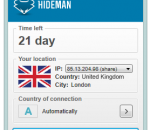
Hideman is a handy and reliable application designed to hide your IP while you're browsing the web. Hideman protects your privacy, no matter what websites you visit. By hiding your IP, this application secures your personal information. Hide your IP Nobody will know where are you from. Encrypt internet data Protect your Interner data with strong 256-bit encryption Remove limits Use any site you needed without any limitations.
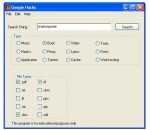
Google Hacks is a compact utility that will allow its users to search google using different google search hacks. Using Google Hacks one can easily do a music search by using a highly optimized and complex search command that can be obtained just by clicking a number of option boxes that can be found in the program's interface.
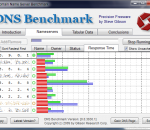
DNS Benchmark is a unique, comprehensive and accurate application to determine the exact performance of local and remote DNS nameservers. This DNS Benchmark will give you visibility into what's going on with your system's currently assigned DNS servers by automatically comparing their performance with many well known publicly available alternatives. DNS Benchmark performs a detailed analysis and comparison of the operational performance and reliability of any set of up to 200 DNS nameservers (sometimes also called resolvers) at once. Get DNS Benchmark and take it for a spin to see what it can actually do for you! FEATURES: For each of up to 200 DNS nameservers, using the Internet's most popular top-50 domain names, independently measures, charts, statistically analyzes, reports (and optionally exports): · Cached lookups – the time to return a domain name that is already in the resolver's name cache. · Uncached lookups – the time to return a sub-domain name that is not already in the resolver's name cache. · Dotcom lookups – the time to consult the nameserver's chosen dotcom resolver(s) for a dotcom name. · Reliability – the number of queries not replied to during the benchmark. · Optionally verifies whether nameservers provide DNS security (DNSSEC) record authentication. · When using a list of (provided) DNSSEC-signed domains, benchmarks DNSSEC authentication performance. · Graphs and compares all four benchmark parameters with easy-to-read bar chart. · On-the-fly hierarchical sorting of performance results by cached (default) or uncached performance. · (Sorting is “hierarchical” because cached is sorted first, followed by uncached, then dotcom.) · Auto-scaled bar chart that can be manually overridden for chart-to-chart comparison. · Pop-up value “inspector” (left click in nameserver list) displays precise values on bar chart. · Detailed tabular result report for non-graphical detailed reporting. · Full detailed, locale-aware (internationalized), CSV results export. · Automatic logging to CSV file for long-term background results monitoring and collection. · Simultaneously compares the performance and reliability of up to 200 DNS nameservers. · Determines nameserver network name (reverse DNS), ownership, operational status. · Determines whether nameservers intercept and redirect bad domain names. · Comprehensive, heuristic “Conclusions” generation summarizes all results and suggests useful system changes, if any, in easily readable English. · All results are analyzed for statistical significance with a 95% confidence threshold. · Bottom of tabular data page contains built-in quick-reference “reminder” help.
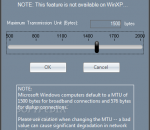
In order to test and troubleshoot networks we need tools that allow us to generate network traffic and analyze the network's throughput performance. This is true for both wired and wireless networks. We focus strictly on 802.11 (WiFi) networks because analysis tools are relatively scarce or, when available, tend to be rather expensive and overly complex to use. Also, because WiFi networks are sensitive to RF interference from other wireless devices, they are more difficult to troubleshoot and transient changes in the local environment may affect their performance. Tools that are typically used to troubleshoot wireless networks report signal strengths of RF interference or beacons from an access point in units of dBm or RSSI (relative signal strength indication). But what do these really mean? How do these translate in terms of the performance of your wireless network? Our wireless network adapter may report the beacon strength of our access point to be -53 dBm or -65 dBm or -73 dBm or . Or, our RF spectrum analyzer displays a -74 dBm interference peak in the middle of channel 6. Or, we and our neighbor or the business next door have our access points configured to use channel 11? Is this good? Bad? Doesn't matter? Ultimately, the bottom line and what we care about most is throughput -- that is, how many bytes-per-sec can be transferred from one node on the wireless network to another. The dBm and RSSI numbers don't mean much if you can't somehow relate them to a performance metric -- the most relevant being 'bytes / sec'. In order to properly troubleshoot a wireless network we need a way to benchmark its performance, so as modifications are made we can determine whether or not they really make a difference in the network's performance. This is where NetStress fits in. It's a simple tool, originally created for our internal use, which we later realized would also be of value to others. Here's the ideal scenario: You install a new wireless network and it works perfectly. Run NetStress and record the benchmark results for later reference. Sometime in the future when either you or others suspect performance has declined then run NetStress again and compare the latest results with those you gathered when the network was first installed and working "perfectly". The results of that comparison will indicate whether or not there really is a problem and dictate which steps to take next (if any). Regardless of your technical expertise or how expensive your diagnostic tools, if you are modifying a wireless network or making decisions to modify it and you are not testing throughput then you risk wasting time and resources going down the wrong path. NetStress includes the following features: single instance of the application (i.e. each instance can be used as server or server plus client) supports both TCP and UDP data transfers supports multiple data streams variable TCP / UDP segment size rate of packet transmission (Packets Per Second) variable Maximum Transmission Unit (MTU) uplink and downlink modes auto node discovery choice of display units (KBps, Kbps, MBps, Mbps) support for multiple network adapters
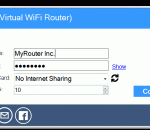
MyRouter is a virtual WiFi Router it allows you to connect to all WiFi Hot Spot using Windows 7 enabled devices like your Blackberry, PS3, PS Vita, Xbox, Laptops/Desktops to share your internet wirelessly and safely in your network. FEATURES: · Share your internet to WiFi enabled device's. · A friendly User Interface. · Set max number of "clients" allowed to connect to host PC. · WPA2 Encryption (Advanced Encryption Standard (AES) algorithm). · Add/Remove/Edit port forwarding *Testing*.
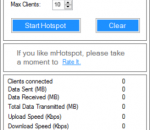
mhotspot is a free-software(with-out installation)that converts your wifi enabled LAPTOP/PC running windows OS into a virtual wifi hotspot and share your internet through wifi to other laptops, smartphones,PDA's,Tablet-PCs or any other wifi devices. features: * The best part in mhotspot is,it's free and easy to use. * Any no. of devices can be connected to the created virtual hotspot. * It's simplest user interface differentiates it from the rest. * Even the ANDROID and SMART PHONES without any further modifications into them, can access the wifi internet. * Even simpler mobile phones with wifi connectivity can access wifi internet because of the "ACCESS POINT-SCHEMA" used in the software.
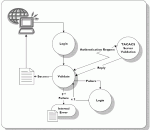
What is TACACS+? TACACS+ is an Authentication, Authorization, and Accounting (AAA) protocol originally developed for the U.S. Department of Defense for authentication to network devices such as routers, switches, and firewalls. Unlike RADIUS, it separates the Authentication and Authorization functionalities, which makes it more flexible for administrative access. The current version of the protocol standard was developed by Cisco Systems. Why you need TACACS+ TACACS+ simplifies network administration and increases network security. It does this by centralizing management of users on your network and enabling you to set granular access policies by users and groups, command, location, time of day, subnet, or device type. The TACACS+ protocol also gives you a complete log of every user's login and what commands were used. TACACS+ is recommended for compliance with most network security standards for E-Commerce, Health Care, Finance, and Government networks. Why you should choose TACACS.net TACACS.net software will turn your Windows PC or Server into a fully functioning TACACS+ server that can be used to enable specified local or Active Directory users access to log into and manage network equipment securely with Single Sign-On (SSO). Centralizing your user authentication on your Domain Controller or PC improves network security, saves you money, and simplifies administration.
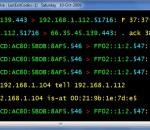
WinDump is the Windows version of tcpdump, the command line network analyzer for UNIX. WinDump is fully compatible with tcpdump and can be used to watch, diagnose and save to disk network traffic according to various complex rules. It can run under Windows 95, 98, ME, NT, 2000, XP, 2003 and Vista. WinDump captures using theWinPcap library and drivers, which are freely downloadable from the WinPcap.org website. WinDump supports 802.11b/g wireless capture and troubleshooting through the CACE Technologies AirPcap adapter. WinDump is free and is released under a BSD-style license.
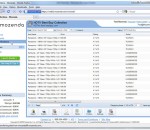
Using a simple point-and-click interface, Mozenda enables you to extract specific information and images from any website. Continue the tour to see just how easy web scraping can be. The Mozenda Web Console is your data dashboard. From here you can schedule & run your agents, as well as organize, manage, view, export and publish your information. From the Mozenda Web Console, you can run the Agent that you created in the Agent Builder. All agents are run on highly optimized harvesting servers in Mozenda's Data Centers. Once your Agent has finished, you can access the results by clicking the Collections tab. Here you have the option to sort & search in these results or create custom views of the data.
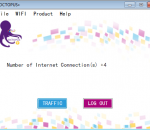
OCTOPUS+ helps in utilizing more than one internet connection in same computer . OCTOPUS+ is an innovative Internet Source Manger that brings a revolutionary change in the way internet connections are utilized. OCTOPUS+ will help in utilizing all the active internet connections available in a computer. OCTOPUS+ will intelligently manage the traffic between a computer and the internet among the available active internet connections. This will ease out the congestion through each of the active internet connections and thereby maximizing internet traffic throughput while delaying the reach the monthly download limit usually set by an ISP. OCTOPUS+ will monitor all the traffic flow through the internet interface and reshape traffic through the current available connections via an intelligent adaptive algorithm. OCTOPUS+ will dynamically avoid any faulty connection and shall adapt itself if such a connection becomes healthy again. All in real time. Whenever you have access to more than one internet source, Octopus+ can come to use. However, the best way to utilize OCTOPUS+ is to have your own 3G/4G CDMA/WiMAX wireless internet connection. If you have more than one WIFI adapter in your computer, you can connect to more than one wireless connection. You can couple LAN, 3G/4G, Wi-Fi or DSL all on one computer with OCTOPUS+ to get the full benefits. Default account is GUEST.You can login to OCTOPUS+ application using “GUEST” as Email ID. GUEST account is valid for thirty days on a particular computer. You can register for an own account using “Don't have an account?” in the Login page of OCTOPUS+ application. Alternatively you can register by clicking homepage To use Octopus+ in your computer, Login to your computer with administrator privilege account, or After installing Octopus+, press SHIFT button in keyboard and hold while you right click the shortcut item for Octopus+ and then click " RUN AS ADMINSTRATOR".
Xshell is a powerful SSH1, SSH2, SFTP, TELNET, RLOGIN and SERIAL terminal emulator for Windows platforms. It allows users to gain access to Unix/Linux hosts easily and securely on a Windows workstation. SSH (Secure Shell) protocol supports encryption and user authentication for secure connections over the Internet, and it replaces legacy protocols such as TELNET and RLOGIN. Xshell is designed to satisfy both beginners and advanced users. Its user interface is intuitive and it provides advanced users with powerful features such as local commands, searching with regular expressions, dynamic port forwarding, international languages and so forth. Secures network connections against malicious attacks. Xshell supports SSH1/SSH2 protocols, password, and DSA/RSA public key user authentication methods, and encrypts all traffics with various encryption algorithms. Replaces insecure telnet clients. Xshell supports VT100, VT220, VT320, XTERM, LINUX, SCOANSI and ANSI terminal emulation and provides various terminal appearance options replacing legacy telnet clients. Supports secure connections for X11 and arbitrary TCP/IP applications. Xshell supports the port forwarding feature over the SSH tunneling mechanism, so that all TCP/IP applications can share the secure connection without any modification on the program.
Maryfi is a free and easy to use software router for Windows 7, 8 , and 8.1 computers. With Maryfi, users can wirelessly share any Internet connection such as: a cable modem, a cellular card, or even another Wi-Fi network. Other Wi-Fi enabled devices including laptops, smart phones, music players, and gaming systems can see and join your Maryfi hotspot just like any other Wi-Fi access point and are kept safe and secure by password-protected WPA2 Encryption.
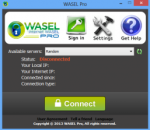
What's WASEL Pro? WASEL, is a VPN service provider with one of the most easy to use software client and reliable stable services, WASEL is your secure and safe gateway to the internet, By using our software and service you will be able to surf the internet anonymously and safely through high speed network of servers.. By using WASEL Pro VPN service, you can browse the Internet freely without any limitation, Make VOIP calls through Skype, and speed up your Internet connection by using advanced compression technique.. Using WASEL Pro service gives you the advantage of browsing the Internet anonymously and totally secured.. The tunnel established between your device and WASEL VPN servers is double encrypted and using top security measurment for secure and safe enviroment, Hackers will not have a chance getting to reach your device due to no show of your original IP address and the highly encrypted data transfer.. Why WASEL Pro? Easy installation and one click to connect application, just a setup our OpenVPN client on your device, insert your username and password and click connect.. Trusted & reliable VPN Solution for private and business use.. Several features (L2TP/OpenVPN), unlimited bandwidth, No restrictions over use, support…