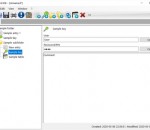
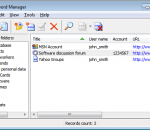
Crypt-o is a Client/Server password manager with many advanced features like strong data encryption, customizable databases, multi-user access, flexible permissions system, form filling, portable mode, Web access. Crypt-o is a secure Client/Server solution for creating custom databases, which is designed for use in enterprise networks. The data is reliably stored in Firebird SQL Server database and encrypted using AES algorithm with 256-bit key.
Best Folder Encryptor safely encrypts files and folder with various methods - Flash (instant), Hiding (instant and hiding), Full (all files in a folder separately), Diamond (strong and packing) and Portable (packing and portable). It has a friendly central management window and also supports direct use in Windows Explorer. It also protects data with enhanced features like folder disguise, disk protection, data lock, data shredding and more.
BestCrypt is easy-to-use, powerful data encryption software. You allocate a portion (container) of free space of your drive where you keep all your sensitive data in encrypted form. BestCrypt creates a virtual drive in your system which you work with like with any other drive. All data written there are encrypted "on-the-fly". Strong encryption algorithms Rijndael (AES), Blowfish,Twofish, GOST, DES. Time-out and Hot Key options.
VSUsbLogon enables users to login to their operating system using their USB devices instead of their passwords. The host OS remains password protected, but users need to input the password corresponding to the USB device assigned to them.
Still be worrying about so many passwords to remember? Now we have Efficient Password Manager, a completely free but powerful and cross-platform password management package. She can not only help you remember generic passwords, but also record website login passwords, software registration codes, e-mail account passwords, etc. And you can sync data across PCs and mobile phone. With Efficient Password Manager, you only need remember one password!
NetBull is the best and most undetectable keylogger you can find on the Internet. By using the latest in computer monitoring techniques, NetBull keylogger tracks all activities that occur on the monitored computer (Internet browsing, keyboard usage, user names and passwords, messenger conversations, programs used, Facebook activity, emails etc. etc.). The official website for NetBull keylogger: www.netbull.com
The InfoLock application is designed so that it can provide ultra secure encryption of valuable information and documents. The software uses a unique algorithm that combines a passphrase and an optimized passkey to produce a very long, unintelligible master key with which to encode the information.
Windows has a basic password complexity rule, but it accepts many weak passwords like "Secret1" and "Pa$$word". Password Policy Enforcer's configurable rules allow you to enforce almost any password policy imaginable. You can even create multiple password policies and assign them to individual users, groups, and Organizational Units.
Advanced-PasswordManager is a secure password management software that stores all your passwords in an encrypted vault protected by one master password. It removes identity traces from your PC after saving them to encrypted vault. You can auto fill web forms using your saved details. Free download Advanced-PasswordManager and protect your passwords, social security number, personal and credit card details from identity theft and fraud.
AdvancedPasswordManager is the best password management utility. AdvancedPasswordManager deletes identity traces from your computer system after saving them to an encrypted vault secured by one master password. AdvancedPasswordManager enables you to fill web forms automatically using your saved details. Advanced Password Manager securely locks your personal and financial information so that you can unlock them using your own master key.
This is a very simple and fast program will help users to perform a Chrome password recovery. It is well known that the browser Google Chrome can save usernames and passwords for different sites. The user can view them in your browser settings if some computer skills. But very often novice PC users are asking how to view saved passwords Chrome exactly where to look for them?