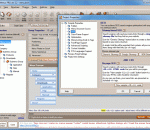
Sitemaps are a great SEO tool. They give you a way to stand up and say, "Hey, search engines! Over here! Check out my site." And sitemaps are also a great usability tool. They give your visitors a secondary navigation option, not to mention a peek at how your website is structured. Yep, sitemaps form a near-perfect intersection of SEO and usability. Unfortunately, they're pretty tedious to put together. unless you're using CoffeeCup Sitemapper!
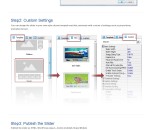
Hi Slider is an amazing jQuery slider maker which enables you to publish free WordPress slider plugins with ease. The stunnin visual effects and professional templates are available for you to just make your slider cooler. Supported by all major desktops and mobile browsers, the responsive JavaScript image slideshows created by Hi Slider can be viewed anytime, anywhere once you embed it in your WordPress pages or featured posts. The user-friendl
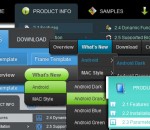
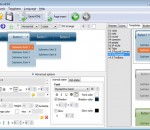
Create brilliant web buttons and drop down menus in a few clicks! Vista Buttons provides huge collection of 1400 web buttons, 8000 icons, 300 ready-made samples, so you'll create really nice looking menus and buttons with little or nodesign skills at all! Web 2.0, Mac, iPhone, Aqua buttons, Vista, XP, transparent, round, glossy, metallic, 3d, tab menus, drop down menus will be a breeze!
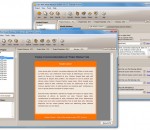
Figerty Editor is a basic HTML editor with a visual preview system that allows you to view your design in one window while you code in the other. The preview window updates in real-time as you type. It's aimed at designers. It includes open HTML file, create new project, save as HTML, preview visual design, preview while coding, and version checker.
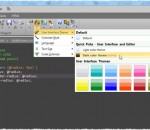
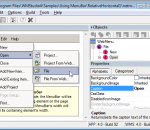
Visual DHTML popup menu designer with support for IE, Firefox, Chrome, Safari and others. Studio application provides an intuitive layout, on-the-fly preview mode, local and server path options, fast execution and menu creation. Includes complete help system, object reference and sample pages.
Create html drop down menus for web page navigation in a few clicks! Define text, font, color, URL and more for the multilevel dropdown menus. You don't need to write any code by yourself. Horizontal drop down menus builder will generate it for you. You can preview menus in web browser without quitting the program. Css drop down menus render perfectly in Firefox, Safari and Chrome. Html drop down menus also works on non-CSS3 compitable browsers
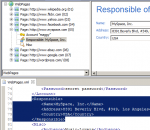
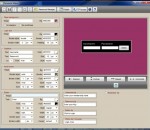
Create Login Boxes and password protect webpages Fast and Easy! Password Maker is a Windows application perfect for Webmasters and Website Owners. Several Login Box styles. Customize the way you want. Preview in the application and in your webpage on your local computer before you upload it to your website. Create any number of password protected pages. Send users to same page or to a different page for each one and more.
4Media HTML to EPUB Converter is used to convert HTML files to EPUB format eBooks which are convenient to read on portable devices compatible with EPUB. It preserves original text, graphics, images, hyperlinks and layout of the original HTML files. You can also customize the EPUB information by editing its name and author or browse a picture you like as the cover of the EPUB eBook.
Creates configurable HTML and HHC files of Contents for any files types, which can be used in CHM (HTMLHelp), eBooks, online Help, as DataCD menu, as sitemap of your website with access to HTML pages, graphics, media files, shared documents, applications etc. You can specify types of files to be indexed and sort the items as you like. Program can create two types of tree menus of indexed files in a target HTML file: static and click-to-open.
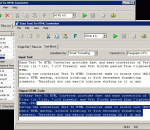
Easy Text To HTML Converter provides fast and easy conversion of Text Files (in *.txt, *.rtf formats) and Text Blocks pasted from Clipboard to HTML. The conversion is being performed in four different modes , placed on separate tabs of the main window: 'Single File', 'Files List', 'Text Block' and 'Table to HTML'. This allows to set conversion options matching to selected mode.
Follow only a few simple steps and your Expression Web dropdown menu will be ready! Open your website in Expression Web, find the place where you want to have a menu or buttons and press Vista Buttons icon on the toolbar. The Expression Web Menu Add-In opens where you can create your menu. Add the number of buttons and subitems you desire, specify text, link target and other available parameters. Use ready-to-use templates and save a menu.