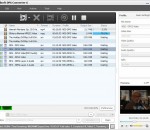
Auvisoft Video Converter is an easy-to-use software to convert video files between many formats with ease. It can convert video files from 3gp, asf, avi, flv, mp4, mpg, rm, rmvb, vob, wmv and more into 3gp, avi, flv, mp4, mpg or wmv files. The output video files can be used on popular multimedia devices such as PSP, iPod, iPhone, MP4 player, mobile phone, Zune, etc.
This software offers a solution to users who want to compress the file size of one or more WAV files. The user simply adds the required files or an entire folder before starting the compression. With this time saving software, the file size of large numbers of WAV files can be changed with just one click.
AviSynth is a powerful tool for video post-production. It provides ways of editing and processing videos. AviSynth works as a frameserver, providing instant editing without the need for temporary files. AviSynth itself does not provide a graphical user interface (GUI), but instead relies on a script system that allows advanced non-linear editing. While this may at first seem tedious.
Moo0 VideoToAudio can let you extract and save only sound / music data from any video files. These days, almost everything's published in the form of video, such as the ones on YouTube or music videos on DVD.
Odoo is the best management software to run a company. Millions of happy users work better with our integrated Apps. With 10.000+ apps in, Odoo covers all your business needs in a one-stop solution: no more interfaces between different software required. Odoo apps are perfectly integrated to each other, allowing you to fully automate your business processes.
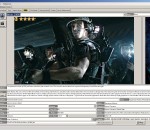
cineSync is a remote review and approval tool based on Apple QuickTime technology. By synchronising the timeline and playback of movies, you can quickly and efficiently view your work at the same time with anyone anywhere in the world. Build a playlist of movies, scrub to a point in a movie, playback a movie, draw on the screen with your mouse, write, circle and point to areas using the drawing tools all synchronised in real time with everyone.
AVI Splitter is an easy-to-use tool to extract segments from AVI files. AVI Splitter allows you to select segments of an AVI file and save them to new AVI files. The program can use to compress or decompress any VFW codec that is installed on your PC, such as MPEG-4 or DivX. The program can quickly extract segments from larger AVI files without recompression.
Copy Music&Video&Podcast&Voice memos from iPhone/iPad/iPod to Windows computer; Content can be transfered in iPhone/iPad/iPod: 1,Music (Purchased music and Synced music) 2,Video (Purchased video and Synced video) 3,Voice memos 4,Poscasts
VidOn DVD Creator can easily burn all sorts of videos into DVD discs. Just create your own DVDs freely with what you want! Downloaded videos, camcorder videos, and other common videos of nearly all popular formats are supported. DVD Creator can convert videos to DVD disc for playback with DVD player, or to DVD folder for backup or for later burning. And the output quality is definitely outstanding.
VSDC Video Editor can provide you with a plethora of features that you can rely on to quickly come up with professional-looking videos. However, you first need to thoroughly experiment with each function so as to discover its advantages or drawbacks before using it on a regular basis.
VideoWizard can convert virtually any format of video to play on your iPhone or iPod (AVI, WMV, MOV, MP4, DVR-MS, DIVX, XVID, FLV, x264, VOB, MPEG, etc.). Even better is that we do not require you to know the ins and outs of the dozens of different types of video formats out there – simply select the video you want to convert to your iPhone or iPod, and let VideoWizard do the rest.
GOM Media Player The only media player you need - for FREE! Not only is GOM Media Player a completely FREE video player, with its built-in support for all the most popular video and Media Player formats, tons of advanced features, extreme customizability, and the Codec Finder service, GOM Media Player is sure to fulfill all of your playback needs. With millions of users in hundreds of countries, GOM Media Player is one of the world`s most popular video players. Whats New : Added "Touch Setting" feature for touch screen devices. Added "Search box" feature on playlist. (Ctrl+F) Supported "HTTPS URL" for youtube or net radio playback. (Ctrl+U) Added "Music Tap" on preferences related to play music files. Improved performance related to "speed of add & delete" of files on playlist. Other miscellaneous corrections, fixes, and changes
RealPlayer has always enabled you to play RealAudio (*.ra) and RealMedia (*.ram) files. Download videos from thousands of Web sites with just one click Build your own video library and playlists Play all major audio and video formats Flash Video support DVD, SVCD, VCD burning and video recording RealPlayer for personal use includes audio CD burning capabilities, DVR-style playback buffering, multimedia search, Internet radio, a jukebox-style file library, an embedded web browser (using Microsoft Internet Explorer), and the ability to transfer media to a number of portable devices, including Apple's iPod, MP3 players, and Windows Media devices.
GOM is a FREE media player with popular audio & video codecs built-in. Codec Finder GOM Player includes many codecs (XviD, DivX, FLV1, AC3, OGG, MP4, H263 and more) so you won't need to install separate codecs for most videos. For those videos that require a separate codec, GOM Player will find one. Play Broken AVI Files (Patented) GOM Player's patented technology enables users to view files with broken indexes or that are still being downloaded. Powerful Subtitle Support GOM Player supports SMI, SRT, RT, SUB(with IDX) files for subtitle. You can even synchronize subtitle and video if there's any mismatch. Convenient Playlist If you run a video file and there is already a file with a similar name in the directory, it will be automatically added to your playlist. GOM Player has a similar playlist format as M3U, PLS, ASX. Support Different Media Types Along with different media format such as AVI, MPG, MPEG and DAT, GOM Player also supports streaming Windows media format (WMV, ASF, ASX). You can also watch DVD-quality videos with 5.1 channel audio output.