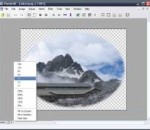
Daum PotPlayer - very fast freeware multimedia player published by Daum. It feels like the KMPlayer, but is in active development. Distinctive features of the player is a high quality playback, support for all modern video and audio formats and a built DXVA video codecs. Other key features include Webcam/Analog/Digital TV devices support, gapless video playback, live broadcasting. Features of Daum PotPlayer: - Support for most audio/video formats and DVD. - Internal DXVA video codecs (H.264/AVC, VC-1, MPEG2) and EVR (Windows 7 only). - Hi Quality playback and low resources usage. - Support all types of subtitling. - Skins, logos, color themes. - Digital TV devices support. Live broadcasting.
Can you spot the needles in the haystack? Your target in this game is to find out all of the given words on the grid. You will be given a large grid which contains numerous letter tiles, and a word list will be placed on the right of the screen. The words may run horizontally, vertically or diagonally and from any directions, such as from right to left, from bottom right to top left, etc. Click and drag the corresponding letters on the grid as you spot a word, but be careful with your moves as 1000 points will be deducted for any wrong word. If you cannot find the required words, you may click the Hint button at the bottom of the screen to receive a hint, but note that each time you do so you will lose 1000 points. The amount of time you have spent and your current score will be recorded under the word list. Search for the words now and accomplish the task quickly for rich rewards!
XMLmind XML Editor is a highly-extensible, multi-platform, validating XML editor featuring a word processor-like view. It makes it easy for technical writers to master XML vocabularies such as DocBook or DITA.
Original pixel font. Latin and Cyrillic code pages are supported.
The Gimp for Windows x64 is the open source reference in image manipulation. This free application will allow you to retouch, author and edit your photos thanks to a wide set of tools. Let’s quickly go through what you can do with the Gimp. The painting function has the essential clone, airbrush or pencil tools and a powerful gradient and blend tool. You can also create and save your own brushes and patterns for later use. The program lets you manipulate your photos, adding layers, doing Bezier and polygonal selections or setting text. Load and save animations in a frame-as-layer format and batch process all your photos for quick editing. The multi-windowed interface can be moved around to fit your needs and resized according to your desktop space. While the Gimp is user friendly, the installation process can result a bit hairy. Because the application works under the GTK Runtime Environment, you will have to install this kit to successfully launch the program. The process is fairly lengthy and some error messages tend to pop up, however if you persist, you will be able to install the Gimp properly on your PC Despite this fairly hazardous installation process, the Gimp is a program we recommend. Whether you’re out of dough or are looking for a free alternative to Photoshop, the Gimp is excellent image manipulation software with all the tools you’d expect. The friendly interface and expandability make this a program of choice. Features: Painting: · Full suite of painting tools including Brush, Pencil, Airbrush, Clone, · etc. · Sub-pixel sampling for all paint tools for high quality anti-aliasing · Extremely powerful gradient editor and blend tool · Supports custom brushes and patterns System: · Tile based memory management so image size is limited only by available disk space · Virtually unlimited number of images open at one time Advanced Manipulation: · Full alpha channel support · Layers and channels · Multiple Undo/Redo (limited only by diskspace) · Editable text layers · Transformation tools including rotate, scale, shear and flip · Selection tools including rectangle, ellipse, free, fuzzy and intelligent · Advanced path tool doing bezier and polygonal selections. · Transformable paths, transformable selections. · Quickmask to paint a selection. Extensible: · A Procedural Database for calling internal GIMP functions from · external programs as in Script-fu · Advanced scripting capabilities (Scheme, Python, Perl) · Plug-ins which allow for the easy addition of new file formats and new · effect filters · Over 100 plug-ins already available Animation: · Load and save animations in a convenient frame-as-layer format · MNG support · Frame Navigator (in GAP, the GIMP Animation Package) · Onion Skin (in GAP, the GIMP Animation Package) · Bluebox (in GAP, the GIMP Animation Package) File Handling: · File formats supported include bmp, gif, jpeg, mng, pcx, pdf, png, ps, psd, svg, tiff, tga, xpm, and many others · Load, display, convert, save to many file formats · SVG path import/export
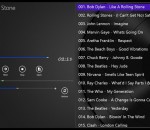
This audio player supports the following formats: WMV, MP4, MP3, WMA. It can also play music in the background. Features - Play music in the background. - Increase or decrease the speed of the audio playback.
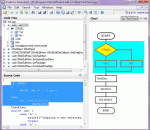
Code to FlowChart is an advanced source code to flowchart converter for software engineers and document writers. It can automatically generate flow chart/NS chart from source code, and help users to learn complex projects by visible flowchart. Code to FlowChart converts the software project into high-quality flow chart or NS chart through reverse engineering. It also supports to export the flowchart as MS Word/Visio/SVG/BMP/XML formats.
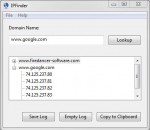
IPFinder is a simple tool which will resolve any valid domain name to one or more associated IP addresses. With IPFinder you can find the IP address associated with any web adress you type for browsing.
SunlitGreen BatchBlitz is a free, powerful and easy-to-use photo categorizer, file filter and batch editor. It provides an intuitive and efficient way to categorize and batch process your digital photos. The use of regular expressions and actions make the tool extremely flexible and powerful. FEATURES: · Simple and intuitive user interface · Extensive support for regular expression · Exif metadata accessible through predefined macros · Savable batch task · Drag-and-drop to select source images · Highly customizable batch actions · Drag-and-drop to re-order actions · Instant preview · Powerful integrated SunlitGreen PhotoEdit
The turkeys revolted three years ago. Not coincidentally, that was the same year mankind last had Thanksgiving dinner. We should have seen it coming. It was the logical conclusion of our perennial turkey oppression. Years of slicing, dicing, chopping, and carving in the name of tastiness. Gobble-gobble, indeed. Even as the revolution flared, we thought it would be easy. We thought they were dim-witted, clumsy, unworthy adversaries. We thought they would soon be on our Thanksgiving dinner table again. We thought wrong. They had outside help. Intergalactic turkeys flocked to the aid of their earthly brethren. They were intelligent, organized, technologically advanced. And they were merciless. It's now time for you to fight for our ancestral right to turkey roast. Will you triumph over the foul fowls? Will mankind ever have Thanksgiving dinner again? Or will you end up as part of the menu in a galactic turkey restaurant?
Enter the amazing clusters of shiny bright gems! Your goal in this game is to form a line of 3 or more identical gems so that they can be removed. When the game opens, you will be given a grid which contains numerous gemstones. Click two horizontally or vertically adjacent gems to swap their positions, so that at least 3 gems of the same kind form a horizontal or vertical line and can be removed from the grid. Your score is displayed on the left of the screen, while the red bar on top of the grid shows your remaining time. Extra time will be given when gems are successfully removed from the grid. When the bar reaches its end of the left, the game is over. Form more combos to receive huge bonuses and crown yourself with a glittery diadem!
GOM Media Player The only media player you need - for FREE! Not only is GOM Media Player a completely FREE video player, with its built-in support for all the most popular video and Media Player formats, tons of advanced features, extreme customizability, and the Codec Finder service, GOM Media Player is sure to fulfill all of your playback needs. With millions of users in hundreds of countries, GOM Media Player is one of the world`s most popular video players. Whats New : Added "Touch Setting" feature for touch screen devices. Added "Search box" feature on playlist. (Ctrl+F) Supported "HTTPS URL" for youtube or net radio playback. (Ctrl+U) Added "Music Tap" on preferences related to play music files. Improved performance related to "speed of add & delete" of files on playlist. Other miscellaneous corrections, fixes, and changes
Iperius Backup is one of the best free backup software, also released in commercial editions for those who need advanced backup features for their companies. The freeware version of Iperius Backup allows you to backup to any mass storage device, such as NAS, external USB hard drives, RDX drives, and networked computers. It has comprehensive scheduling and e-mail sending functions. It supports zip compression with no size limit, incremental backup, network authentication and the execution of external scripts and programs.
Maryfi is a free and easy to use software router for Windows 7, 8 , and 8.1 computers. With Maryfi, users can wirelessly share any Internet connection such as: a cable modem, a cellular card, or even another Wi-Fi network. Other Wi-Fi enabled devices including laptops, smart phones, music players, and gaming systems can see and join your Maryfi hotspot just like any other Wi-Fi access point and are kept safe and secure by password-protected WPA2 Encryption.