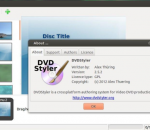
DVDStyler is a cross-platform free DVD authoring application for creation professional-looking DVDs. It allows not only burning of video files on DVD that can be played on any DVD player, but also creation of own-designed DVD menus. It is Open Source Software and is completely free. Features : * creation and burning DVD video with interactive menus * support of AVI, MPEG and other file formats * support of MPEG-2, MPEG-4, DivX, Xvid, MP2, MP3, AC-3 and other audio and video formats * using MPEG and VOB files without reencoding, see FAQ * allows put files with different audio/video format on one DVD (support of titleset) * user-friendly interface with support of drag & drop * flexible menu creation on the basis of scalable vector graphic * import of image file for background * placing of buttons, text, images and other graphic objects anywhere on the menu screen * changing the font/color and other parameters of buttons and graphic object * scaling of buttons and graphic objects * coping of any menu object or whole menu * dvd scripting
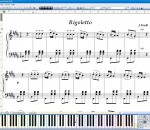
Compose music, type lyrics and print scores without paying a dime! Enjoy music improvisations, have hours of fun and impress your friends with piano music. MagicScore Virtual Piano helps kids and adults develop creativity and music abilities by delivering a virtual piano keyboard free of charge. Educate and entertain your entire family free of charge! MagicScore Virtual Piano helps you become a composer, allowing you to improvise, pick out the notes or add lyrics to a popular tune or your very own composition. Turn your computer keyboard into a virtual piano! The free virtual piano keyboard offers all the basics that are required to compose music, play back using a variety of timbers, type and print music, and save your work into project files you can use with the entire range of MagicScore notation products. Share your compositions with friends by emailing music and publishing notes! The built-in MagicScore Online plugin allows you to publish your compositions right on your Web site by embedding live playable and printable scores into the Web page. MagicScore Virtual Piano is perfect for kids and adults, offering the easiest work and the simplest learning curve. Whether you are a music enthusiast or a parent who wants to teach the kids music, the free virtual piano keyboard can be just a perfect tool for you. If you ever outgrow MagicScore Virtual Piano and demand more powerful features, play a different musical instrument, or need a higher level of customization, MagicScore offers a wide range of tools for typing, editing, playing or recognizing scanned sheet music, saving music notation files or MIDI sequences. With certain products, you'll even be able to type notes and compose music in Microsoft Word directly!
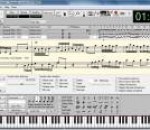
Anvil Studio is a handy program designed for people who want to: record music with MIDI and Audio equipment, compose music for MIDI and Audio equipment, sequence music with MIDI equipment, or play with music using a computer and sound card. FEATURES: General: · Editors: Staff, Lyrics, Piano Roll, Drum, Loops, Audio, Events. · File formats: standard .MID and .WAV files. · Includes extensive integrated help. Piano Roll / Rhythm editor with: · multi-level loops · loops can refer to notes, other loops, samples, or Riffs. · Import, record and edit audio samples and play them like drums. · any note duration down to 1/128th notes. · dynamic editing while the song is playing, making it easier to experiment with rhythms. · duplet, quintuplet, and septuplet notes. · Enter notes from external MIDI device, on-screen guitar fret board, on-screen piano keyboard, or by dragging notes to the staff. · Per-track On/Mute/Solo, device, instrument, channel, fader, pan, and effects controls. For screens larger than 800 x 600, it shows: · up to 25 tracks of information displayed at the same time. · zoomed-out view of notes and wave data for all tracks at the same time. · option to play notes as mouse moves over them, making it easier to quickly locate a spot in the song. · Dynamically change track volumes, mutes, instruments, and effects properties while a song continues to play. · Fast loading and scrolling of large MIDI files. · Time and Duration fields display time in Minute:Second:Frame(SMPTE), or Measure:Beat:Ticks, or sample format. · Metronome includes tempo, lead-in, and accent beat attributes. · Add Cue points for quickly positioning to a desired spot in the song. · Play list for playing hours of different song files. · File/Truncate menu to shorten the duration of .MID files. · File/Merge Song menu for copying tracks between .MID files. · Add standard music notation including: slur, crescendo, decrescendo, fermata, trill, repeat, D.C., D.S., segno, coda, prima volta, seconda volta, pp, p, mp, mf, f, ff · User-defined keyboard shortcuts. · Control Record/Play/Stop functions remotely using any MIDI controllers such as a Foot Switch, Modulation wheel. · Free version has built-in patch-library support for SoundFont®-compatible sound cards. · Supports the Tascam US-428 External Mixing console. · Runs on Windows 98, ME, NT 4.0, 2000, XP, Vista (32-bit versions) · ASIO, VST, VST-Instrument, and Automation support with optional Pro-Mix accessory. Audio: · Free version allows you to record and edit a single, stereo or mono, one minute audio track. · Optional $19 Multi-Audio 1/8 accessory allows you to record and mix up to 8 stereo/mono audio tracks, where recording time is limited by available free disk space. · Uses Windows Audio Format Converters to import/export WMA and other audio formats. · Mix audio files with different formats (bits per sample, samples per second). · Controls for sound-card configuration. · Mix all tracks down to a single .WAV file. · Set record and play start and end times to control which range get recorded for Punch-in to re-record over mistakes. · Record audio tracks from any sound card's Mono, Left, Right or Stereo channels, from any soundcard source including Microphone, Line-In, CD-Audio, etc. · Audio effects: native reverb, native EQ, third-party DirectX effects. · Audio filters: zero-range, pitch change, volume change, pan, filtering, reverse, normalize (to maximize a track's head-room), low-pass, high-pass, band-pass, and band-stop. · VU meters · Zoom in to the sample level · Per-sample Volume, Pan and Reverb controls · Record an Audio device's Left or Right channel to a track by itself. · Mix stereo and mono Audio tracks in the same song to a stereo or mono mix. · Split a stereo audio track into two mono tracks. · Change audio tracks between Mono and Stereo without erasing the track. · Paste Stereo to Mono and Mono to Stereo. · Import .WAV files to audio tracks or sampled rhythms.
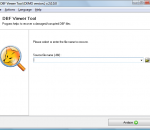
DBF Viewer is a specialized database viewer and data recovery tool intended for all categories of users looking for a way to restore damaged DBF data on their own and without leaving their workplace. The software is extremely compact, can be downloaded and installed in seconds and requires absolutely no recovery experience of any sort, allowing anyone to recover valuable data from a corrupted database in no time.
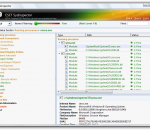
ESET SysInspector for Windows x64 is a free, state of the art diagnostic tool for Windows x64 bit systems. It is also an integral part of ESET Smart Security 4 and ESET NOD32 Antivirus 4. It peers into your operating system and captures details such as running processes, registry content, startup items and network connections. Once a snapshot of the system is made, ESET SysInspector applies heuristics to assign a risk level for each object logged. Its intuitive graphical user interface enables the user to easily slice through the large volume of data using a slider to select objects of a particular color coded risk level for closer examination. ESET SysInspector is a convenient utility for the tool box of every IT expert and first responder. Key Features: * Ability to generate and save a detailed log to be used by an IT expert or uploaded to an online forum for diagnosis * Option to exclude private, personal information from being saved in logs * Integrated Anti-Stealth technology allows discovering hidden objects (e.g. rootkits) in MBR, registry entries, drivers, services and processes * Ability to compare two existing logs for differences makes it easy to detect changes over time * Log entries are assigned a color code risk level for easy filtering * Intuitive hierarchical navigation of logs * Fast and compact single file executable, ideal for first responders to run from a USB drive without lengthy installation
Virtual Router is a free, open source software based router for PCs running Windows 7 or Windows Server 2008 R2. Using Virtual Router, users can wirelessly share any internet connection (Wifi, LAN, Cable Modem, Dial-up, Cellular, etc.) with any Wifi device (Laptop, Smart Phone, iPod Touch, iPhone, Android Phone, Zune, Netbook, wireless printer, etc.) These devices connect to Virtual Router just like any other access point, and the connection is completely secured using WPA2 (the most secure wireless encryption.)
"YGS Virtual Piano" is musical instrument on your PC (like piano and left-hand accordion manual) and virtual midi keyboard. It will be useful to the musician in the most various situations (for example to tune musical instrument, to find the key of the heard music, to sound lessons of the musical school, etc.). This program in aggregate with a video projector will allow to explain effectively something for the big audience of pupils of musical schools, colleges and conservatories. The program allows to create and store a collection of the favourite timbres based on possibilities of a midi-synthesizer of a sound card as file collection. Each timbre can be set from one or several various on loudness and transposition timbres (it can be multilayer and consist of 1...16 single voices). The virtual piano in aggregate with the external midi-keyboard is like program sound module. In this new version you can play on PC keyboard and quickly transpose sound (Quick transposition is available in registered copy of program, but you can transpose sound in Menu -> Edit Voice). You can create new sound files (*.vpiano) or download them on homepage of Virtual Piano (www.yellow-gold-soft.com/virtual_piano.php). The program can be used free with little restrictions all the time (no trial period). In the future versions more difficult management of timbres (division of the keyboard into zones, management of dynamic characteristics of various layers of a sound, etc.) is planned. Author of this program is professional musician Murat Dzhusupov from Novosibirsk (Russia).
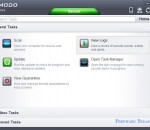
Comodo Antivirus is the free way to rid your computer of viruses, malware, Trojans, worms, hackers, and other Internet threats. Scan any drive or file. Get in-depth reports on viral activity. Detect suspicious files that behave like viruses do. Even scan compressed .zip files, where viruses often hide. The latest version sees a major leap forward in security and usability with the addition of cloud based virus-scanning and behavior analysis of unrecognized files - making Comodo Antivirus unbeatable at detecting zero-day attacks. Under default settings, unknown and untrusted files are automatically scanned by our cloud-based virus scanners then, while the file undergoes behavior analysis on our cloud server, it is run in a sandbox on your local machine so that it cannot modify or affect data on your 'real' system. Put simply, this ground-breaking, default-deny, protection of your PC means that only trusted applications are allowed to run on your computer. Malware and untrusted files get nowhere near anything important AND you get to use your computer without interruption from nagging alerts. Comodo Antivirus also includes a mechanism for you to submit any files you think are suspicious to Comodo for analysis. Is it a new virus? Have any other users submitted it? Or has it already been declared PC-friendly and landed on the white-list? Comodo Antivirus is the intelligent virus defense system that offers multiple layers of hi-tech protection against known and unknown threats. It includes free automatic updates for the latest in antivirus coverage and provides real protection at no cost.
Are you tired of spending money on expensive retail games and keeping your computer hardware up to date all the time? If so, then you may want to consider the extensive world of casual gaming. Games such as Nuclear Bike not only cost absolutely nothing; they also have low system requirements and they have online web-based versions which you can play without even having to download and install anything! Nuclear Bike has no less than 15 levels, each one boasting its own unique terrain and set of challenges. You'll ride your sports bike over various harsh sceneries, constantly trying to beat your previous time and point record. There are various factors which influence the number of points you receive at the end of the level. You can collect coins along the track by riding into them, you can complete the level in less time and you can perform various dangerous stunts such as backflips to earn extra points. Learn more and download the game today at homepage .
Complete internet security solution which protects you and your computer from online threats like identity theft, credit card fraud, hackers, spam, viruses and spyware. In addition, this software comes with 5 GB online backup that you can use to secure your most valuable documents. BullGuard Internet Security x64 is built exclusively for the everyday user, putting safety, simplicity and an easy-to-use design first. That's why 10 million users worldwide have travelled the web safely with BullGuard x64. E-mail, shop, bank and backup your photos and music online with confidence, and let BullGuard x64 protect you and your computer from online threats like identity theft, credit card fraud, hackers, spam, viruses and spyware. FEATURES: · Antivirus: Give computer viruses like Trojans and worms no chance. · Antispyware: Protect yourself from identity theft and online fraud. · Firewall: Protect your computer from unwanted intruders like hackers. · Antiphishing: Get web pages and e-mails authenticated, so you can surf, shop, and bank safely online. · Spamfilter: Keep your inbox clean from junk mail and phishing attempts. · Backup: Easily secure your important files from computer crashes, damage and theft. · Support: Free 24/7 support when you need it. · User-friendliness: User interface and installation so easy, anyone can use it. · Game Mode: Fast but safe game fun with minimal resource consumption. · Instant Message Protection: Interact and exchange files over IM programs like MSN, Yahoo and Skype
Forecastfox Weather is a free extension for Chrome that adds weather icons to your browser's toolbar, letting you easily track the weather anywhere in the world. Mousing over the weather icons reveals detailed weather information for each forecasted day in an easily readable format. Forecastfox Weather aims to be unobtrusive and easy to use.
GOM Media Player The only media player you need - for FREE! Not only is GOM Media Player a completely FREE video player, with its built-in support for all the most popular video and Media Player formats, tons of advanced features, extreme customizability, and the Codec Finder service, GOM Media Player is sure to fulfill all of your playback needs. With millions of users in hundreds of countries, GOM Media Player is one of the world`s most popular video players. Whats New : Added "Touch Setting" feature for touch screen devices. Added "Search box" feature on playlist. (Ctrl+F) Supported "HTTPS URL" for youtube or net radio playback. (Ctrl+U) Added "Music Tap" on preferences related to play music files. Improved performance related to "speed of add & delete" of files on playlist. Other miscellaneous corrections, fixes, and changes
Iperius Backup is one of the best free backup software, also released in commercial editions for those who need advanced backup features for their companies. The freeware version of Iperius Backup allows you to backup to any mass storage device, such as NAS, external USB hard drives, RDX drives, and networked computers. It has comprehensive scheduling and e-mail sending functions. It supports zip compression with no size limit, incremental backup, network authentication and the execution of external scripts and programs.
Maryfi is a free and easy to use software router for Windows 7, 8 , and 8.1 computers. With Maryfi, users can wirelessly share any Internet connection such as: a cable modem, a cellular card, or even another Wi-Fi network. Other Wi-Fi enabled devices including laptops, smart phones, music players, and gaming systems can see and join your Maryfi hotspot just like any other Wi-Fi access point and are kept safe and secure by password-protected WPA2 Encryption.