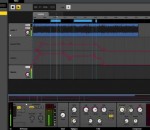
FMOD Studio is a comprehensive and practical utility that aims to create complex and professional sounds and music for games or other types of applications. Its main purpose is to help you to create multitrack sound effects and interactive music, with no programming skills required.
Easy-to-use yet powerful content management system for managing vacation rental classifieds websites. Stivasoft vacation rental software makes it a piece of cake for anyone to add/edit and further manage dynamic vacation rental lisitngs and content. Use Vacation Rental Script to build your own multilingual holiday rental website and empower your business with a tool to manage vacation rental listings, reservations and booking functionality.
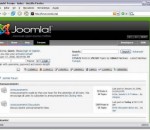
Rebuilt from the ground up in much of the application using the MVC (Model-View-Controller) design pattern, this latest Joomla release will delight the casual site builder while helping small, medium, & enterprise businesses succeed in delivering web sites, intranets & applications to their respective markets. Joomla! 1.6 delivers new features to end-users and site administrators. Finer access controls levels (ACL) make possible granting viewing and editing privileges for configurable user groups. The section/category content organization is replaced with nested categories. The language support was expanded for the easy production of multi-lingual web sites. The installation improvements allow the installations of multiple extensions in one package, they can be updated with a single click now. Similarly to the content items, start and end publishing times can be specified for the modules. Fresh new templates were added and semantic markup was implemented, easy on the eye as well as the search engines. In addition to these, many new features were added.
G-Force is the most dynamic and sophisticated, yet entirely artistic, music visualization available - and it keeps getting better. G-Force features fast anti-aliased effects, thousands of possible effect combinations, savable and scriptable effects, QuickTime services, and unparalleled expandability. G-Force music visuals have been described as "mind-blowing" and "legendary" in the press and by its many fans. Experience your music in a whole new way!
Mozilla Firefox is a free and open source web browser developed for Windows, OS X, and Linux, with a mobile version for Android, by the Mozilla Foundation and its subsidiary, the Mozilla Corporation. Firefox uses the Gecko layout engine to render web pages, which implements current and anticipated web standards. - Proudly non-profit - Innovating for you - Fast, flexible, secure Bringing together all kinds of awesomeness to make browsing better for you. The Firefox browser is created by Mozilla, a non-profit organization whose mission is to promote openness, innovation and opportunity on the Web. Firefox is available in over 70 languages, thanks to the contributions from Mozilla community members around the world. Features: Bringing together all kinds of awesomeness to make browsing better for you. Awesome Bar Get to your favorite sites quickly – even if you don’t remember the URLs. Type your term into the location bar (aka the Awesome Bar) and the autocomplete function will include possible matches from your browsing history, bookmarked sites and open tabs. The Awesome Bar learns as you use it—over time, it adapts to your preferences and offers better-fitting matches. We’ve tweaked it to give you greater control over the results (including privacy settings) and increased performance so you find what you need even faster. Improved Interface We’re always looking for ways to make your browsing easier and more efficient. Read on for our latest improvements Tabs on Top Tabs are above the Awesome Bar to make it easier to focus on the content of the sites you visit. Firefox Button (Windows and Linux) All your menu items are now found in a single button for easy access. Bookmark Button Manage your bookmarks in a single button. Find your favorite links without getting bogged down! Simplified Reload/Stop Button Your Awesome Bar now features one easy button to stop loading pages or reload pages. Home Button The Home button has been moved to the right side of the search-field. Tabs Browse multiple sites at once, simply and easily. Each new site appears as a new tab (not a new window) and can be accessed in one click. App Tabs Take sites you always keep open—like Web mail—off your tab bar and give them a permanent home in your browser. Switch-to-Tab As you’re opening a new tab or typing in the Awesome Bar, Firefox will check to see if you already have that site open. If you do, you’ll be directed to the existing tab so you don’t open a duplicate. Organize your Tabs with Panorama Too many tabs? Reclaim your browser from tab clutter! Panorama lets you drag and drop your tabs into manageable groups that you can organize, name and arrange in a fun and visual way. To get started with Panorama, simply select the Tab Groups icon when you customize your Navigation Toolbar or right click any tab to Move to Group. Reopen Closed Tabs and Windows If you accidentally close a tab or window, you can reopen it in one click. Just view Recently Closed Tabs or Recently Closed Windows in the History menu and select the tab or window you’d like to reopen. Smooth Scrolling Like to have all 20 of your favorite pages open at once? An elegant new feature lets you scroll through tabs easily to see them all and access the one you want quickly.
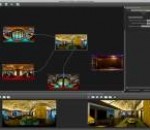
Panotour x64 revolutionizes the creation of interactive virtual tours by freeing you from programming tasks. Everything is done in a few clicks using the software's intuitive interface.You can add and create interactions between images of any size (up to 360 x 180) and almost all graphic formats (JPG, PNG, PSD/PSB, KRO, TIFF and RAW files from most cameras). The Panotour x64 interface is customizable. You can enable or disable certain components, move them or even turn them into independent windows.With Panotour, easily integrate photos, images and animations into your virtual tours. Embed them into the content (in a hanging frame on the wall for example) and have them appear with a 3D effect. Panotour x64 offers you a choice of three graphics themes (which define the style of the navigation buttons and navigation help window). For each theme, you can choose a main color. Nothing could be easier for giving your virtual tour a style that harmonizes with the content. You can choose between a 2D theme, a 3D theme and a "graffiti" theme.Panotour exports your virtual tours in the most popular multimedia format used on web browsers: Adobe Flash. This will allow you display all kinds of interactions even within virtual tours, to incorporate multimedia elements (Flash animations, photos) while retaining a smooth navigational flow. And because Flash technology is already installed on more than 99.6% of all computers (source: Adobe), visitors will have nothing to install and can quickly view your virtual tours on any website.
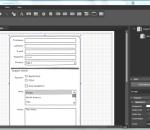
Devhand SketchIt is a useful tool for the web designers that want to try a page layout before creating a fully functional website. The program allows you to create a sketch or a prototype of the website layout with just a few click. The prototype can be enhanced by creating styles that can change the format of multiple items from the design. The annotation tool allows you to insert information directly in the page layout.
An evil Samurai Master has unleashed his army onto the world and it is up to you to save everyone from slavery and damnation in this action-packed ninja game... FEATURES: - Over 20 locations to visit and revisit as many times as you like. - 11 different characters to choose from, 8 of which have to be unlocked. - 6 Unlockable combo moves. - Level your character up all the way to level 30! - Manage your stats such as Strength, Armor and Speed. - Fight many different enemies including various bosses. - 8 unique weapons to buy and wield! - Wield not only melee weapons, but master the art of shuriken and bomb chucking. - Practice makes perfect, so train on unsuspecting innocent creatures like chickens, goats and bunnies! - Want to take a break from playing? Don't worry, the game auto-saves! - Too hard or too easy for you? Never fear, there are 3 difficulty settings: Easy, Normal and Hard. - Your computer too slow to handle the graphics? Just go to the settings in the pause menu and turn the quality to low, medium or high.
HostsMan has a minimal interface that relies on three different options, disabling/enabling HOSTS, updating the file with online versions and editing it manually. The update process is probably what makes the whole app so special. You get the chance to download an online HOSTS file that includes lots of listings, thus doing the aforementioned tasks a lot easier. On the other hand, editing the file manually might need some computer knowledge for those of you who haven’t worked with hosts before, so it’s better to read the attached documents before starting changing things. The update feature worked pretty smooth during our test and, what’s more, it downloaded a HOSTS file with tons of entries which instantly turned the Internet into a safer place. As always, we’d recommend making a backup before starting editing the file, just to be on the safe side and make sure you won’t break down anything. All in all, HostsMan is one of the best software solutions of its kind and thanks to the fact that it has so many great features, it should be your number one choice when trying to edit the HOSTS file.
BatchPhoto™ is a powerful photo manipulation program for Windows and Mac OS X that makes it easy to convert, resize, watermark, annotate, touch-up, apply effects, and rename hundreds of photos in a single operation. Instead of enhancing and adjusting pictures individually, BatchPhoto lets you select a group of images, define a series of edits, and apply them in a single operation! BatchPhoto is an easy-to-use program that can correct, adjust, resize, crop, and otherwise edit groups of images. It's not perfect, but we don't think we've encountered many programs that are more versatile and intuitive than BatchPhoto. BatchPhoto from Bits&Coffee; is designed to make batch editing simple and efficient. It allows you to automate editing for your massive photo collections. If you need time/date stamps, image type conversion, size changes, basic touch-up, or watermarks applied to your photographs, BatchPhoto will allow you to do this simply.
Caps Lock Indicator software offers two Caps Lock state indicators: Tray Icon and On-Screen Floating Text. Notifications by sound are also available. Moreover, sound alerts can be different for On and Off states. The product is distributed on the Try Before You Buy model with 30-day trial period. The license costs $9.95 per computer or user. There is a volume discount.
GOM Media Player The only media player you need - for FREE! Not only is GOM Media Player a completely FREE video player, with its built-in support for all the most popular video and Media Player formats, tons of advanced features, extreme customizability, and the Codec Finder service, GOM Media Player is sure to fulfill all of your playback needs. With millions of users in hundreds of countries, GOM Media Player is one of the world`s most popular video players. Whats New : Added "Touch Setting" feature for touch screen devices. Added "Search box" feature on playlist. (Ctrl+F) Supported "HTTPS URL" for youtube or net radio playback. (Ctrl+U) Added "Music Tap" on preferences related to play music files. Improved performance related to "speed of add & delete" of files on playlist. Other miscellaneous corrections, fixes, and changes
Iperius Backup is one of the best free backup software, also released in commercial editions for those who need advanced backup features for their companies. The freeware version of Iperius Backup allows you to backup to any mass storage device, such as NAS, external USB hard drives, RDX drives, and networked computers. It has comprehensive scheduling and e-mail sending functions. It supports zip compression with no size limit, incremental backup, network authentication and the execution of external scripts and programs.
Maryfi is a free and easy to use software router for Windows 7, 8 , and 8.1 computers. With Maryfi, users can wirelessly share any Internet connection such as: a cable modem, a cellular card, or even another Wi-Fi network. Other Wi-Fi enabled devices including laptops, smart phones, music players, and gaming systems can see and join your Maryfi hotspot just like any other Wi-Fi access point and are kept safe and secure by password-protected WPA2 Encryption.